
By Michael Nielsen, Editor & Publisher | 15+ Years in Diesel Repair
Last Updated: February 2026
📖 Estimated reading time: 25 minutes
Trailer ABS module programming is one of those skills that separates a competent fleet shop from one that’s constantly chasing ghost codes and failed inspections. Since FMCSA mandated anti-lock braking systems on commercial trailers manufactured after March 1, 1998, every technician servicing heavy-duty equipment needs to understand how these electronic control units work, how to configure them for specific trailer setups, and how to troubleshoot the diagnostic codes that inevitably surface during routine operations.
Getting the programming right matters. An improperly configured ECU can trigger malfunction warnings, compromise braking performance, and leave your trailer vulnerable to violations during roadside inspections. Whether you’re working with WABCO Enhanced Easy-Stop systems, Bendix EC-60 or EC-80 controllers, or Meritor WABCO integrated setups, the fundamentals of connecting diagnostic equipment, reading fault codes, loading configuration parameters, and verifying successful calibration follow a predictable sequence that this guide covers from start to finish.
This guide walks through the complete trailer ABS programming workflow—from understanding system architecture and selecting the right diagnostic tools, through step-by-step programming procedures, reset techniques, and the preventive maintenance practices that keep these safety-critical systems performing reliably mile after mile.
Key Takeaways
- Federal mandate: Electronic brake systems have been required on commercial trailers with GVWR over 10,001 lbs since March 1, 1998, under 49 CFR 393.55.
- ECU configuration must match the trailer: Selecting the wrong axle configuration (2S/1M, 2S/2M, 4S/2M, or 4S/3M) causes improper ABS operation and persistent fault codes.
- Diagnostic trouble codes pinpoint failures: Wheel speed sensor faults, modulator valve errors, voltage problems, and communication issues each produce specific codes that guide targeted repairs.
- OEM-specific tools are essential for advanced programming: WABCO TOOLBOX PLUS (v12.2+), Bendix proprietary software, and compatible PLC adapters are required for module configuration beyond basic fault reading.
- Reset procedures vary by fault type: Power cycle resets clear volatile memory, while software-based resets allow selective code clearing—always fix the underlying problem before clearing codes.
- Road test calibration completes the process: After programming, drive above 5-7 mph for 100-200 feet on level pavement to allow the ECU to learn sensor characteristics and establish baseline parameters.
Understanding Trailer ABS Systems and Module Functions
Trailer anti-lock braking systems operate as self-monitoring electronic networks that prevent wheel lockup during emergency braking. These systems integrate multiple components—electronic control units, wheel speed sensors, and modulator valves—to maintain directional control and reduce stopping distances in situations where human reaction time alone falls short. The technology runs continuously while the vehicle is in motion, making split-second pressure adjustments at rates exceeding 100 cycles per second.
Modern trailer ABS has evolved well beyond basic lockup prevention. Current systems feature advanced self-diagnostic capabilities that identify developing faults before they compromise safety, store comprehensive trouble code histories for maintenance analysis, and communicate system status to the tractor cab through Power Line Carrier technology. Fleet operators depend on these intelligent systems to protect cargo, maintain regulatory compliance, and avoid the costly downtime that comes with roadside breakdowns.
Core Components of Trailer ABS Systems
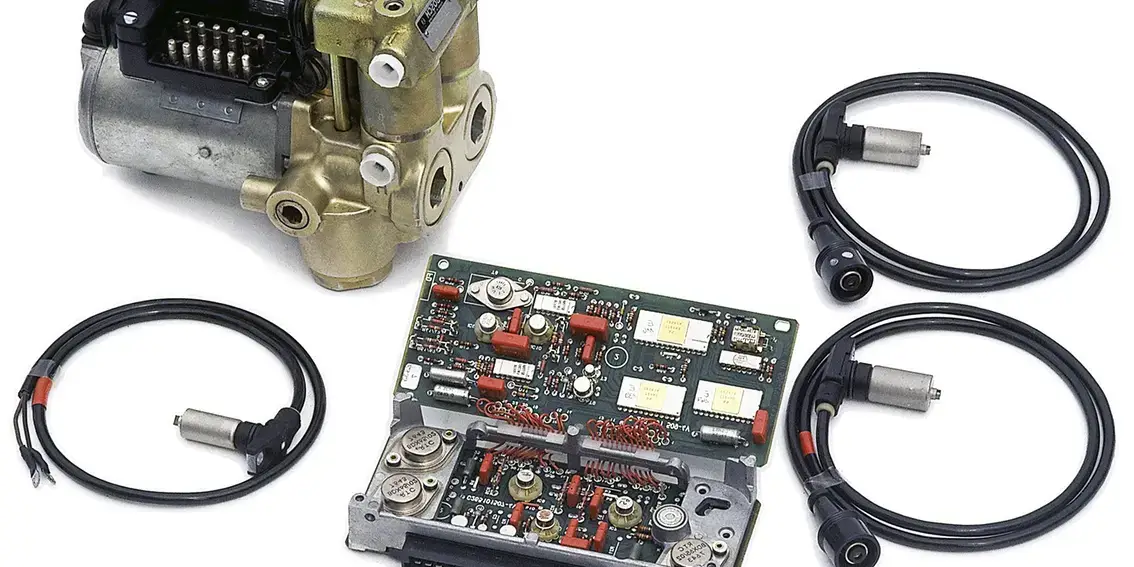
Every trailer ABS system consists of three primary elements working in coordination. The electronic control unit serves as the system’s central processor, analyzing data from wheel speed sensors and commanding modulator valves to regulate brake air pressure. These components communicate through dedicated wiring harnesses engineered to withstand the vibration, moisture, and temperature extremes of commercial transportation.
According to the Enhanced Easy-Stop Training Manual from ZF (formerly WABCO), the system architecture includes the ECU/ABS modulator valve assembly, external modulator valves for specific configurations, and wheel speed sensor assemblies. The interconnected design provides system redundancy—continued operation persists even when individual sensors experience temporary faults.
The ECU contains a specialized microprocessor programmed with algorithms to detect impending wheel lockup conditions. This processor analyzes wheel speed sensor data at rates exceeding 100 times per second, stores system configuration parameters, and maintains a comprehensive record of diagnostic trouble codes. Advanced ECU designs incorporate temperature compensation and voltage regulation to deliver consistent performance across varying operating conditions, extending component lifespan and reducing maintenance requirements.
Wheel Speed Sensors and Signal Processing
Wheel speed sensors generate alternating current voltage signals proportional to wheel rotational velocity by reading specially designed tooth wheels. These magnetic sensors produce signal frequencies that increase with wheel speed, giving the ECU precise rotational data. The sensor design ensures reliable operation in environments contaminated with road debris, moisture, and temperature extremes.
The ECU processes these incoming signals to calculate wheel deceleration rates and slip percentages. Signal processing algorithms filter out electrical noise and compensate for manufacturing tolerances in tooth wheel construction, enabling the system to distinguish between normal braking deceleration and potential lockup conditions.
System configurations vary based on trailer design. The MM33 Maintenance Manual identifies standard configurations as 2S/1M, 2S/2M, 4S/2M, and 4S/3M systems, where S represents sensors and M represents modulator valves. Each additional sensor provides enhanced monitoring capability and improved response during emergency braking.
How ABS Modules Control Brake Performance
The ABS modulator valve regulates air pressure to brake chambers through a precisely controlled three-phase modulation cycle. This cycle consists of pressure hold, pressure release, and pressure reapply phases that occur in rapid succession during ABS activation. The modulator responds to electronic signals from the ECU within milliseconds.
During the pressure hold phase, the inlet solenoid energizes to maintain current brake chamber pressure while preventing additional air from entering. The pressure release phase begins when the outlet solenoid opens to reduce brake chamber pressure and allow the wheel to regain rotational speed. Finally, the pressure reapply phase occurs when both solenoids de-energize, allowing air pressure to increase and restore braking force. The entire modulation cycle can repeat multiple times per second during emergency braking on slippery surfaces.
Common Trailer ABS Manufacturers and Module Types
The commercial trailer ABS market features several established manufacturers, each with proprietary technologies, unique programming requirements, and different diagnostic capabilities. Understanding these differences helps technicians diagnose issues efficiently and select appropriate replacement components.
| Manufacturer | Primary Controller | Key Features | Configuration Options |
|---|---|---|---|
| WABCO (ZF) | Enhanced Easy-Stop 446 108 201 0 | Self-monitoring diagnostics, integrated ECU/modulator design | 2S/1M, 2S/2M, 4S/2M, 4S/3M |
| Meritor WABCO | Integrated Axle ABS Systems | Factory-installed integration, enhanced environmental sealing | Custom per axle type |
| Bendix | EC-60 and EC-80 | Advanced fault code storage, user-friendly diagnostics | 2S/1M through 6S/3M |
| Haldex | E-Series Controllers | Compact design, simplified wiring harnesses | 2S/1M, 2S/2M, 4S/2M |
WABCO’s Enhanced Easy-Stop product line integrates the 446 108 201 0 ECU with the 472 195 033 0 modulator valve in the 400 500 101 0 assembly configuration. This modular design simplifies installation and enables component-level replacement rather than complete system overhauls. Bendix offers the EC-60 for standard trailer applications and the EC-80 for advanced diagnostics with expanded configuration options, while Meritor WABCO systems come pre-installed on new trailers with factory programming tailored to specific axle configurations.
Essential Tools and Equipment for Trailer ABS Module Programming
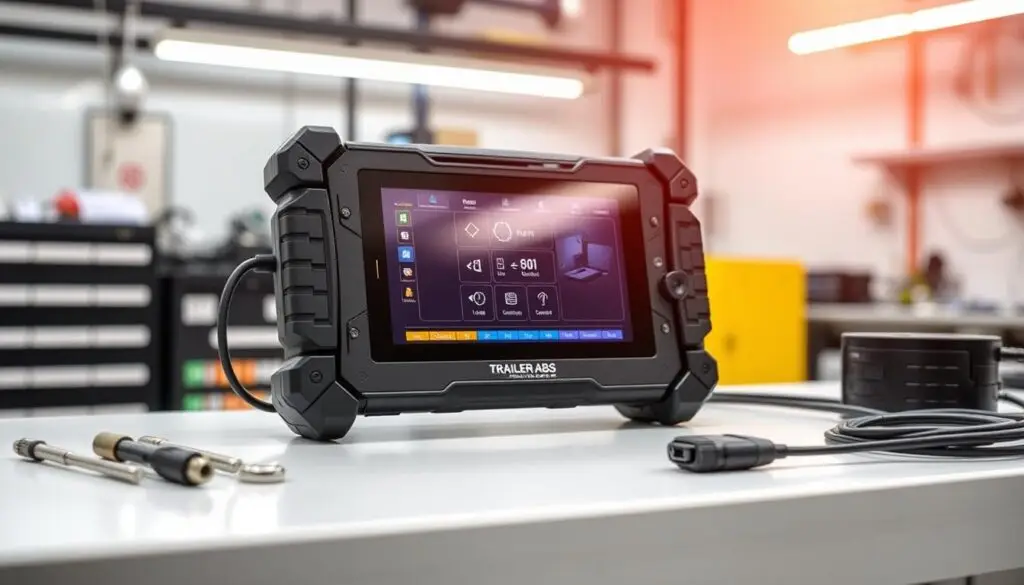
Professional trailer ABS programming requires specialized tools that communicate directly with electronic brake control modules. Without the correct diagnostic scan tools, compatible software, and interface adapters, even experienced technicians cannot complete programming tasks. The investment in quality equipment pays dividends through faster diagnostics, more reliable configuration, and fewer callbacks.
Diagnostic Scan Tools and Software Requirements
Trailer ABS module programming depends on software capable of reading SAE J1708 and J1939 communication protocols. These industry-standard networks allow diagnostic computers to exchange data with electronic brake systems. Your platform must support both reading fault codes and writing new configuration parameters to the ABS module.
The connection between your computer and the trailer requires a PLC adapter that converts standard USB or serial connections into power line carrier signals. Without this interface, even the most advanced software cannot establish communication. Manufacturers design these adapters to handle the unique electrical characteristics of trailer wiring systems.

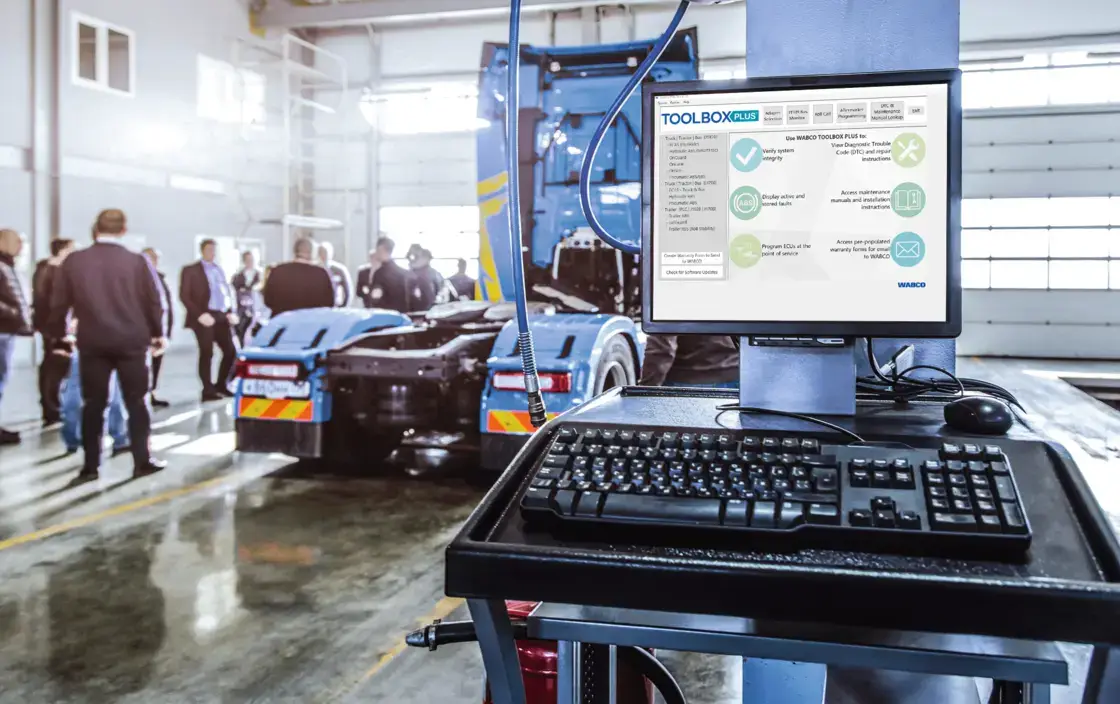
WABCO and ZF systems rely on TOOLBOX PLUS software as their primary diagnostic and programming platform. Version 12.2 or higher supports Enhanced Easy-Stop trailer ABS functionality, while the older TOOLBOX Version 12 remains functional for legacy installations but lacks current features. Technicians can purchase TOOLBOX PLUS through the Snap-on Industrial website. The software delivers several critical capabilities for professional technicians:
- Display specific fault codes rather than generic blink codes for precise troubleshooting
- Activate individual ABS components to verify system integrity and wiring connections
- View real-time wheel speed sensor data during vehicle operation
- Configure system parameters specific to trailer axle configurations
- Perform complete module programming and firmware updates
- Execute reverse diagnostic trouble code lookup for faster problem identification
Connection to the vehicle requires a PLC adapter such as the Noregon DLA+ 2.0 or equivalent J1708/J1939 interface. Quality adapters include built-in protection against voltage spikes and electrical noise common in commercial vehicle environments.
Multi-brand diagnostic platforms like the Pro-Link 9000 offer cross-manufacturer compatibility when equipped with appropriate software cartridges. These universal interfaces typically handle fault code reading, live data viewing, and basic resets well, but deep programming tasks like module replacement or configuration changes may still require OEM-specific tools. The trade-off depends on service volume—high-volume facilities benefit from having both types available, while smaller operations may find universal platforms sufficient for routine maintenance.
⚠️ Safety Warning
Always chock wheels, support the trailer with safety stands, and verify stable 12-volt power supply before beginning any ABS programming procedure. Voltage drops or power interruptions during programming can corrupt module memory and damage electronic components. Never work under a trailer without proper safety stands in place.
Safety Equipment and Workspace Preparation
A stable 12-volt power supply proves critical during module programming. Battery maintainers or auxiliary power supplies prevent voltage interruptions that can corrupt programming operations. Your workspace must provide adequate lighting, protection from moisture and extreme temperatures, clean surfaces free from conductive debris, and access to manufacturer documentation and wiring diagrams.
Organizing all necessary cables, adapters, and documentation before starting work saves time and prevents errors. A dedicated diagnostic cart or workstation keeps programming equipment protected and readily available.
Common Trailer ABS Diagnostic Codes and Their Meanings
When the trailer ABS warning lamp illuminates, diagnostic trouble codes reveal the exact nature of the malfunction. These codes act as a standardized communication system between the ABS module and service technicians. Modern systems use both numeric blink codes displayed through the warning lamp and alphanumeric codes accessible through diagnostic scan tools, with most systems categorizing faults by component type to isolate the problem area quickly.
Wheel Speed Sensor Error Codes
Wheel speed sensors represent the most common source of fault codes in trailer ABS systems. Sensor-related problems typically stem from four primary causes: internal electrical failure or physical damage to the sensor itself, corroded or broken wiring connections, excessive air gap between sensor and tone wheel, and damaged or contaminated tone wheel teeth.
Code 1-1 indicates the ECU is not receiving a proper signal from the right front wheel sensor (directional convention is from the driver’s perspective looking forward, consistent across all major manufacturers). The air gap specification should measure between 0.020 and 0.050 inches for proper operation. Code 1-2 mirrors this diagnostic for the left front sensor, while Codes 2-1 and 2-2 identify problems with forward and rearmost rear axle sensors on tandem configurations.
Environmental factors often affect one side more than the other due to road spray patterns, heat source proximity, and corrosive material exposure. Always perform visual inspection before replacing sensors—cleaning contaminated tone wheels or adjusting air gaps resolves many apparent failures without parts replacement. Rear axle sensors typically face harsher conditions and may require more frequent maintenance intervals.
Modulator Valve Fault Codes
Modulator valve faults compromise the core function of the ABS system. When modulators fail, the system cannot prevent wheel lockup during hard braking. Most ABS systems disable themselves when modulator faults occur, reverting to standard non-ABS braking to maintain predictable brake response.
Code 3-1 represents open circuits, short circuits, or solenoid failures within the modulator valve assembly. In WABCO Enhanced Easy-Stop systems, the diagnostic trouble code SID 7-FMI 5 specifically identifies external modulator cable open circuit detection. When blink code 7 appears, the issue typically relates to the modulator cable, and replacement of the entire cable assembly is usually required rather than attempting field repairs. Corrosion at connector pins from moisture infiltration represents another common cause—applying dielectric grease during installation provides protection, but existing corrosion requires connector replacement or thorough cleaning.
Power Supply and Wiring Diagnostic Codes
Adequate electrical power is essential for ABS module operation. Power supply issues affect the entire system rather than individual components, and voltage problems outside the acceptable range can either prevent proper operation or permanently damage sensitive electronics.
Code 4-1 sets when system voltage drops below approximately 9.0 volts during operation. Weak batteries represent the most common cause, particularly in cold weather. Poor ground connections create voltage drop that manifests as low voltage at the module despite adequate battery charge. Total voltage drop between battery and ABS module connector should not exceed 0.5 volts during operation.
Code 4-2 triggers when system voltage exceeds 16 volts, typically indicating charging system problems such as failed voltage regulators or malfunctioning alternators. High voltage poses serious risks to semiconductor devices—some damage occurs immediately, while other exposure weakens components that fail prematurely during subsequent operation.
System Communication Error Codes
Communication faults prevent the tractor from receiving trailer ABS status information. Power Line Carrier communication uses the existing seven-way electrical connection, eliminating dedicated communication wiring but making the system vulnerable to poor connections, damaged pins, and corroded contacts. Protocol mismatch issues occur when older tractors with ISO 11992 protocols cannot communicate with newer SAE J2497 trailer systems.
| Code Category | Typical Codes | Primary Causes | Critical Specs |
|---|---|---|---|
| Wheel Speed Sensors | 1-1, 1-2, 2-1, 2-2 | Sensor damage, excessive air gap, wiring failures, tone wheel damage | Air gap: 0.020–0.050 in. |
| Modulator Valves | 3-1, SID 7-FMI 5 | Open/short circuits, solenoid failures, cable damage | Replace entire cable for Code 3-1 |
| Voltage Supply | 4-1, 4-2 | Weak batteries, poor grounds, charging system failures | Operating range: 9.0–16.0V |
| Communication | PLC/CAN faults | Connector corrosion, protocol mismatch, wiring damage | Verify ISO 11992 / J2497 compatibility |
Pre-Programming Diagnostics and System Checks
The foundation of reliable ABS module programming starts with systematic pre-programming inspection protocols executed before connecting diagnostic equipment. Only qualified automotive technicians should perform these procedures, as proper diagnosis requires understanding both electrical systems and vehicle safety requirements. Per industry maintenance standards, technicians must park the vehicle on a level surface, block wheels, and support the trailer with safety stands before beginning diagnostic work.
These preliminary checks prevent programming failures that waste time and potentially damage expensive components. A thorough inspection reveals mechanical damage, electrical faults, and compatibility issues that programming cannot resolve. The diagnostic sequence follows a logical progression from visual examination to electrical verification, concluding with compatibility confirmation.
Visual Inspection Requirements
Physical examination of all ABS components provides the first line of defense against programming complications. The ECU and modulator valve assembly demand careful inspection for housing cracks, impact damage, water intrusion evidence, and corrosion around seals and connector pins. Mounting bracket security requires verification—loose bolts allow excessive vibration that damages internal electronics over time.
WABCO Enhanced Easy-Stop assemblies feature separable ECU and valve components (ECU part 446 108 201 0 paired with modulator valve 472 195 033 0), allowing individual component replacement when only one element fails. Verify both components show matching condition and proper connection.
The wiring harness inspection covers all electrical connections throughout the system, starting with sensor extension cables that frequently experience chafing against frame components. Power supply cables require verification of proper wire gauge for current requirements. The modulator valve connection cable (part 894 606 275 2) demands particular attention due to historical supply constraints that led some operators to use improper substitutes. Every connector must be fully seated with locking tabs engaged—corroded pins, bent pins, and pushed-back pins create intermittent connections that cause mysterious programming failures.

Electrical System Testing Procedures
After completing visual inspection, electrical system testing establishes baseline parameters confirming the system can support programming operations. Battery voltage at the ABS power supply connection should read between 12.0 and 14.5 volts with the engine running. Ground circuit continuity testing should show less than 0.5 volts drop between the module ground terminal and battery negative under load conditions.
Voltage stability during simulated programming loads requires monitoring—any drop below 11.5 volts signals inadequate power supply capacity. Wheel speed sensor resistance typically measures between 800 and 1,400 ohms when disconnected from the ECU. Short circuit testing verifies infinite resistance to ground. Modulator valve solenoid resistance typically measures between 3 and 8 ohms, with higher values suggesting coil damage from overheating and lower values indicating turn-to-turn shorts.
Verifying Module Compatibility
Module compatibility verification represents the final pre-programming check. Part number identification begins with locating the ECU label displaying manufacturer part number and serial number, then cross-referencing against vehicle configuration documentation. The ABS system type—2S/1M Basic, 2S/2M Standard, or 4S/2M/4S/3M Premium—determines which module variants provide compatible operation. Firmware version compatibility becomes critical when updating or replacing modules, as mixing significantly different versions creates communication protocol mismatches. Always verify compatibility through manufacturer documentation before attempting programming.
$448–$760 per vehicle per day
Average fleet downtime cost — making proper ABS diagnostics a significant cost-avoidance investment. (Element Fleet Management research)
Step-by-Step Trailer ABS Module Programming
Proper trailer ABS module programming transforms a default ECU into a customized control system matched to your specific trailer configuration. Following systematic steps ensures accurate parameter settings and prevents operational issues that could compromise brake performance. The process requires attention to detail and strict adherence to manufacturer specifications.
Connecting Diagnostic Equipment to the ABS Module
Before beginning connection procedures, confirm battery voltage exceeds 12.5 volts. WABCO Enhanced Easy-Stop systems with external diagnostic capability feature a 6-pin Deutsch connector typically mounted on the trailer frame near the ECU/modulator valve assembly. Part numbers 472 500 012 0 and 472 500 013 0 include this external diagnostic connector as standard equipment. Inspect connector pins for corrosion or damage before inserting the diagnostic cable.
Note that 2S/1M Basic systems (part 472 500 011 0) do not have external diagnostic connectors. These require alternative methods such as blink code reading via the trailer-mounted ABS warning lamp, and advanced programming is not possible without replacing the ECU with a diagnostic-capable unit.

The connection sequence follows a specific order. Connect the PLC adapter’s diagnostic cable to the trailer ABS diagnostic port first, ensuring it seats fully with an audible click. Next, connect the adapter’s USB interface to your laptop, launch TOOLBOX PLUS, and allow it to recognize the connected hardware. Select SAE J1708 protocol from the software menu (some newer systems support J1939 for faster data transfer). Wait for the software to display ECU identification information including part number and firmware version—this confirms you’re ready for programming mode access. Communication failures at this stage indicate connection, adapter, or power supply problems rather than programming issues.
Accessing Programming Mode and Selecting Configuration
Once communication establishes successfully, the TOOLBOX software interface provides navigation to programming functions through its main menu. Some functions may require dealer-level access codes to prevent unauthorized configuration changes. Basic diagnostic and parameter viewing are typically available without authentication.
Identifying the trailer’s axle configuration before programming is a critical step that determines proper system operation. Available configurations include 2S/1M for single-axle trailers or converter dollies, 2S/2M for tandem axles with side-to-side control, 4S/2M for tandem axles with individual wheel monitoring, and 4S/3M for three-axle trailers. Verify the physical trailer configuration by counting axles, identifying sensor locations, and confirming modulator valve positions before selecting software parameters.
Loading Configuration Parameters
Configuration parameters define how the ECU interprets sensor signals and controls braking forces. These values must match the trailer’s physical characteristics and brake system specifications. Axle configuration parameters tell the ECU which axles receive monitoring, with special consideration for trailers with retractable lift axles to prevent false fault codes when the ECU detects missing sensor signals from a raised axle.
Wheel base dimensions prove critical for calculating vehicle dynamics during braking. Enter the distance between axles according to the software’s measurement system. Tire rolling radius or circumference settings correlate wheel speed sensor frequency with actual vehicle speed—incorrect tire parameters cause speed-related fault codes and improper ABS activation thresholds. Maximum expected vehicle speed thresholds protect against sensor signal errors indicating impossible speeds.
| Parameter Category | Key Settings | Typical Values | Impact on System |
|---|---|---|---|
| Axle Configuration | Number of axles, sensor positions, modulator assignments | 2S/1M, 2S/2M, 4S/2M, 4S/3M | Defines monitored wheels and control zones |
| Wheel Base | Inter-axle spacing, tire circumference | 52–62 in. spacing, 120–130 in. circumference | Affects weight transfer calculations |
| Speed Parameters | Maximum speed threshold, sensor pulse rate | 65–75 mph max, 100–120 pulses/rev | Prevents false over-speed faults |
| Brake Specifications | Chamber size, slack adjuster length, drum diameter | 20–30 sq in. chamber, 5.5–6.5 in. adjuster, 16.5 in. drum | Optimizes modulation response timing |
Verifying Successful Programming
Use diagnostic software to retrieve and display programmed parameters from the ECU. The TOOLBOX software provides a parameter review screen showing all configured values—compare these against your intended configuration to identify discrepancies. Verify that the ECU’s configuration status shows “programmed” rather than “default” or “unprogrammed,” and confirm the part number and firmware version match the physical module installed.
Perform a complete diagnostic scan to verify no configuration-related fault codes are present. Cycle the ignition to confirm the ABS warning lamp illuminates briefly during self-test, then extinguishes within three to five seconds. Record all programmed parameter settings for future reference—this documentation proves valuable if system issues develop later.
The HDJ Perspective
In our experience, the most common programming failures we see in the field aren’t caused by defective modules or software bugs—they’re caused by skipping the pre-programming inspection. Technicians under time pressure connect the diagnostic tool, start programming, and wonder why it fails or produces cascading fault codes. The 15-20 minutes spent on visual inspection, voltage verification, and connector cleaning before touching the software saves hours of troubleshooting afterward. As trailer electronics become more integrated with telematics and stability control systems, getting the fundamentals right on ABS configuration becomes the foundation everything else builds on.
Manual Reset Procedures for Trailer ABS Modules
Manual reset procedures give technicians multiple methods to clear diagnostic codes and reinitialize trailer ABS systems after repairs. Once the underlying fault is fixed, performing a reset allows the ECU to clear stored error information and relearn normal operating parameters. The method you choose depends on the specific codes present, the manufacturer’s system design, and whether configuration settings need to be preserved.
Physical Power Interruption Methods
Physical power interruption resets work by completely draining electrical charge from the ABS module’s internal circuits, forcing the ECU to restart from a powered-down state. The power cycle reset is the simplest method—turn off the trailer’s electrical system completely, wait a minimum of 30 seconds for capacitor discharge, then restore power and observe the warning lamp during initialization. This clears volatile memory but preserves configuration parameters in permanent memory. It works well for temporary communication errors but does not erase historic fault codes.
Battery disconnection provides a more thorough reset. Disconnect the negative cable first (or unplug the electrical connector entirely for trailers drawing power solely from the tractor), then allow 2-5 minutes for complete discharge from all system components. On Enhanced Easy-Stop systems, hard resets do not erase configuration parameters stored in non-volatile memory—axle configuration, wheel base measurements, and calibration values remain intact. Be aware that battery disconnect affects all trailer electrical systems, potentially requiring reprogramming of tire pressure monitors or telematics devices.

Software-Based Reset Operations
Software-based resets use diagnostic tools to send specific commands without interrupting power, providing greater control than physical methods. TOOLBOX PLUS and similar applications offer menu-driven reset functions accessible through intuitive interfaces. Available options typically include clearing active faults, clearing stored faults, complete ECU reset to factory default diagnostic state, and resetting learned adaptive values.
Advanced diagnostic platforms allow clearing individual fault codes rather than all codes simultaneously. This selective approach proves valuable when multiple faults exist but repairs have addressed only specific issues—you can clear codes for repaired components while leaving unrepaired fault codes active for continued monitoring.
Managing Stored Diagnostic Information
Understanding how trailer ABS systems categorize fault information helps you implement effective clearing strategies. Active faults represent currently detected problems—if you clear one without repairing the underlying issue, it returns immediately. In the event of a malfunction, the ABS in the affected wheel is disabled while that wheel retains normal brakes and other wheels keep ABS function.
Stored faults represent past problems that are not currently present, remaining in ECU memory to help identify intermittent issues. WABCO systems store detailed information with each occurrence including timestamps, frequency counters, operating conditions, and fault duration. Document this information before clearing stored codes—capture screen images or record details for service records, as this data proves invaluable if problems recur.
| Stored Data Type | Information Provided | Diagnostic Value |
|---|---|---|
| Occurrence Timestamp | Date and time when fault first appeared | Identifies correlation with weather, route, or operational changes |
| Frequency Counter | Number of times the fault has occurred | Distinguishes isolated incidents from recurring problems |
| Operating Conditions | Vehicle speed, temperature, system status during fault | Reveals environmental or operational triggers |
| Fault Duration | How long the fault condition persisted | Helps identify momentary glitches vs. sustained problems |
Free Professional Fleet Tools
Cost calculators, fault code lookup, maintenance planners, and more—built for owner-operators, fleet managers, and diesel techs. No signup required.
Automated Reset and Calibration Processes
Modern trailer ABS modules incorporate self-learning capabilities that allow ECUs to automatically calibrate to specific trailer configurations. These intelligent algorithms learn sensor characteristics, baseline wheel speeds, and expected signal patterns without extensive manual intervention. The automated approach significantly reduces programming time while improving accuracy, as systems continuously monitor wheel speed data and adapt to variations in tire sizes, axle configurations, and load conditions.
Self-Calibration Procedures
WABCO Enhanced Easy-Stop systems automatically enter calibration mode following successful programming or after fault codes are cleared. The self-calibration sequence begins when the ignition is turned on and requires no additional technician intervention. The ECU performs a comprehensive self-test checking all sensor inputs and modulator valve circuits, with the ABS warning lamp illuminating during this phase and extinguishing if no faults are detected.

Some systems require a specific initialization sequence: turn ignition on for 5 seconds, turn it off, then turn it on again to trigger automatic calibration mode. Calibration typically completes within 30 to 60 seconds if all components function properly. Technicians can monitor progress using diagnostic software that displays real-time sensor signal strength, voltage outputs, and frequency ranges. The warning lamp remaining illuminated or flashing fault codes after this period indicates underlying problems requiring attention.
Road Test Calibration Requirements
Complete system calibration requires vehicle operation to allow the ECU to learn dynamic characteristics that cannot be obtained while stationary. WABCO trailer ABS systems require the vehicle to be driven above 5-7 mph for 100-200 feet to complete sensor calibration. During this drive, the ECU learns each sensor’s output characteristics and establishes baseline wheel speed ratios between left and right sides.
Drive in a straight line on level pavement without braking, allowing all wheels to rotate freely at consistent speeds. Turns, hills, or brake applications during this initial phase introduce variables that interfere with baseline parameter learning. Some calibration procedures then require gentle brake applications at moderate speeds of 20-25 mph with progressive pedal application to allow the ECU to learn modulator valve response characteristics.
| Calibration Parameter | Minimum | Optimal | Purpose |
|---|---|---|---|
| Vehicle Speed | 5–7 mph | 15–20 mph | Generate sufficient sensor signals for analysis |
| Travel Distance | 100–200 ft | 300–500 ft | Collect adequate data samples from all sensors |
| Road Surface | Paved and level | Smooth asphalt | Eliminate external variables affecting wheel speed |
| Driving Pattern | Straight line | Straight, steady speed | Maintain consistent rotation for baseline |
Troubleshooting Failed Programming Attempts
Despite correct procedures, trailer ABS module programming can fail due to communication breakdowns, firmware incompatibilities, or voltage fluctuations. Most failures fall into three categories: system communication errors, module compatibility issues, and power supply problems. Addressing these systematically increases the likelihood of successful completion.
Communication Errors and Solutions
When communication fails, the diagnostic tool cannot access module functions or transfer configuration data. The ZF Field Diagnostics Guide emphasizes proper diagnostic adapter selection—using incompatible adapters prevents successful connections. While most trailer ABS systems use SAE J1708 protocol, newer integrated systems incorporate CAN bus communications requiring 120-ohm termination resistors at both ends of the network. Measure resistance between CAN-High and CAN-Low with the circuit unpowered; the reading should show 60 ohms when both termination resistors are present.
Protocol mismatch is another common culprit. Six-pin Deutsch connectors typically indicate J1708 systems, while nine-pin connectors suggest J1939 networks. When the wrong protocol is selected, diagnostic tools display “No ECU Found” or “Communication Failed” messages. Isolating the ABS module from other network components helps determine if problems are module-specific or affect the entire network.
Module Version Compatibility Issues
Each ABS module contains embedded firmware with a specific version number. Diagnostic software displays firmware versions during initial connection as part of ECU identification. Manufacturers periodically release firmware updates to enable new features or correct known bugs. Attempting to program features unsupported by current firmware causes failures.
⚠️ Critical Warning
Maintaining uninterrupted power and communication throughout firmware updates is essential. Interruptions can render ABS modules completely inoperable, requiring factory reprogramming or full replacement. Always use a battery maintainer and verify all connections before starting firmware update procedures.
Updating ECU firmware requires downloading correct files from manufacturer technical portals and verifying integrity through checksum validation. Firmware updates may require authorized dealer access. For technical assistance, ZF Commercial Vehicle Systems operates a support center for WABCO products at 855-228-3203, and technicians can reach the customer care team at [email protected].
Power Supply Problems During Programming
Voltage stability represents one of the most critical factors in successful programming. ECU programming requires consistent voltage between 12.0-14.5 volts throughout the operation. Voltage drops below 11 volts or spikes above 16 volts can corrupt programming and leave modules non-functional. Even momentary losses stop data transfers mid-process, corrupting module memory.
Connect a battery maintainer or auxiliary power supply before beginning procedures—professional-grade maintainers provide regulated output between 13.0-13.8 volts that compensates for battery weaknesses. Leave the maintainer connected throughout the entire programming and verification process, as modules may continue background processes requiring stable power even after programming appears complete.
Preventive Maintenance for ABS Module Longevity
ABS module longevity depends on consistent preventive maintenance practices addressing environmental challenges, electrical integrity, and proactive diagnostic monitoring. Only experienced, trained technicians should perform these procedures, as stated in the MM33 Manual Section 2.1. Implementing structured maintenance protocols minimizes unexpected system failures and extends component service life well beyond standard expectations.
Regular Diagnostic Scanning Schedules
Daily pre-trip inspections take less than one minute but provide crucial system verification. Confirm the ABS warning lamp illuminates during ignition-on bulb checks and extinguishes within 3-5 seconds. Visual walkarounds should include checking the trailer-mounted indicator lamp and inspecting for obvious physical damage to sensors, wiring, and modulator assemblies. Listening for unusual air leaks from modulator valves can identify diaphragm failure or solenoid problems early.
Comprehensive diagnostic scanning should occur every three months or 25,000 miles, whichever comes first. Even when warning lamps remain dark, stored codes reveal intermittent problems that only surface under specific conditions. Quarterly procedures should include reviewing stored fault history for patterns, verifying sensor output with real-time data while manually rotating wheels, testing modulator valve operation using component activation functions, and documenting system status trends.
Environmental Protection and Connector Maintenance
Trailer ABS components face continuous exposure to road spray, de-icing chemicals, mud, and temperature extremes. Applying dielectric grease to all electrical connector pins and sockets prevents corrosion and moisture wicking—this should be done during installation and repeated annually. Winter snow-belt operations and coastal salt-air environments require particularly vigilant corrosion prevention. All connector weather seals must remain intact, ECU/modulator mounting grommets must prevent water intrusion, and the diagnostic connector protective cap must be installed whenever equipment is disconnected.
Wheel speed sensor connectors require careful inspection for corrosion, bent pins, and stress damage from wheel movement. Power supply connections demand particular attention—many apparent ABS module failures actually result from poor power connections creating voltage fluctuations. Inspect sensor cables for chafing where they route along frame or suspension components, verify cable ties secure wiring away from moving parts and hot exhaust, check strain relief at connectors, and apply split loom or spiral wrap in areas vulnerable to road debris impact.
| Maintenance Task | Frequency | Key Focus Areas | Duration |
|---|---|---|---|
| Pre-Trip Visual Inspection | Daily | Warning lamp verification, physical damage check, air leak detection | 1–2 min |
| Comprehensive Diagnostic Scan | Every 3 months / 25,000 mi | Fault code retrieval, sensor testing, modulator activation, trend documentation | 30–45 min |
| Connector Cleaning & Protection | Annual | Dielectric grease, weather seal inspection, contact cleaning | 45–60 min |
| Wiring Harness Inspection | Semi-annual | Chafing detection, routing verification, strain relief, protection wrap integrity | 20–30 min |
Regulatory Compliance and Documentation Requirements
FMCSA regulations establish specific requirements every trailer ABS system must meet for legal operation. Understanding the regulatory framework helps technicians perform programming and maintenance that satisfies federal mandates while proper documentation practices provide valuable service history for troubleshooting and regulatory audits.
FMCSA Regulations for Trailer ABS Systems
Title 49 Code of Federal Regulations Part 393.55 mandates anti-lock brake systems on trailers and semi-trailers manufactured on or after March 1, 1998, with a gross vehicle weight rating of 10,001 pounds or more. The regulation requires an ABS malfunction indicator lamp positioned on the left rear side of the trailer, visible from the rear and labeled “ABS” in letters at least 3/8 inch high. For tractors manufactured on or after March 1, 2001, an ABS malfunction signal lamp must also be located in the cab—Enhanced Easy-Stop systems with PLC communication technology address this requirement by transmitting trailer ABS status to the tractor ECU.
During CVSA Level I inspections, enforcement officers verify the trailer ABS malfunction lamp illuminates during bulb check and then extinguishes, and check for proper component installation and obvious damage. ABS malfunction alone (indicated by an illuminated warning lamp) typically results in a citation but not an out-of-service order, though missing, disconnected, or obviously non-functional ABS components can trigger an out-of-service designation.
Proper ABS maintenance prevents inspection violations and demonstrates compliance with FMCSA equipment maintenance requirements. Regular diagnostic scanning and timely repairs address potential violations before they result in roadside citations that impact CSA scores and fleet safety ratings.
Record Keeping Best Practices
Comprehensive records of all ABS module programming operations should include the date and odometer reading, reason for programming, technician identification and certifications, diagnostic software version used, module part numbers and serial numbers, all configuration parameters programmed, and verification test results. This documentation demonstrates compliance with manufacturer service procedures and supports warranty claims, and proves particularly valuable in accident litigation or regulatory enforcement actions.
Maintaining detailed fault code history logs—including dates, specific codes with descriptions, active versus stored status, repairs performed, and verification of code clearing—provides long-term system performance insights. These logs help identify intermittent problems, track repair effectiveness, and enable fleet managers to spot common failure patterns across their fleet that might warrant preventive replacement programs. Documentation should be maintained for at least three years to comply with general FMCSA maintenance record retention requirements under 49 CFR 396.3(c), though longer retention periods provide more valuable historical data. Fleet managers looking to standardize their ABS maintenance documentation can reference TMC’s Vehicle Maintenance Reporting Standards (VMRS) coding system for consistent fault and repair classification across their fleet.
Frequently Asked Questions
How do I reset a trailer ABS module after completing repairs?
The simplest method is a power cycle reset: disconnect the trailer’s electrical system completely and wait at least 30 seconds for internal capacitors to discharge, then restore power. For a more thorough reset, disconnect the battery for 2-5 minutes. These physical methods clear volatile memory but preserve configuration parameters stored in non-volatile memory. For selective fault code clearing—useful when multiple faults exist but only specific issues have been repaired—use diagnostic software like TOOLBOX PLUS to target individual codes while preserving others. The critical rule: always fix the underlying fault before clearing codes, because clearing an active code without repairing the problem causes it to return immediately on the next diagnostic cycle.
What diagnostic tools are required for trailer ABS module programming?
You need three essential components: diagnostic software capable of reading SAE J1708 and J1939 communication protocols, a PLC adapter such as the Noregon DLA+ 2.0 that converts USB connections into power line carrier signals, and a laptop computer. For WABCO/ZF systems specifically, TOOLBOX PLUS software Version 12.2 or higher is required for Enhanced Easy-Stop functionality. Universal diagnostic platforms like the Pro-Link 9000 provide cross-brand compatibility for basic diagnostics including fault code reading and live data, but advanced programming tasks like module configuration and firmware updates typically require manufacturer-specific software.
What does a continuously illuminated ABS warning lamp mean on a trailer?
A continuously illuminated ABS warning lamp indicates the system has detected a fault and stored a diagnostic trouble code. Common causes include wheel speed sensor failures (codes 1-1 through 2-2), modulator valve electrical problems (code 3-1 or SID 7-FMI 5), low or high voltage conditions (codes 4-1 and 4-2), or communication errors between tractor and trailer. The affected wheel loses ABS protection but retains standard braking capability, while other wheels maintain ABS function. During DOT inspections, a lit ABS lamp typically results in a citation but not an out-of-service order. Connect diagnostic scan tools to retrieve specific fault codes for targeted troubleshooting rather than relying solely on blink code sequences.
How often should trailer ABS systems receive diagnostic inspections?
Trailer ABS systems require a layered inspection approach. Daily pre-trip checks should verify the warning lamp illuminates during ignition-on bulb checks and extinguishes within 3-5 seconds—this takes under one minute. Comprehensive diagnostic scans using professional software should occur every three months or 25,000 miles, whichever comes first, to retrieve stored fault codes that may not trigger warning lamps. Annual maintenance should include connector cleaning with dielectric grease and weather seal inspection. Semi-annual wiring harness inspections are recommended after harsh conditions, particularly for trailers operating in snow-belt or coastal environments where corrosion accelerates.
Can I program a trailer ABS module without manufacturer-specific software?
Universal diagnostic interfaces handle basic functions like reading fault codes, viewing live sensor data, and executing simple resets across multiple ABS brands. However, advanced programming tasks—including module replacement configuration, axle setup changes, and firmware updates—typically require manufacturer-specific software. WABCO systems need TOOLBOX PLUS, and Bendix systems require their proprietary platform. High-volume trailer maintenance facilities benefit from having both universal and OEM-specific tools available. Additionally, 2S/1M Basic WABCO systems (part 472 500 011 0) lack external diagnostic connectors entirely, limiting diagnostics to blink code reading without hardware replacement.
Mastering Trailer ABS Module Programming for Safer Fleets
Successful trailer ABS programming requires combining systematic diagnostic procedures with thorough technical knowledge of electronic brake systems. From understanding component functions and selecting the right tools, through step-by-step configuration, reset techniques, and calibration verification, each phase builds on the previous one to deliver reliable braking system performance. The preventive maintenance schedules and documentation practices outlined here protect your investment in trailer safety technology while keeping your fleet compliant with FMCSA regulations.
Proficiency in trailer ABS module programming separates competent technicians from exceptional ones—it combines electrical diagnostics, pneumatic brake knowledge, and electronic tool mastery into a skill set that directly protects drivers, cargo, and the traveling public every mile on the road.
Help Your Shop Stay Ahead on ABS Technology
If this guide helped clarify trailer ABS programming for your team, share it with fellow technicians and fleet managers who work with electronic brake systems daily.