
scan tool software updates

Heavy-Duty Diagnostic Software Updates: ROI Guide for Fleet Service

Table of Contents
    Add a header to begin generating the table of contents

    By Michael Nielsen, Editor & Publisher | 15+ Years in Diesel Repair

    Last Updated: January 2026

    📖 Estimated reading time: 22 minutes

    Your heavy-duty diagnostic equipment ROI depends entirely on keeping pace with commercial vehicle technology. Without current programming, even the most advanced scan tool becomes an expensive paperweight sitting in your shop. Fleet service operations and independent diesel repair facilities face a critical choice: invest in regular software maintenance or watch their competitive advantage disappear as newer Class 8 trucks roll through the doors.

    The commercial vehicle diagnostic market tells a compelling story about industry direction. Modern trucks operate as sophisticated electronic platforms—EPA 2024 engines, advanced aftertreatment systems, and integrated telematics all communicate through J1939 networks that evolve with each model year. Technicians need access to the latest fault code definitions, bi-directional controls, and calibration procedures to service these systems effectively.

    Strategic diagnostic software maintenance protects your initial equipment investment while maintaining the service capabilities that fleet customers demand. The question isn’t whether to update your heavy-duty diagnostic tools—it’s how to optimize your investment strategy for maximum returns in a market where outdated equipment means declined jobs and referrals to competitors.

    Key Takeaways

    • Software currency drives diagnostic capability: Modern Class 8 trucks require updated fault codes, J1939 parameters, and aftertreatment definitions that only current software provides.
    • ROI compounds annually: Shops with current diagnostic software complete repairs 23% faster while accessing 15-25% more vehicle coverage than facilities with lapsed subscriptions.
    • Equipment value preservation: Maintained diagnostic tools retain 60-75% of original value versus 20-30% for identical hardware without active software support.
    • Hidden costs accumulate quickly: Outdated software generates $36,000+ in annual lost revenue through declined late-model diagnostics, extended repair times, and customer attrition.
    • Systematic update protocols: Establishing shop-wide update schedules, backup procedures, and technician training transforms software maintenance from expense to competitive advantage.

    Why Heavy-Duty Diagnostic Investment Depends on Software Currency

    Every commercial vehicle diagnostic tool purchased today faces an inevitable truth: its ability to service tomorrow’s trucks depends entirely on software updates. The hardware you invest in—the rugged tablet, processing power, and RP1210 adapters—represents only half of the equation. Diagnostic software currency determines whether that equipment remains a productive asset or becomes obsolete within two model years.

    The commercial trucking industry introduces new electronic architectures, emissions systems, and J1939 communication protocols continuously. Manufacturers implement advanced aftertreatment strategies, integrated safety systems, and complex telematics modules with each model year. Your diagnostic equipment can only access these systems when its software includes the necessary parameter definitions and communication handshakes.

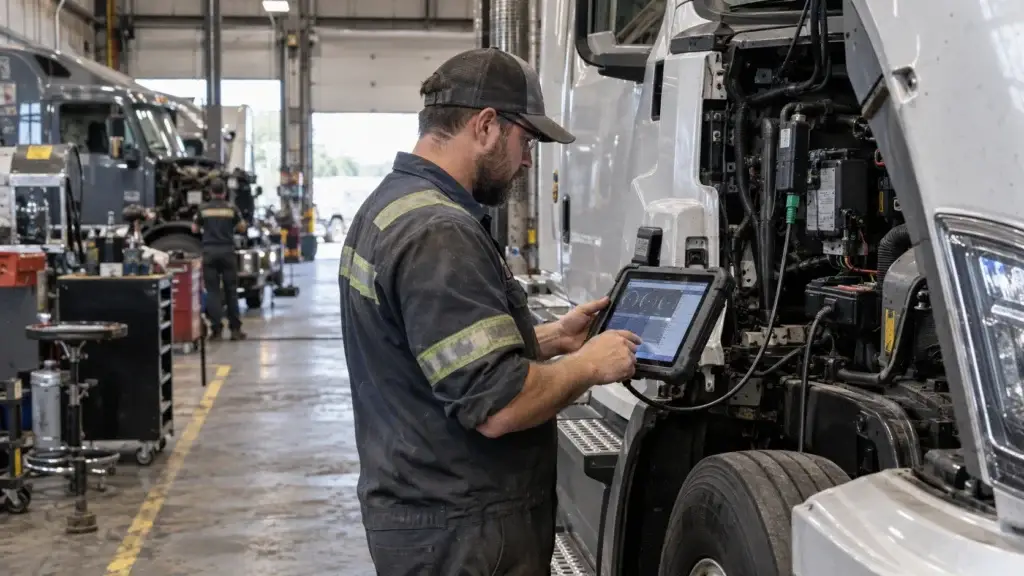
    Diesel technician updating heavy-duty diagnostic scan tool software in commercial truck service bay

    Consider this reality: a premium heavy-duty diagnostic platform purchased three years ago without software updates cannot properly communicate with current model year engines from Detroit, Cummins, or PACCAR. The J1939 fault code definitions have expanded, aftertreatment parameters have changed, and security protocols have evolved. The hardware remains perfectly functional, yet the tool has lost its core purpose.

    Equipment investment protection requires understanding that diagnostic tools have two distinct lifespans. The physical hardware typically remains operational for 7-10 years with proper care. However, the functional lifespan—the period during which the tool effectively diagnoses commercial vehicles—depends entirely on software maintenance. For heavy-duty applications, this functional window narrows faster than in the automotive sector due to rapid emissions technology evolution.

    Engine manufacturers release new electronic control module calibrations, update existing system parameters, and revise diagnostic trouble code definitions with each emissions certification cycle. EPA 2024 engines brought significant aftertreatment changes; EPA 2027 will bring more. Without corresponding software updates, your diagnostic equipment loses the ability to interpret these changes. Technicians encounter communication errors, incomplete data streams, and inaccessible control modules when using outdated software.

    23% Faster Diagnostics

    Shops with current diagnostic software complete commercial vehicle repairs 23% faster than facilities using outdated tools, per TMC fleet maintenance benchmarking.

    The impact extends beyond simple vehicle compatibility. Diagnostic tool functionality expands significantly through software updates that add forced DPF regeneration commands, SCR system reset procedures, and integrated TMC Recommended Practices guidance. These features transform basic code readers into comprehensive diagnostic platforms, but only when software remains current.

    Market data reveals that current vehicle coverage directly affects diagnostic equipment resale value. Well-maintained tools with active software subscriptions command 60-75% of their original purchase price in secondary markets. Identical hardware with lapsed software subscriptions sells for just 20-30% of original value. On a $12,000 heavy-duty diagnostic platform, this depreciation difference represents $3,600-$5,400 in lost asset value.

    Software StatusResale ValueVehicle CoverageMarket Demand
    Current Updates Active60-75%Current + 3 Years BackHigh
    1-2 Years Outdated35-45%Limited Recent CoverageModerate
    3+ Years Outdated20-30%Obsolete DefinitionsLow
    No Subscription Available10-15%Legacy Vehicles OnlyMinimal

    The true cost of diagnostic equipment ownership includes both initial purchase price and ongoing software investment. A $10,000 heavy-duty scanner with $1,500 annual software updates represents a five-year total investment of $17,500. This calculation provides realistic budgeting for equipment investment protection rather than viewing updates as unexpected expenses that strain shop cash flow.

    Shop owners who maintain consistent software updates protect their original investment while expanding diagnostic capabilities. Each update extends the tool’s functional lifespan, maintains its resale value, and ensures technicians can service the full spectrum of commercial vehicles entering the bay—from legacy pre-2010 trucks to the latest EPA 2024 platforms running advanced aftertreatment systems.

    The Hidden Costs of Outdated Heavy-Duty Diagnostic Software

    When diagnostic software falls behind current standards, fleet service operations face mounting costs that rarely appear in obvious line items. These expenses accumulate gradually across multiple operational areas, creating a financial drain that becomes increasingly difficult to reverse. Shop owners frequently focus on the subscription cost of updates while overlooking the substantially larger revenue losses that outdated diagnostic software generates through reduced capabilities and competitive disadvantages.

    The true financial impact extends across three critical dimensions: direct revenue losses from declining service capacity, operational inefficiencies that erode profit margins, and reputational damage that undermines long-term business sustainability. Each dimension compounds the others, creating a downward spiral that threatens shop viability in an increasingly competitive heavy-duty service market.

    Fleet manager reviewing diagnostic coverage gaps on heavy-duty trucks in service bay

    Lost Revenue from Declining Vehicle Coverage

    The commercial vehicle landscape evolves continuously, with engine manufacturers introducing new emissions strategies, updated electronic architectures, and revised J1939 parameter definitions each model year. Vehicle coverage gaps emerge when scan tools lack current software, rendering them incapable of accessing systems that drive significant repair revenue. This coverage deterioration accelerates as the commercial fleet modernizes.

    Analysis of typical independent heavy-duty repair facilities reveals that shops operating with software more than two years old lose access to approximately 15-25% of potential diagnostic work. Fleet customers running current-year tractors require service providers with matching diagnostic capabilities. When your shop cannot access a Freightliner Cascadia’s aftertreatment system or a Kenworth T680’s integrated safety computer, that work goes elsewhere.

    Turning Away Late-Model Commercial Vehicle Repairs

    Late-model Class 8 trucks represent the highest-margin diagnostic work available to independent shops. These vehicles typically require sophisticated aftertreatment diagnostics, ADAS calibrations, and advanced module programming that commands premium labor rates. When scan tool software cannot communicate with vehicles manufactured within the past two to three years, shops forfeit this lucrative revenue stream entirely.

    Consider the financial implications: a shop turning away just two late-model commercial vehicle diagnostic jobs per week at an average ticket of $450 surrenders $46,800 in annual lost repair revenue. This calculation accounts only for the initial diagnostic service, excluding subsequent repair work that typically follows successful diagnosis—DPF cleaning, injector replacement, or aftertreatment component repairs.

    OEM-specific diagnostics require particularly frequent software updates due to proprietary communication protocols and manufacturer-specific procedures. Detroit Diesel, Cummins, PACCAR MX, and Volvo D13 engines each implement unique parameter sets and calibration strategies. Without current software, technicians cannot access critical modules, perform required adaptations, or complete mandatory calibrations on these powerplants.

    Stay Current on Diagnostic Technology

    Get weekly insights on heavy-duty diagnostics, fleet maintenance strategies, and equipment ROI analysis delivered to your inbox.

    Extended Diagnostic Time Eating Profit Margins

    Diagnostic efficiency directly determines shop profitability on commercial vehicle repair orders. Technicians working with current software typically complete initial diagnostics in 0.5 to 1.5 hours, depending on complaint complexity. Those using outdated systems routinely require 2 to 4 hours for comparable diagnostics, suffering from incomplete code definitions, missing system parameters, and absent troubleshooting guidance.

    This time differential creates severe diagnostic efficiency losses that erode labor margins. When shops bill diagnostic time at flat rates while technicians consume extended hours, the effective labor rate plummets. A diagnostic procedure billed at $200 that requires three hours of technician time yields an effective rate of just $67 per hour—often below the shop’s fully-loaded labor cost.

    Beyond direct time costs, extended diagnostics create operational bottlenecks. Trucks occupy bay space longer, reducing daily throughput capacity. Fleet customers experience extended downtime, diminishing satisfaction. Technicians grow frustrated with inadequate tools, affecting morale and retention. These secondary effects multiply the primary time-cost impact substantially.

    Diagnostic ScenarioCurrent SoftwareOutdated SoftwareRevenue Impact
    Basic J1939 Diagnosis0.5 hours1.5 hours-$100 effective rate loss
    Aftertreatment System Analysis1.0 hours3.0 hours-$200 effective rate loss
    DPF Regeneration Procedures1.5 hoursUnable to complete-$400 declined service
    OEM-Specific Engine Diagnosis1.0 hours4.0 hours-$250 effective rate loss

    The cumulative effect across multiple jobs per week generates substantial profit margin erosion. A shop performing 15 commercial vehicle diagnostic procedures weekly with outdated software potentially sacrifices $2,500-$4,000 in effective labor value, totaling $130,000-$208,000 annually in reduced profitability from time inefficiencies alone.

    Damage to Shop Reputation and Customer Retention

    Reputation represents an intangible asset that determines long-term business viability. Shops building reputations for diagnostic accuracy and comprehensive service capabilities attract fleet customer loyalty and generate referral business. Conversely, facilities known for declined services, extended repair times, or diagnostic inaccuracies suffer customer retention impact that undermines revenue stability.

    When fleet managers experience referrals to competitors because their service provider lacks current diagnostic capabilities, they naturally question that shop’s commitment to maintaining professional standards. Many never return, taking their entire fleet’s maintenance spend to the competitor who completed their service. Fleet customers represent particularly high lifetime value—a single 50-truck fleet generates $150,000-$300,000 in annual maintenance spend.

    Online reviews and fleet manager networks amplify reputational damage in the commercial vehicle industry. Fleet managers share their experiences through industry associations and peer networks, describing shops as “outdated” or “unable to work on newer trucks.” These assessments circulate widely, deterring prospective customers who research service providers before establishing maintenance relationships.

    Measurable Benefits of Current Heavy-Duty Diagnostic Software

    Current diagnostic software transforms routine troubleshooting into precise, efficient problem-solving across every commercial vehicle that enters your bay. The diagnostic software benefits extend beyond basic code reading to provide comprehensive analysis tools that increase billable hours and reduce diagnostic dead ends. Modern updates deliver quantifiable improvements in vehicle coverage, diagnostic speed, and repair accuracy that directly affect your shop’s profitability.

    Professional heavy-duty diagnostic platforms now integrate multiple OEM databases and communication protocols into single interfaces. This consolidation eliminates the need for separate tools for Detroit, Cummins, PACCAR, Volvo, and Navistar platforms while expanding your service capabilities. Updated software provides access to manufacturer-specific bi-directional controls that were previously accessible only through dealer-level equipment.

    Heavy-duty diagnostic scan tool displaying multiple OEM coverage options on touchscreen

    Expanded Vehicle Coverage Across All OEMs

    Maintaining current software versions ensures your diagnostic equipment keeps pace with rapidly evolving commercial vehicle technology. Industry-leading heavy-duty platforms provide coverage for all major North American truck manufacturers, including complete engine, transmission, ABS, and body controller access. This expanded vehicle coverage eliminates the costly need to turn away fleet customers or invest in multiple manufacturer-specific diagnostic tools.

    Software updates add new J1939 parameter definitions and electronic control module communication protocols as manufacturers release them. Without regular updates, your equipment gradually loses the ability to communicate with newer vehicle systems. This erosion of capability happens incrementally but accelerates as manufacturers adopt new technologies and security gateway protocols.

    The competitive advantage of comprehensive coverage becomes evident when you can service vehicles that competitors must refer elsewhere. Independent shops gain access to the same diagnostic depth as OEM dealerships, leveling the competitive landscape and increasing fleet customer retention rates.

    Detroit, Cummins, and PACCAR Support Through Latest Model Years

    Detroit Diesel, Cummins, and PACCAR continuously update their electronic architectures and aftertreatment strategies. Current software ensures your equipment communicates with EPA 2024 engines, including DD13, DD15, DD16, X15, and MX-13 platforms. Updates provide access to factory-level diagnostics including one-box aftertreatment systems, variable geometry turbocharger controls, and integrated engine brake programming.

    Engine manufacturers frequently revise communication protocols for security and functionality enhancements. Software updates incorporate these protocol changes, maintaining seamless communication with control modules across all vehicle systems. Without these updates, even one-year-old trucks may display limited diagnostic functionality or communication errors that prevent effective troubleshooting.

    The HDJ Perspective

    The diagnostic software investment conversation has shifted fundamentally over the past five years. What was once viewed as an optional maintenance expense is now recognized as essential infrastructure for competitive fleet service operations. Shops that treated software updates as discretionary found themselves unable to service EPA 2017 and later engines effectively—and many never recovered that lost business. The EPA 2027 emissions standards will bring another wave of technology changes, including potentially new aftertreatment architectures. Shops establishing systematic update protocols now position themselves to capture that business while competitors scramble to catch up.

    Advanced Diagnostic Functions and Bi-Directional Controls

    Modern heavy-duty diagnostic platforms extend beyond passive code reading to provide active testing capabilities. Bi-directional controls allow technicians to command individual vehicle systems—cycling DEF dosers, actuating EGR valves, and testing VGT actuators to verify operation without component removal. These active tests reduce diagnostic time by confirming component function electronically before physical inspection.

    Premium platforms offer live data monitoring with graphing capabilities that visualize sensor performance in real time. Technicians identify intermittent issues and performance degradation patterns that static code reading cannot detect. This diagnostic depth supports accurate root cause identification rather than the parts-cannon approach that damages customer relationships and shop profitability.

    Software updates continuously add new bi-directional controls as manufacturers implement additional electronic systems. Recent additions include DPF ash load readings, SCR conversion efficiency monitoring, and CVSA Out-of-Service criteria compliance checks. Access to these specialized functions positions your shop to service the latest commercial vehicle technologies profitably.

    Enhanced Code Definitions and Repair Information

    Generic J1939 SPN/FMI code definitions provide limited diagnostic value compared to manufacturer-specific code interpretations. Updated diagnostic software delivers comprehensive trouble code descriptions that include probable causes, affected systems, and diagnostic procedures specific to each engine manufacturer. This detailed information reduces diagnostic guesswork and prevents misdiagnosis that leads to comebacks.

    Code libraries expand with each software update to include newly defined diagnostic trouble codes. Engine and aftertreatment manufacturers continuously add codes as they introduce new systems and refine diagnostic parameters. Without current software, your equipment may display undefined codes or generic descriptions that provide insufficient guidance for effective troubleshooting.

    Integrated repair information databases link diagnostic findings directly to repair procedures and technical specifications. Technicians access wiring diagrams, component locations, and testing procedures within the diagnostic interface. This integration eliminates time-consuming searches through separate information systems and reduces the likelihood of procedural errors on complex aftertreatment repairs.

    Integration with Technical Service Bulletin Databases

    Manufacturer technical service bulletins document known issues, updated repair procedures, and software calibration updates. Current diagnostic software integrates these bulletins directly into the diagnostic workflow, automatically alerting technicians when TSBs apply to detected fault codes. This integration provides immediate access to OEM-documented solutions for known problems.

    TSB integration eliminates extensive research time when troubleshooting complex or unusual symptoms. The software cross-references detected codes with applicable service bulletins, presenting manufacturer-specific repair guidance that incorporates lessons learned from similar repairs across the entire fleet population. This access to collective manufacturer knowledge improves first-time fix rates significantly.

    Free Professional Fleet Tools

    Cost calculators, fault code lookup, maintenance planners, and more—built for owner-operators, fleet managers, and diesel techs. No signup required.

    Explore Free Tools →

    Understanding Heavy-Duty Software Update Categories

    Scan tool software updates fall into several distinct categories, each targeting specific functionality improvements that directly impact your shop’s diagnostic effectiveness. Recognizing these software update types enables you to prioritize investments and understand exactly what value each update delivers. Different categories address varying aspects of your equipment’s performance, from foundational system operations to advanced commercial vehicle diagnostic capabilities.

    Screen showing different software update categories including firmware, protocols, and databases

    Operating System and Firmware Updates

    Firmware updates represent the foundational layer of scan tool maintenance, directly affecting how your diagnostic hardware operates at the most basic level. These updates improve system stability, processing speed, and overall hardware functionality. Without current firmware, even the most advanced diagnostic software cannot perform optimally when handling the large data streams from modern commercial vehicle ECMs.

    Your scan tool’s operating system manages everything from touchscreen responsiveness to memory allocation during complex diagnostic procedures involving multiple simultaneous J1939 data channels. Updates in this category often resolve bugs that cause system crashes or freezes during critical diagnostic sessions. They also optimize RP1210 adapter communication, ensuring reliable connections to heavy-duty vehicle data links.

    Vehicle Communication Protocol Updates

    Communication protocols serve as the language your diagnostic tool uses to communicate with vehicle computer systems. As manufacturers introduce new electronic architectures, your scan tool must understand these evolving protocols to establish reliable connections. Updates in this category are essential for maintaining compatibility with newer commercial vehicle models using updated J1939 implementations.

    Modern Class 8 trucks employ multiple communication standards including J1939, J1708/J1587 for legacy systems, and manufacturer-specific protocols for proprietary functions. Each OEM implements these standards differently, creating variations that require specific programming. Protocol updates ensure your diagnostic equipment can initiate communication handshakes with diverse vehicle systems across all makes and models.

    The introduction of security gateways in newer commercial vehicles has made protocol updates even more critical for maintaining diagnostic access. Many 2020 and newer trucks require authentication before allowing full diagnostic tool communication. Without updated protocols, your scanner may be limited to basic code reading while advanced functions remain inaccessible.

    Database Expansions and Code Library Enhancements

    Your diagnostic database determines which vehicles your scan tool can service and how comprehensively it can diagnose problems. Database expansions add new makes, models, and model years to your coverage, ensuring you can work on the latest commercial vehicles entering your service bays. These updates represent one of the most visible and valuable aspects of software maintenance.

    Code library enhancements provide deeper diagnostic information for existing vehicle coverage. Updated libraries include expanded SPN/FMI definitions, detailed freeze frame data interpretation, and comprehensive diagnostic parameter specifications. This information transforms a simple code reader into a true diagnostic tool that guides technicians toward accurate repairs rather than parts replacement guessing.

    Many database updates also include repair information, wiring diagrams, and component locations linked directly to specific trouble codes. This integration eliminates the need to switch between separate information systems during diagnosis. Technicians access everything they need within the scan tool interface, streamlining the diagnostic workflow and reducing the time trucks spend occupying bay space.

    Update CategoryPrimary FunctionFrequencyImpact
    FirmwareSystem stability, hardware performanceQuarterlyImproved reliability
    Communication ProtocolsVehicle connection compatibility2-4x annuallyAccess to newer vehicles
    Database ExpansionsVehicle coverage, code definitionsMonthly/QuarterlyExpanded service capability
    Feature AdditionsNew diagnostic functionsAnnuallyEnhanced capabilities

    Calculating Real ROI from Consistent Software Maintenance

    Every dollar spent on diagnostic software updates generates quantifiable returns through multiple revenue channels. Shop owners who treat software maintenance as a strategic investment rather than an operational expense gain competitive advantages that directly impact profitability. The key lies in understanding how to measure these returns using concrete financial metrics relevant to commercial vehicle service operations.

    Calculating diagnostic software ROI requires breaking down costs and benefits into measurable components. This analysis transforms abstract subscription fees into specific per-vehicle costs while identifying revenue opportunities that offset maintenance expenses. When you apply systematic tracking methods, the financial case for consistent updates becomes undeniable.

    Shop manager reviewing diagnostic software ROI metrics on computer dashboard

    Breaking Down Annual Update Costs per Vehicle Serviced

    The actual cost of software maintenance becomes clear when you divide annual expenses by the number of commercial vehicles your shop services. A $2,400 annual subscription divided by 300 vehicles equals just $8 per vehicle. For shops handling 600 vehicles annually, that same subscription costs only $4 per vehicle—less than a single gallon of DEF.

    This update cost analysis reveals that even premium heavy-duty software packages remain remarkably affordable when amortized across typical shop volumes. Most commercial vehicle facilities discover their per-vehicle software costs range between $4 and $12, depending on subscription tier and service volume.

    Consider these calculation frameworks for accurate cost assessment: divide annual subscription costs by total vehicles serviced for per-vehicle cost; combine multiple tool subscriptions and divide by total volume for multi-tool shops; and divide total software costs by number of technicians for cost-per-technician analysis. These calculations demonstrate that software maintenance represents one of the smallest per-vehicle expenses in your operation compared to parts, labor, or facility costs.

    Quantifying Revenue Gains from Expanded Capabilities

    Updated diagnostic software opens revenue streams that outdated tools cannot access. Each new vehicle protocol your scanner supports represents potential fleet customers who would otherwise visit competing shops. The revenue per vehicle calculation becomes critical for understanding true profitability impact in commercial vehicle operations.

    Shops with current software report servicing 15-30% more vehicle makes and model years compared to facilities with lapsed subscriptions. If your average commercial vehicle diagnostic service generates $250 in revenue, capturing just eight additional vehicles monthly due to expanded coverage produces $24,000 in annual revenue gains.

    Advanced diagnostic functions enabled by software updates command premium pricing. DPF forced regeneration services, SCR system resets, and advanced module programming typically generate $300-$600 per service. Adding just two such services weekly creates $31,200 to $62,400 in additional annual revenue—revenue that shops with outdated software cannot capture.

    According to ATRI’s operational costs research, fleet downtime costs continue rising, making shops that can diagnose and repair quickly increasingly valuable to fleet customers. This creates pricing power for shops with current diagnostic capabilities.

    Measuring Diagnostic Efficiency Improvements

    Time savings from current software translate directly into labor cost reductions and capacity increases. Diagnostic efficiency metrics reveal how updates improve technician productivity through faster code lookups, comprehensive repair procedures, and accurate troubleshooting guidance specific to commercial vehicle systems.

    Shops tracking diagnostic time report that updated software reduces average diagnostic duration by 20-35%. A diagnostic job that previously required 90 minutes now completes in 60-70 minutes. This efficiency gain allows technicians to handle additional vehicles without overtime expenses while reducing fleet customer downtime.

    Accurate initial diagnoses eliminate costly comebacks that damage profitability and reputation. Every comeback requires additional unpaid diagnostic time, potential parts returns, and customer goodwill restoration efforts. Current software with comprehensive code definitions and repair information reduces diagnostic errors significantly. The average commercial vehicle comeback costs shops between $250 and $450 in lost labor, parts handling, and administrative time. Reducing comebacks from five per month to two saves $9,000 to $16,200 annually.

    Protecting Original Equipment Investment Value

    Consistent software maintenance preserves your diagnostic tool’s functionality and resale value over time. Professional heavy-duty scan tools represent investments ranging from $8,000 to $20,000. Protecting this equipment investment value requires ongoing software support that maintains the tool’s relevance to current commercial vehicle technology.

    Well-maintained diagnostic equipment with current software subscriptions retains 40-60% of original value after five years. A $15,000 heavy-duty diagnostic platform maintained with regular updates sells for $6,000 to $9,000 on the secondary market. The same tool without software support typically brings only $2,250 to $4,500. This $3,750-$4,500 value preservation often exceeds total subscription costs over the ownership period.

    Establishing Effective Update Management Protocols

    The difference between reactive and proactive software management lies in documented protocols that every team member understands and follows. Implementing structured update management protocols transforms scan tool maintenance from an afterthought into a competitive advantage. Your shop’s diagnostic capabilities remain current only when updates happen consistently and correctly across all equipment.

    Shop technician following update checklist while installing diagnostic software

    Creating a Shop-Wide Update Schedule

    Establishing a consistent software update schedule prevents updates from falling through the cracks during busy periods. Most heavy-duty diagnostic manufacturers release updates on predictable cycles, making scheduled maintenance straightforward. Designate a specific person to monitor available updates and coordinate installations across all diagnostic equipment.

    Monthly update checks work well for most commercial vehicle repair facilities, though high-volume fleet service operations may benefit from bi-weekly reviews during peak model-year transition periods. Schedule installations during slower periods to minimize disruption to diagnostic work. Morning hours before fleet appointments or late afternoons typically provide ideal windows for update execution.

    Implementing Pre-Update Backup Procedures

    Backing up current software configurations protects your shop from potential update complications. Save existing software versions, custom settings, and vehicle-specific data before initiating any update. This precaution enables quick recovery if an update encounters technical problems or introduces unexpected issues with specific vehicle communications.

    Most heavy-duty diagnostic platforms include built-in backup functions that archive current configurations. Cloud-based systems automatically store previous versions, providing additional security. Create a standardized checklist that technicians follow before executing updates to ensure consistent backup practices that protect your diagnostic capabilities.

    Verifying Update Installation and Functionality

    Confirmation testing after updates prevents discovering problems during critical fleet diagnostic work. Comprehensive update verification procedures validate that new software functions correctly across multiple vehicle makes and engine platforms. Test vehicle communication immediately after installation to confirm successful update completion.

    Run diagnostic checks on at least three different commercial vehicle types representing various manufacturers—ideally a Detroit-powered Freightliner, a Cummins-powered Kenworth or Peterbilt, and a PACCAR MX or Volvo D13 platform. Verify that new features operate as expected and existing functions remain accessible. Pay special attention to bi-directional controls and aftertreatment diagnostic capabilities that updates frequently enhance.

    ⚠️ Safety Warning

    Never perform diagnostic software updates while connected to a vehicle with the engine running. Interrupted updates during active communication can corrupt ECM calibrations or leave modules in programming mode. Always complete updates with the diagnostic tool disconnected from any vehicle.

    Training Technicians on New Capabilities

    Software updates deliver value only when technicians understand and utilize new features. Structured technician training sessions following major updates ensure your team maximizes enhanced diagnostic capabilities. Brief training meetings require minimal time investment while generating significant returns through improved efficiency on commercial vehicle diagnostics.

    Schedule 15-20 minute training sessions within a week of major updates. Focus on practical demonstrations rather than lengthy presentations. Allow technicians to explore new features hands-on using test vehicles or simulation modes. Provide written summaries highlighting key enhancements and interface changes. These reference materials help technicians remember new capabilities when working independently on complex aftertreatment diagnostics.

    Evaluating Update Pricing Models for Maximum Value

    The financial impact of heavy-duty diagnostic software updates depends heavily on choosing pricing models that match your shop’s service volume and vehicle coverage requirements. Manufacturers offer several distinct payment structures, each with unique advantages and trade-offs. Understanding these subscription pricing models enables shop owners to minimize expenses while maintaining complete diagnostic capabilities across their fleet customer base.

    Comparison chart showing different diagnostic software subscription options and pricing

    Annual Subscription Plans and Total Cost of Ownership

    Annual subscriptions represent the most common pricing structure for professional heavy-duty diagnostic software updates. These plans provide continuous access to all software improvements, vehicle coverage expansions, and database enhancements throughout the subscription period. Commercial vehicle diagnostic tools typically require annual update costs ranging from $1,200 to $3,500 depending on manufacturer and coverage level.

    The total cost of ownership calculation extends beyond the initial subscription fee. Shops should factor in potential renewal rate increases, which manufacturers adjust based on expanded vehicle coverage and enhanced diagnostic functions. However, annual plans eliminate the uncertainty of individual update pricing while ensuring consistent access to current capabilities.

    Multi-Year Commitments and Volume Discounts

    Extended subscription agreements deliver significant savings for shops confident in long-term diagnostic tool usage. Multi-year subscriptions typically offer 10-20% discounts compared to annual renewal rates. These commitments lock in current pricing, protecting against future rate increases that often accompany major software enhancements for new emissions platforms.

    The decision to commit to extended subscriptions requires careful analysis. Shops must evaluate their equipment replacement cycles, ensuring the diagnostic tool will remain in service throughout the subscription period. Technology changes and business growth projections also factor into this calculation—a shop planning expansion into additional service bays may want flexibility to add equipment without subscription complications.

    Bundled Packages with Training and Support

    Comprehensive bundled software packages combine software updates with additional services that enhance diagnostic efficiency and technician competency. These packages typically include technical support hotlines, online training resources, extended equipment warranties, and priority access to manufacturer assistance. Despite higher upfront costs, bundles often deliver superior value for commercial vehicle operations.

    A typical heavy-duty bundle might include annual software updates ($2,000), unlimited technical support ($800 standalone value), online training modules ($500 value), and extended warranty coverage ($400 value). The bundled price of $2,800 provides $900 in savings compared to purchasing components separately while ensuring technicians have resources to fully utilize diagnostic capabilities.

    Overcoming Common Software Update Obstacles

    Update troubleshooting requires systematic approaches to minimize downtime and maintain shop productivity. Even with careful planning, commercial vehicle service operations encounter various technical barriers that prevent successful software installations. Understanding common software installation problems and having proven solutions ready helps maintain diagnostic capabilities without extended equipment downtime that affects fleet customer service.

    Resolving Network and Download Interruptions

    Network connectivity issues represent the most frequent cause of incomplete software downloads. Large heavy-duty update files ranging from 1GB to several gigabytes require stable, high-speed internet connections throughout the entire download process. Interruptions force technicians to restart downloads, wasting time and bandwidth during busy service periods.

    Establishing a dedicated internet connection exclusively for diagnostic equipment updates eliminates competition from other shop network traffic. Many heavy-duty diagnostic manufacturers provide alternative download methods including USB drive shipments or direct downloads to computers for offline transfer to scan tools. These options prove particularly valuable for shops in rural areas with inconsistent internet service.

    Addressing Hardware Compatibility Limitations

    Older diagnostic equipment eventually reaches hardware compatibility thresholds where current software versions exceed available memory, processing power, or operating system capabilities. Manufacturers typically specify minimum hardware requirements for each software version, but shops sometimes discover incompatibilities only after attempting installations on aging equipment.

    Evaluating hardware specifications before purchasing annual subscriptions prevents wasted investment in software your equipment cannot support. Contact manufacturer technical support to verify compatibility when your scan tool approaches five years of age. Many manufacturers offer trade-in programs providing credit toward newer equipment when hardware limitations prevent further updates, helping shops transition to current-generation diagnostic platforms.

    Managing Updates Across Multiple Diagnostic Tools

    Shops operating multiple scan tools face coordination challenges maintaining consistent software versions across all equipment. Version mismatches create confusion when technicians move between bays or different team members work on the same fleet diagnostic issue with varying capabilities available depending on which tool they grab.

    Implement a centralized update schedule coordinating all diagnostic equipment installations within the same week. This approach maintains capability consistency and allows comprehensive technician training on new features across all platforms simultaneously. Document each tool’s current software version in a visible location near equipment storage so technicians know what capabilities each tool offers.

    Recovering from Failed or Incomplete Updates

    Failed installations occasionally render diagnostic equipment temporarily inoperable, creating urgent recovery needs during busy service periods. Understanding update recovery procedures before problems occur minimizes equipment downtime and prevents panic troubleshooting when fleet customers are waiting.

    Most heavy-duty diagnostic platforms include system restore functions allowing reversion to previous software versions stored during the update process. Access these recovery menus through specific button combinations during equipment startup, detailed in manufacturer documentation. Maintaining physical copies of recovery procedures near equipment storage ensures quick access during emergencies. For heavy-duty shops relying on diagnostic capabilities for fleet service agreements, having documented recovery procedures is essential business continuity planning.

    Frequently Asked Questions

    How often should heavy-duty diagnostic software be updated?

    Heavy-duty diagnostic software should be updated as releases become available—typically quarterly for major updates and monthly for database expansions. Commercial vehicle manufacturers release new fault codes, J1939 parameters, and aftertreatment system definitions throughout the model year. Shops performing diagnostics on current-year Class 8 trucks need software currency to access evolving electronic architectures. At minimum, annual subscription renewals are essential; shops that delay updates beyond 12 months lose coverage for approximately 15-25% of vehicles entering their bays.

    What is the typical cost of diagnostic software subscriptions for commercial vehicles?

    Heavy-duty diagnostic software subscriptions typically range from $1,200 to $3,500 annually depending on coverage scope and manufacturer. OEM-specific tools like Detroit Diesel Diagnostic Link or Cummins Insite carry separate subscription requirements. Multi-brand platforms covering Detroit, Cummins, PACCAR, Volvo, and Navistar command premium pricing but eliminate the need for multiple manufacturer-specific tools. When amortized across service volume, a $2,000 annual subscription costs just $4-8 per diagnostic job for shops handling 250-500 commercial vehicles annually.

    Can outdated scan tool software affect CSA scores?

    Outdated diagnostic software indirectly affects CSA scores by compromising repair quality and completeness. When technicians cannot properly diagnose aftertreatment faults, EGR system issues, or ABS malfunctions due to software limitations, vehicles may leave shops with unresolved problems that trigger roadside inspection failures. CVSA Out-of-Service violations for emissions and brake system defects carry significant CSA point values. Shops maintaining current diagnostic capabilities provide more thorough repairs that help fleet customers avoid inspection failures and the associated CSA score impact.

    What diagnostic functions require current software updates?

    Current software unlocks critical diagnostic functions including DPF forced regeneration commands, SCR system resets, injector calibration procedures, and aftertreatment adaptation relearns. Bi-directional controls for testing EGR valves, VGT actuators, and doser injectors require updated definitions. ADAS calibrations for collision mitigation and lane departure systems on newer Class 8 trucks demand the latest software. Parameter programming for speed limiters, idle shutdown settings, and PTO configurations also depends on current software versions matching the vehicle’s ECM calibration level.

    How does diagnostic software currency affect equipment resale value?

    Heavy-duty diagnostic equipment with active software subscriptions retains 60-75% of original value after five years, while identical hardware with lapsed subscriptions sells for just 20-30%. A $12,000 commercial vehicle diagnostic platform maintained with current software commands $7,200-$9,000 on the secondary market; the same tool without software support brings only $2,400-$3,600. This $4,800-$5,400 value preservation often exceeds total subscription costs over the ownership period, making software maintenance a net-positive investment.

    What happens when diagnostic subscriptions lapse?

    Lapsed subscriptions immediately prevent access to new vehicle coverage updates and may disable certain bi-directional controls depending on manufacturer policies. Most heavy-duty diagnostic vendors impose reinstatement fees ranging from flat reconnection charges to full retroactive subscription costs for extended lapses exceeding 90 days. During the lapse period, diagnostic capabilities freeze at the last installed software version—meaning current-year vehicles and recent ECM calibration updates become inaccessible. Setting calendar reminders 60 days before expiration prevents accidental coverage gaps that affect fleet service capabilities.

    Maximizing Your Diagnostic Software Investment

    The commercial vehicle diagnostic software landscape continues evolving as emissions regulations tighten and electronic systems grow more complex. Your diagnostic software investment directly determines your shop’s ability to service EPA 2024 engines today and EPA 2027 platforms tomorrow. Shops that treat software currency as optional find themselves unable to compete for the fleet maintenance business that drives profitability.

    A comprehensive scan tool maintenance strategy delivers measurable returns across multiple dimensions. Shops reduce diagnostic time by accessing current repair procedures and fault code definitions. They minimize expensive subcontracting when equipment handles newer vehicle systems that competitors cannot access. They prevent costly diagnostic errors through updated code libraries. They extend equipment lifespan and preserve resale value through consistent software currency.

    Effective equipment ROI optimization requires systematic software update planning. Shops that establish regular update schedules, select appropriate pricing models for their service volume, and train technicians on new capabilities position themselves for sustained profitability in an increasingly technology-dependent commercial vehicle service environment. The investment required is modest compared to the revenue at stake—and the consequences of falling behind grow more severe with each new model year.

    Share This Resource

    Know a shop owner or fleet manager struggling with diagnostic equipment decisions? Share this guide to help them protect their investment and stay competitive.

    Leave a Comment

    Your email address will not be published. Required fields are marked *

    Sponsored

    Emergency Breakdown?

    Find Certified Repair Shops Near You

    24/7 Mobile Service
    Verified Facilities
    Nationwide Coverage
    Find Repair Shops Now →

    Trusted by thousands of fleet operators