
By Michael Nielsen, Editor & Publisher | 15+ Years in Diesel Repair
Last Updated: January 2025
📖 Estimated reading time: 22 minutes
Truck repair shop scheduling software has become essential infrastructure for heavy-duty service operations managing complex commercial vehicle maintenance. These specialized platforms coordinate appointments, technician assignments, parts availability, and customer communications from a single dashboard—eliminating the double-bookings, scheduling gaps, and administrative chaos that plague manual systems. For fleet maintenance operations, the right scheduling solution translates directly into reduced downtime, higher technician productivity, and measurable competitive advantages.
The commercial vehicle repair industry has undergone fundamental transformation over the past decade. Paper-based scheduling and spreadsheet management have given way to cloud-based platforms providing unprecedented operational visibility. This shift represents more than digitization—it changes how shops operate at every level, from the service writer taking calls to the technician on the shop floor.
This guide examines how repair shop scheduling software transforms heavy-duty maintenance operations in 2025. You’ll discover essential features that differentiate commercial vehicle solutions from generic automotive tools, leading platforms built specifically for diesel shops, implementation strategies that minimize disruption, and concrete ROI benchmarks to justify your investment.
Key Takeaways
- Cloud-based platforms dominate: Real-time tracking, mobile access, and automatic updates have replaced on-premise systems for most operations.
- Heavy-duty specificity matters: Generic automotive tools lack fleet account management, DOT compliance tracking, and multi-day job scheduling capabilities commercial operations require.
- ROI timeline is short: Most shops achieve positive returns within 3-6 months through reduced administrative burden and improved bay utilization.
- Integration is critical: Seamless connections with accounting systems, parts suppliers, and payment processors eliminate duplicate data entry and reduce errors.
- Technician productivity drives value: Platforms that minimize paperwork and maximize wrench time deliver the highest financial returns.
1. What Is Truck Repair Shop Scheduling Software?
Managing a truck repair facility demands precision timing, resource allocation, and operational oversight that traditional methods simply cannot deliver. Truck repair shop scheduling software provides specialized digital platforms designed to coordinate every moving part of heavy-duty vehicle maintenance operations. These systems transform chaotic paper-based processes into streamlined workflows that maximize efficiency and profitability.
Unlike basic calendar applications, shop management software creates a comprehensive operational framework connecting appointment scheduling with technician availability, service bay capacity, and parts inventory status. This integration ensures that every repair job has the resources needed to complete work on schedule.

Core Functionality and Purpose
The primary purpose of heavy-duty repair software centers on eliminating operational bottlenecks that cost shops time and revenue. These platforms serve as centralized command centers where managers coordinate all maintenance activities from a single dashboard. Every appointment, technician assignment, and work order flows through this system.
Work order management represents the foundation of these platforms. When a customer schedules service, the software automatically creates a detailed work order tracking the job from intake through completion. Technicians access these orders digitally, updating progress in real-time without returning to the office.
Service bay utilization becomes optimized through intelligent scheduling algorithms. The system analyzes job types, estimated completion times, and bay availability to prevent conflicts—eliminating the double-bookings and scheduling gaps that plague manual systems.
Parts inventory integration ensures technicians have necessary components before starting repairs. The software tracks inventory levels, generates automatic reorder alerts, and links specific parts to individual work orders. This connection prevents costly delays caused by missing components.
Customer communication tools automate appointment reminders, service updates, and completion notifications. These automated messages keep fleet managers informed without requiring staff to make phone calls—improving customer satisfaction while reducing administrative burden.
Reporting capabilities transform operational data into actionable insights. Managers can analyze technician productivity, identify profitable service categories, and track key performance indicators. According to the Technology & Maintenance Council, data-driven maintenance decisions can reduce unplanned downtime by up to 25% through better scheduling and preventive maintenance tracking.
How It Differs from General Automotive Shop Software
General automotive shop management software targets passenger vehicle repair facilities with fundamentally different operational requirements. Heavy-duty repair software addresses the unique complexities of commercial vehicle maintenance that standard systems cannot accommodate. These differences extend far beyond simple vehicle size considerations.
Fleet account management represents a critical distinction. Truck repair facilities often service multiple vehicles under single corporate accounts with negotiated pricing structures. The software must track individual vehicle histories while consolidating billing at the fleet level.
Repair timelines for heavy-duty vehicles extend significantly longer than passenger car services. A truck transmission replacement might require three days compared to eight hours for a car. Scheduling systems must accommodate these extended service windows without creating bay utilization gaps.
DOT compliance tracking becomes essential for commercial vehicle maintenance. Heavy-duty repair software includes features that document federally-mandated inspections, track certification requirements, and maintain compliance records per 49 CFR Part 396 inspection and maintenance requirements. Standard automotive systems lack these specialized regulatory tools.
| Feature Category | Truck Repair Scheduling Software | General Automotive Software | Business Impact |
|---|---|---|---|
| Service Duration | Multi-day job scheduling with extended timelines | Same-day or next-day appointment focus | Prevents overbooking and optimizes long-term bay allocation |
| Account Structure | Fleet-level billing with individual vehicle tracking | Single vehicle per customer model | Streamlines invoicing for corporate clients with multiple units |
| Parts Inventory | Heavy-duty components with longer lead times | Common parts with rapid availability | Reduces repair delays through proactive ordering systems |
| Compliance Features | DOT inspection tracking and certification management | Basic state inspection recording | Ensures regulatory compliance and avoids costly violations |
| Work Order Complexity | Multi-system repairs with technician specialization | Standardized service procedures | Enables proper technician assignment based on expertise |
Parts management requirements differ dramatically between vehicle categories. Heavy-duty components often carry price tags exceeding thousands of dollars with procurement lead times measured in weeks. Shop management software for trucks must handle these high-value inventory items with sophisticated tracking capabilities.
Technician specialization creates additional scheduling complexity. Diesel engine specialists, transmission experts, and electrical system technicians each possess unique skill sets. The software must match specific jobs with appropriately qualified technicians rather than treating all mechanics as interchangeable resources.
The Digital Transformation of Fleet Maintenance
Real-time visibility eliminates information silos that previously hampered coordination. Shop owners can monitor work order progress from any location using mobile devices. Technicians update job status without leaving the repair bay. Parts managers track inventory levels without manual counts.
Mobile access empowers field technicians and road service teams with instant information. They can retrieve vehicle history, access technical specifications, and update work orders from customer locations. This connectivity extends the shop’s capabilities beyond its physical walls.
Automated workflows reduce administrative burden that once consumed hours of management time. When a technician completes a repair, the system automatically generates invoices, updates inventory levels, and sends customer notifications. These automated processes free staff to focus on revenue-generating activities rather than paperwork.
$448-$760 per day
Average cost of unplanned vehicle downtime according to industry fleet management research
Cloud-based architecture delivers additional advantages over legacy on-premise systems. Automatic software updates ensure shops always run current versions without IT staff involvement. Data backup occurs automatically, protecting critical business information from hardware failures. Multi-location operations can standardize processes across all facilities through centralized configuration.
Integration capabilities connect heavy-duty repair software with accounting systems, parts suppliers, and customer relationship management tools. These connections create seamless data flow across business systems, eliminating redundant data entry. Financial information flows directly from completed work orders into accounting software without manual transfer.
2. Why Truck Repair Shops Need Scheduling Software
Truck repair shops face mounting pressure to streamline operations, reduce errors, and deliver exceptional customer experiences in an increasingly competitive marketplace. The stakes have never been higher for shops managing heavy-duty vehicle maintenance. Traditional scheduling methods create bottlenecks that cost time, money, and customer trust.
Business owners who continue relying on manual processes find themselves losing ground to competitors who have embraced digital solutions. The question is no longer whether to adopt appointment scheduling software, but how quickly shops can implement these essential tools to remain viable.
Eliminating Manual Scheduling Errors and Double Bookings
Paper-based and spreadsheet scheduling systems create costly problems that ripple throughout truck repair operations. Double-booked service bays force shops to turn away profitable work or scramble to accommodate conflicting appointments. These errors damage customer relationships and create chaos for technicians trying to plan their workday.
Manual scheduling leads to overlapping appointments that waste valuable bay space. Technicians experience unexpected downtime when jobs aren’t properly allocated based on skill sets and availability. Parts ordering delays occur when miscommunication prevents timely procurement of necessary components.
Revenue loss from scheduling gaps represents a hidden cost many shops fail to calculate accurately. Empty bays during peak hours mean missed opportunities that directly impact the bottom line. Automated systems prevent these issues by providing real-time visibility of shop capacity and eliminating human error from the booking process.
Managing Complex Heavy-Duty Vehicle Service Requirements
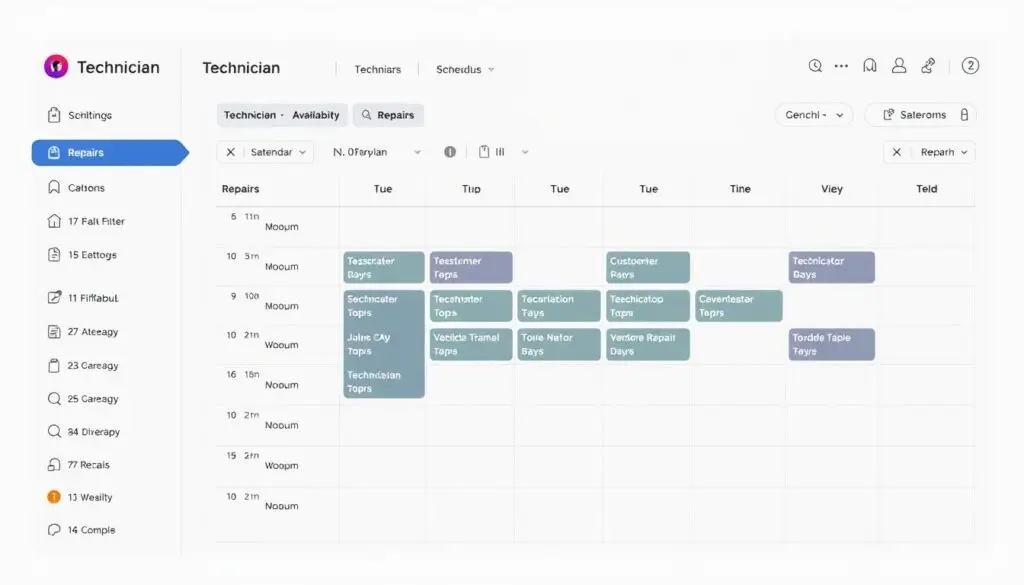
Heavy-duty truck repairs present unique challenges that overwhelm manual tracking systems. Multi-day jobs require careful coordination of specialized technician scheduling to ensure qualified mechanics handle complex diagnostic and repair procedures. A single commercial vehicle repair might involve multiple technicians with different expertise levels working across several days.
Extensive diagnostic processes demand sophisticated tracking beyond what spreadsheets can provide. Fleet maintenance requirements include warranty considerations, contract specifications, and compliance documentation that manual systems struggle to manage effectively. Shops must maintain detailed records of every service interval, part replacement, and inspection across entire fleets.
Parts procurement coordination becomes exponentially more complex with commercial vehicles. Heavy-duty components often require special ordering with extended lead times that must be factored into scheduling. Without integrated tracking, parts arrive before bays are available or after scheduled appointment times.
Preventive maintenance schedules across multiple vehicles require proactive management that manual methods cannot deliver. Fleet operators depend on shops to track service intervals and notify them before issues escalate into costly breakdowns. Appointment scheduling software automates these reminders and ensures no vehicle falls through the cracks.
Meeting Modern Customer Expectations
Fleet managers and owner-operators have dramatically different expectations than they did even five years ago. Digital service approvals with e-signatures have become standard practice, replacing time-consuming phone calls and faxed documents. Customers expect the same convenience from their truck repair shop that they receive from other service providers.
Automated status updates via text or email keep customers informed throughout the repair process. Transparency in repair timelines builds trust and reduces the constant phone calls asking for updates. Modern platforms offer two-way texting, WhatsApp integration, and email notifications that keep all parties synchronized.
Online payment options and comprehensive service history access represent baseline expectations rather than premium features. Customers want instant access to past invoices, service records, and warranty information through customer portals. Shops without these capabilities appear outdated and lose business to more technologically advanced competitors.
Staying Competitive in 2025
The competitive landscape in 2025 demands operational efficiency that manual processes cannot deliver. Shops without repair shop automation face distinct disadvantages in every aspect of their operations. Competitors using modern systems complete more jobs with the same resources, creating pricing pressure that erodes profit margins.
Customer satisfaction metrics increasingly favor shops offering digital convenience and transparent communication. Online reviews highlight responsiveness, communication quality, and scheduling flexibility as key differentiators. Shops lacking these capabilities see lower ratings and struggle to attract new customers.
Technician retention has become a critical competitive factor as skilled mechanics become harder to find. Modern professionals expect to work with efficient systems that eliminate frustration and wasted time. Shops still using paper work orders and manual scheduling struggle to attract and retain top talent who prefer employers with contemporary tools.
Market dynamics make scheduling software adoption essential rather than optional for survival. Shops that delay digital transformation find themselves unable to compete on efficiency, customer experience, or talent acquisition. The investment in modern systems pays dividends through improved operations, higher customer retention, and sustainable competitive advantages.
3. Essential Features of Truck Repair Scheduling Software
Effective scheduling solutions for truck repair shops must deliver specific features that address the unique complexity of heavy-duty vehicle service. The difference between basic calendar applications and professional diesel repair shop software lies in specialized capabilities designed for commercial vehicle operations.
Real-Time Appointment Management and Calendar Synchronization
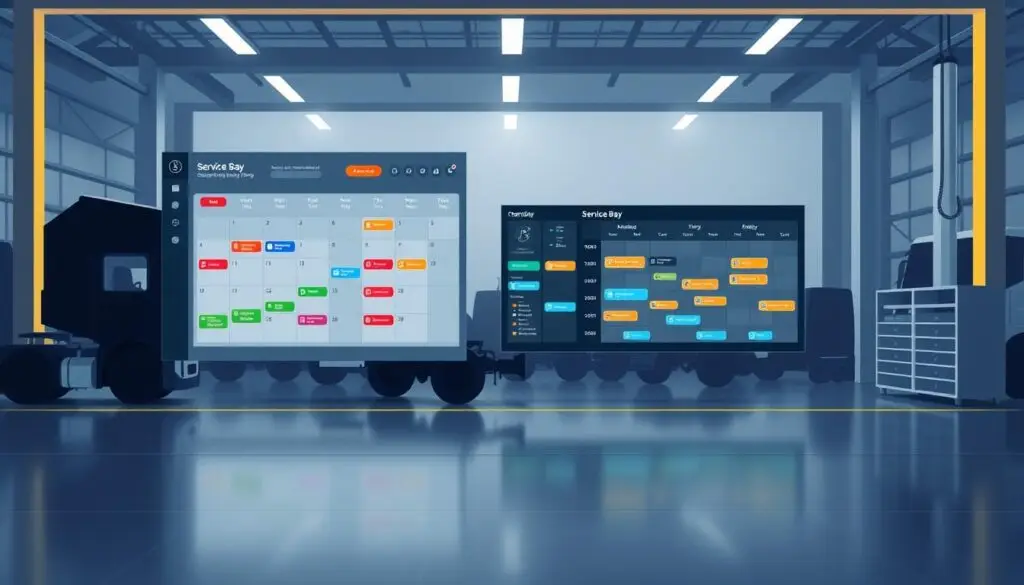
Modern scheduling platforms provide live appointment booking capabilities that eliminate the delays and errors of phone-based scheduling. Staff can create appointments instantly while viewing real-time bay availability and technician schedules. Many platforms now offer customer self-service portals where fleet managers book their own maintenance appointments.
Multi-location calendar visibility becomes essential for shops operating multiple facilities. Managers need to see capacity across all locations simultaneously to balance workload and redirect appointments when necessary.
The best automotive scheduling systems include drag-and-drop rescheduling functionality that makes adjustments effortless when emergencies arise. Capacity planning tools prevent overbooking by calculating available service hours based on bay count, technician availability, and estimated repair duration. Integration with external calendar systems like Google Calendar or Outlook ensures seamless coordination across your entire team.
Comprehensive Work Order Management
Scheduling software must seamlessly connect appointment booking to work order creation without requiring duplicate data entry. When a scheduled appointment arrives, technicians should access complete work order details including customer information, vehicle history, and requested services.
Digital documentation capabilities allow shops to attach photos of vehicle damage, diagnostic reports, and inspection checklists directly to work orders. This creates a comprehensive record that supports quality control and protects against disputes. Customer approval workflows with e-signature capture streamline authorization for additional repairs discovered during service.
Job progress tracking through defined stages gives everyone visibility into work status. Advanced platforms use dynamic prioritization to automatically highlight urgent repairs needing immediate attention. This approach to service bay scheduling ensures critical fleet vehicles return to service quickly while routine maintenance proceeds efficiently.
Technician Scheduling and Bay Assignment
Sophisticated resource allocation separates professional scheduling platforms from basic calendar tools. The system should automatically match technician certifications and specializations to specific job requirements. A diesel engine overhaul needs assignment to a certified diesel technician, not a general mechanic.
Visual bay assignment interfaces show real-time utilization across your shop floor. Managers can see which bays are occupied, which technicians are working on each vehicle, and when space will become available. This visibility enables intelligent workload balancing that prevents some technicians from being overwhelmed while others wait for assignments.
Mobile work order app access transforms technician productivity. Mechanics can clock in and out of jobs from their smartphones, update job status in real-time, and request parts without leaving the service bay. Capacity forecasting analyzes historical data to identify staffing needs during peak seasons or high-volume periods.
Automated Customer Communication and Notifications
Customer experience dramatically improves when scheduling software handles routine communications automatically. Appointment confirmations sent via email or SMS reduce no-shows by reminding customers of upcoming service dates. Automated service reminder scheduling brings vehicles back for preventive maintenance before breakdowns occur.
Real-time repair status updates keep fleet managers informed without requiring phone calls. Customers receive notifications when work begins, when additional repairs need approval, and when their vehicle is ready for pickup. Digital approval requests with cost estimates and supporting photos enable fast authorization decisions.
Parts Inventory Integration and Tracking
The connection between scheduling and inventory systems prevents delays caused by parts shortages. Quality diesel repair shop software checks parts availability during appointment booking to ensure required components are in stock before confirming service dates. This proactive approach eliminates disappointing customers with delays after their vehicle arrives.
Automated parts ordering triggered by work order creation streamlines procurement. When a technician adds specific parts to a repair estimate, the system can automatically generate purchase orders to suppliers. Real-time inventory tracking with low-stock alerts prevents running out of high-demand components.
Integration with major parts databases provides access to extensive cross-reference information. Technicians can quickly identify the correct replacement parts for any heavy-duty vehicle, reducing ordering errors and return costs. Supplier management features track purchase order status and expected delivery dates, allowing shops to communicate accurate completion timelines to customers.
Reporting and Analytics Capabilities
Data intelligence features transform scheduling software into a strategic business tool rather than just an operational utility. Technician productivity metrics reveal which team members complete the most jobs, generate the highest revenue, and maintain the best quality standards. This information supports fair performance evaluations and identifies training needs.
Revenue analysis by service type and time period shows which services drive profitability. Shops can identify opportunities to promote high-margin services or phase out unprofitable offerings. Appointment efficiency tracking compares scheduled versus actual completion time, highlighting jobs that consistently exceed estimates.
Bay utilization rates measure how effectively your shop uses available capacity. Low utilization indicates scheduling problems or insufficient marketing, while consistently maxed capacity signals the need for expansion. Customer retention analysis tracks repeat business and identifies at-risk accounts that need attention.
4. Top Truck Repair Shop Scheduling Software for 2025
Today’s leading repair shop management systems provide specialized tools designed specifically for the complexities of heavy-duty vehicle servicing. Each platform brings distinct strengths to the table, from technician-centric workflows to comprehensive fleet oversight capabilities.
Fullbay
Fullbay stands as the premier heavy-duty repair software purpose-built exclusively for diesel repair shops and truck service centers. The platform embraces a technician-centric philosophy that recognizes mechanics as revenue drivers rather than administrative staff. This approach maximizes wrench time while minimizing paperwork burden.
The software delivers comprehensive shop visibility across all operations, from initial service requests through final invoicing. Fullbay’s design specifically addresses the unique challenges of diesel and heavy-duty repair operations, setting it apart from general automotive solutions.
Distinctive capabilities include automated service order generation through Whip Around integration, creating service requests directly from Driver Vehicle Inspection Reports. MOTOR integration provides instant access to extensive parts cross-reference databases, step-by-step service guides, and labor time estimates. Customizable user permissions ensure team members see only information relevant to their responsibilities.
Pricing operates on a subscription-based model with quotes customized based on shop size, number of users, and specific feature requirements. Support hours run Monday through Friday, 6 AM to 6 PM Mountain Standard Time.
Shop-Ware
Shop-Ware positions itself as a robust truck maintenance software solution designed for heavy-duty repair operations of varying sizes. The platform serves independent shops and small fleet maintenance facilities that need comprehensive work order management without unnecessary complexity.
Key features include an intelligent scheduling interface with drag-and-drop functionality, comprehensive job tracking from estimate through invoicing, and real-time inventory tracking with automated reorder points. The platform emphasizes straightforward navigation that reduces training time for new staff while maintaining professional-grade functionality.
Fleetio
Fleetio represents a comprehensive cloud-based fleet management platform that extends beyond repair shop scheduling to encompass full asset lifecycle management. This makes it particularly valuable for fleet repair scheduling operations that manage both maintenance activities and vehicle tracking.
Strengths center on fleet-wide operational management including preventive maintenance automation triggered by mileage, engine hours, or calendar intervals. Asset lifecycle tracking provides complete vehicle history from acquisition through disposal with depreciation calculations. Compliance management automates tracking of inspections, licenses, and regulatory requirements with expiration alerts.
Fleetio uses per-asset pricing with monthly subscription fees based on the number of vehicles managed. Free trials allow evaluation before commitment.
Protractor
Protractor.NET specializes in providing comprehensive solutions designed specifically for big rig repair shops. The platform emphasizes robust work order processing and financial management capabilities. Shops that prioritize detailed invoicing, parts markup management, and accounting precision find particular value in Protractor’s approach.
Features focus on operational and financial precision including multi-phase job tracking with labor, parts, and sublet cost allocation. Customizable invoice formats with detailed breakdowns and flexible payment terms support complex billing requirements.
Shopmonkey
Shopmonkey began as comprehensive auto shop management software and has expanded capabilities to serve heavy-duty repair operations. The platform emphasizes operational streamlining and profitability enhancement through workflow automation and customer engagement tools.
Modern capabilities include intuitive calendar-based booking with automated confirmations, tablet-based inspection forms with photos sent directly to customers, and text/email notifications for appointment confirmations, service approvals, and completion alerts. The platform’s modern interface and customer-facing features appeal to shops prioritizing service experience alongside operational efficiency.
Shopmonkey offers tiered subscription pricing with transparent rates on their website, with basic plans starting at accessible monthly rates and premium tiers including advanced analytics.
The HDJ Perspective
The scheduling software landscape has matured significantly, but one critical reality remains: heavy-duty operations need purpose-built solutions. Generic automotive tools simply cannot handle fleet account structures, multi-day repair timelines, and DOT compliance requirements. Shops that compromise on these capabilities find themselves working around limitations instead of working with their tools. The efficiency gains from proper software selection compound over time—a few percentage points of improved bay utilization translates into thousands of dollars annually. For most diesel shops, Fullbay’s technician-centric approach delivers the fastest ROI, though Fleetio makes sense when scheduling must integrate with broader fleet management responsibilities.
5. Benefits of Implementing Scheduling Software
Implementing scheduling software transforms how truck repair shops operate, creating value that extends far beyond appointment coordination. The right digital shop management solution delivers measurable improvements across every operational dimension, from technician productivity to customer loyalty.
Increased Operational Efficiency and Reduced Downtime
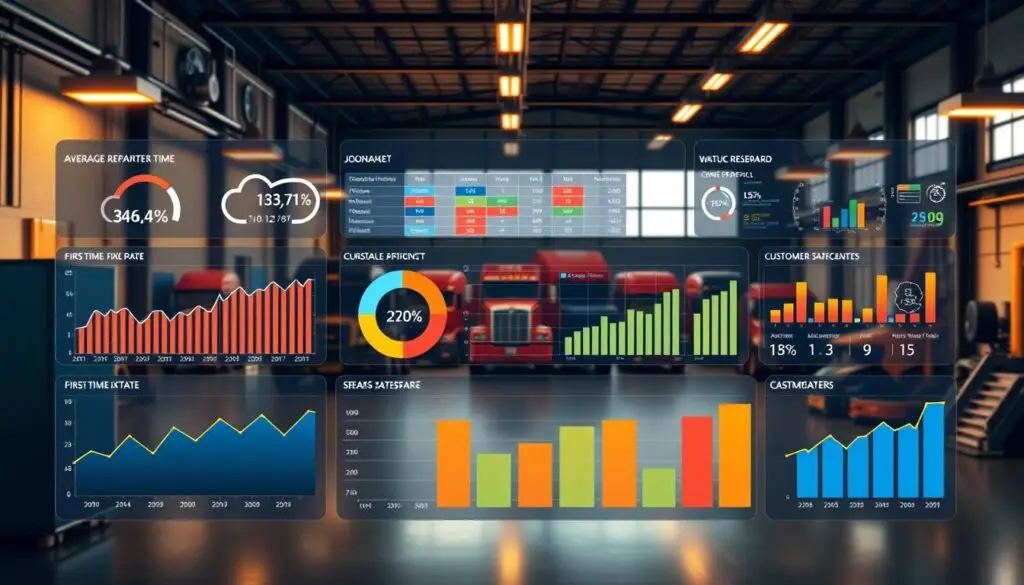
Scheduling software eliminates time-consuming administrative tasks that prevent your team from focusing on revenue-generating activities. Technicians spend significantly more time turning wrenches and less time tracking down paperwork, directly increasing billable hours without adding staff.
The elimination of redundant data entry represents one of the most immediate efficiency gains. Information flows automatically between scheduling, work orders, parts inventory, and invoicing systems. This integration prevents errors that occur when staff manually transfer information between different platforms or paper records.
Job cycle times decrease substantially when coordination improves across your operation. Work order tracking software provides real-time visibility into repair progress, enabling faster handoffs between diagnosis, repair, and quality inspection stages.
Vehicle downtime reduction benefits your customers while improving your throughput. Better scheduling coordination means trucks spend fewer hours waiting for bay availability or parts arrival. This optimization creates capacity for additional jobs without facility expansion.
Improved Customer Satisfaction and Retention
Modern fleet maintenance scheduling systems transform customer communication from reactive to proactive. Automated status updates keep fleet managers informed throughout the repair process without requiring phone calls from your staff. This transparency directly addresses the primary frustration fleet managers express about repair shops.
Faster service delivery becomes possible when scheduling optimization reduces wait times and coordination delays. Customers notice when their trucks move through your facility efficiently, and this operational excellence translates into loyalty and referrals.
Digital approval workflows eliminate delays associated with reaching customers for authorization on additional work. Fleet managers can review estimates and approve repairs from their mobile devices, keeping jobs moving forward rather than having vehicles sit idle awaiting decisions.
Professional invoicing with convenient payment options creates a polished final impression. Electronic payment processing speeds cash collection while providing customers the flexibility they expect. Comprehensive service history access empowers fleet managers to make informed maintenance decisions, positioning your shop as a strategic partner.
Optimized Technician and Bay Utilization
Resource optimization represents a significant competitive advantage that scheduling software provides. The system’s ability to match jobs with technician skills and availability maximizes billable hours across your workforce. Specialized technicians work on jobs that utilize their expertise while junior techs handle appropriate assignments, optimizing labor costs and service quality simultaneously.
Bay utilization improves dramatically when visual capacity management prevents spaces from sitting empty. Real-time visibility into bay occupancy and expected job completion times enables strategic scheduling that maintains consistent facility utilization throughout the day.
Workload balancing prevents burnout that occurs when some technicians are overwhelmed while others have gaps in their schedule. Equitable work distribution maintains team morale while sustaining productivity levels.
Enhanced Revenue Through Better Capacity Management
Strategic capacity management enabled by scheduling software directly increases revenue without requiring facility expansion or additional staff. Optimized scheduling fits more jobs into available capacity, eliminating lost revenue from scheduling gaps and underutilized time blocks.
The financial impact manifests across multiple dimensions: increased job volume from eliminating scheduling inefficiencies, improved cash flow from faster invoicing and electronic payment processing, reduced no-show rates through automated appointment reminders, decreased emergency parts orders by coordinating repairs with inventory availability, and higher average ticket values from systematic upselling of recommended services.
According to American Transportation Research Institute operational cost data, labor and facilities represent significant fixed costs that scheduling optimization helps amortize across more revenue-generating hours. Parts inventory optimization prevents profit erosion from expedited shipping charges and emergency orders.
Free Professional Fleet Tools
Cost calculators, fault code lookup, maintenance planners, and more—built for owner-operators, fleet managers, and diesel techs. No signup required.
Data-Driven Decision Making
Scheduling software transforms shop management from intuition-based to analytics-driven, providing visibility that enables strategic decisions backed by data rather than guesswork. Comprehensive reporting capabilities reveal patterns and opportunities invisible in manual systems.
Technician productivity metrics enable fair performance evaluations and inform compensation decisions with objective data. You can identify your highest-performing team members, understand what makes them successful, and replicate those practices across your workforce.
Service profitability analysis identifies which repair types generate the highest margins, informing marketing focus and service menu development. Understanding which jobs are most profitable allows strategic business development targeting high-value work rather than simply maximizing volume.
Capacity forecasting supports critical staffing and expansion decisions with data about actual demand patterns rather than subjective impressions. Customer behavior patterns inform targeted marketing strategies that improve campaign ROI.
6. Pricing Models and Total Cost of Ownership
Navigating the cost landscape of truck repair scheduling software requires examining multiple financial dimensions beyond monthly fees. The repair shop software cost encompasses subscription rates, implementation expenses, integration fees, and ongoing operational charges.

Subscription-Based Pricing Structures
Cloud-based Software as a Service (SaaS) models dominate the truck repair scheduling software market in 2025. These subscription plans eliminate large upfront capital expenditures while providing predictable monthly or annual operating expenses. Shops pay recurring fees that typically include software access, cloud hosting, automatic updates, and basic customer support.
The subscription approach offers significant advantages over legacy perpetual license software. Updates arrive automatically without additional purchase costs. Data security and backup become the vendor’s responsibility rather than requiring in-house IT infrastructure.
Most providers structure scheduling software pricing in tiered packages. Basic plans offer core scheduling and work order functionality for smaller operations. Professional tiers add advanced reporting, inventory management, and customer communication tools. Enterprise packages include unlimited users, priority support, and extensive customization capabilities.
Per-User vs. Per-Location Pricing Models
Two primary pricing structures shape how vendors charge for their platforms. Understanding which model aligns with your operation determines long-term cost efficiency.
Per-user pricing scales costs based on the number of staff accounts accessing the system. Monthly fees typically range from $50 to $150 per user, depending on feature tier and vendor. This model benefits smaller shops with limited staff, where adding occasional users doesn’t significantly impact expenses.
Per-location pricing charges a flat monthly fee regardless of user count. Shops pay between $300 and $800+ per facility based on feature requirements. This structure favors larger operations where employee counts would drive per-user costs higher.
| Pricing Model | Typical Cost Range | Best For | Cost Predictability |
|---|---|---|---|
| Per-User | $50-$150/user/month | Small shops (1-5 employees) | Variable with hiring |
| Per-Location | $300-$800+/location/month | Larger shops (6+ employees) | Fixed monthly cost |
| Custom Enterprise | Negotiated pricing | Multi-location operations | Contract-based stability |
Hidden Costs and Additional Fees
The advertised subscription rate represents only the foundation of total repair shop software cost. Additional expenses accumulate throughout implementation and operation. Identifying these charges during vendor evaluation prevents budget surprises after commitment.
Implementation and onboarding fees cover initial system setup, configuration, and training. These one-time charges typically range from $500 to $2,500 depending on complexity and shop size. Some vendors include basic onboarding in subscription fees, while others charge separately for comprehensive setup assistance.
Data migration costs arise when transferring historical records from previous systems. Converting customer databases, vehicle histories, and parts inventories requires technical expertise. Shops should request migration cost estimates during vendor demonstrations.
Integration expenses connect scheduling software with existing business tools. Common integrations include accounting software connections like QuickBooks requiring setup fees, payment processor integrations with Square or Stripe involving transaction fees of 2-3%, specialized tool connections such as Whip Around for DVIR management that may require additional licensing, and parts supplier API connections for real-time pricing.
ROI Timeline and Break-Even Analysis
Evaluating fleet management software investment requires calculating concrete operational savings against total costs. Most shops achieve positive returns within 3 to 6 months when accounting for efficiency gains and revenue improvements.
Administrative time savings represent the most immediate benefit. Scheduling software eliminates manual appointment books, phone tag, and paperwork inefficiencies. Shops typically recover 10 to 20 hours monthly of administrative time. At an average wage of $20 per hour, this translates to $200 to $400 in monthly labor cost reduction.
Revenue increases come from optimized capacity utilization. Better scheduling fills previously idle bay time and reduces technician downtime. Shops commonly see 5% to 15% more completed jobs monthly. A facility generating $50,000 monthly revenue could add $2,500 to $7,500 through improved capacity management.
Key Recommendation
Calculate your break-even point by dividing total implementation costs by monthly operational savings. A $3,000 initial investment with $1,000 monthly savings reaches break-even in three months. Document baseline metrics before implementation to measure actual improvements.
7. Implementation: From Selection to Go-Live
Transforming your truck repair operation through repair shop automation setup begins with understanding your unique business requirements and building a clear roadmap to success. The scheduling software implementation journey involves strategic planning across multiple phases, from initial evaluation through complete operational integration.
Assessing Your Shop’s Specific Requirements
Before selecting any solution, conduct a thorough analysis of your operation’s unique needs. This preliminary assessment prevents costly mismatches between shop workflows and software capabilities. Document your current scheduling processes to identify pain points and inefficiencies that need resolution.
Your requirements evaluation should cover current scheduling workflows and documented bottlenecks, integration requirements with existing accounting and parts management systems, mobile access needs for technicians and field service operations, user count and permission structure requirements across different roles, reporting and analytics priorities, budget parameters, and success metrics for measuring system effectiveness.
The importance of finding software that adapts to your shop cannot be overstated. Look for platforms offering customization options that match your established processes rather than forcing you to abandon effective workflows.
Data Migration and System Configuration
Once you’ve selected your platform, the technical implementation phase begins with data migration and system configuration. This critical step transfers historical information from existing systems into your new scheduling software while establishing operational parameters.
The fleet software deployment process typically involves extracting data from legacy systems including customer records, vehicle service history, parts inventory databases, and pricing structures. Clean and format this data before import to ensure accuracy and prevent errors that could compromise system integrity.
Key configuration steps include extracting historical data with vendor assistance, cleaning and formatting to match new system requirements, executing migration with quality verification checkpoints, configuring system settings like tax rates and labor rates, establishing user accounts with role-appropriate permissions, setting up service bay designations and technician profiles, configuring automated communication templates, and integrating accounting systems and payment platforms.
Typical data migration timelines range from one to three weeks, depending on data volume and system complexity. Most vendors provide dedicated migration support to ensure accuracy throughout this process.
Staff Training and Change Management
The human factor often determines whether scheduling software implementation succeeds or fails. Even the most powerful system delivers limited value if your team doesn’t understand how to use it effectively. Comprehensive training and thoughtful change management address resistance while building confidence in the new platform.
Building staff buy-in starts during the selection process. Involve team members from different roles when evaluating software options. Their input ensures you choose a solution that addresses front-line challenges while giving them ownership in the decision.
Effective training strategies include conducting role-specific sessions tailored to service advisors, technicians, parts managers, and office staff. Providing hands-on practice with test data before go-live activation builds confidence. Creating reference materials and quick-start guides for common tasks supports ongoing learning. Designating internal champions who receive advanced training and support colleagues accelerates adoption.
Testing and Launch Timeline
A phased approach to fleet software deployment minimizes risk and allows for adjustments before full operational reliance. Rushing to go-live without adequate testing invites errors that could disrupt customer service and damage confidence in the new system.
The recommended deployment approach includes parallel operation for 1-2 weeks running new software alongside existing systems to validate accuracy, a soft launch of 3-5 days activating internal operations before enabling customer-facing features, monitored go-live with vendor support availability, and post-launch optimization for 30-60 days refining workflows based on real-world usage.
Allow one to two weeks for assessment and selection, two to three weeks for data migration and configuration, one to two weeks for training, and one to two weeks for testing. Most shops reach full proficiency within 60 to 90 days of go-live.
8. How to Choose the Right Scheduling Software
Evaluating truck repair scheduling software requires more than comparing feature lists—it demands comprehensive analysis of how each platform serves your specific business model. The truck scheduling system selection process determines not just your operational efficiency today, but your competitive positioning for years to come.
This evaluation becomes increasingly critical as switching costs rise over time. Once your shop accumulates years of customer histories, work order records, and operational data, migrating to a different platform becomes exponentially more complex and expensive.
Scalability to Support Business Growth
Your current operational needs provide only part of the selection picture. The best repair shop software grows alongside your business, accommodating expansion without forcing you into costly platform changes. Evaluate each system against your three-to-five-year growth trajectory, not just today’s requirements.
User capacity expansion represents a critical scalability factor. Some platforms charge reasonable fees for adding technicians and service advisors, while others implement pricing jumps that become prohibitive as your team grows. Review pricing tiers carefully to understand exactly what happens when you add your fifth, tenth, or twentieth user.
Multi-location support matters even for single-shop operations with expansion plans. Software that handles multiple facilities from a unified dashboard enables centralized management while maintaining location-specific scheduling, inventory, and reporting.
Integration with Existing Tools and Systems
Seamless connectivity between your scheduling software and existing business tools eliminates double-entry work and reduces costly errors. The best repair shop software functions as your operational hub, connecting accounting systems, payment processors, and parts suppliers into a unified workflow.
Accounting system integration ranks as the most critical connection point. Most truck repair shops use QuickBooks for financial management, making native QuickBooks synchronization essential. Platforms should automatically sync invoices, payments, and expenses to eliminate manual data transfer and reduce bookkeeping errors.
Payment processor connectivity streamlines customer transactions. Integration with Square, Stripe, or other payment gateways enables service advisors to collect payments directly within the scheduling system. Parts supplier electronic ordering systems deserve careful evaluation—direct connections enable technicians to check availability, compare prices, and place orders without leaving the platform.
Mobile Functionality for Technicians and Managers
Mobile access has evolved from a convenience feature to an operational necessity. Modern truck scheduling system selection must prioritize robust mobile apps that empower technicians on the shop floor and managers away from their desks.
Technician work order apps transform shop floor efficiency. Mobile platforms enable mechanics to view assigned jobs, update repair progress, clock time entries, and close completed work orders directly from their smartphones or tablets. This real-time updating eliminates end-of-day paperwork sessions that delay billing.
Photo and document attachment from mobile devices provides critical documentation capabilities. Technicians can capture condition photos, upload inspection reports, and attach repair documentation directly to work orders without returning to an office computer.
Offline functionality protects against connectivity disruptions. Some shops experience Wi-Fi dead zones or cellular signal issues in certain areas. Software that allows offline work order updates, syncing changes once connectivity restores, prevents productivity losses from network problems.
Heavy-Duty and Fleet-Specific Capabilities
General automotive shop software lacks critical capabilities that truck repair operations require daily. Fleet maintenance platform comparison must emphasize heavy-duty-specific features that accommodate commercial vehicle complexity, fleet account structures, and regulatory compliance requirements.
VIN decoding for heavy-duty vehicles ensures accurate identification and parts lookup. Commercial truck VINs contain different information than passenger vehicle VINs, requiring specialized decoding databases. Purpose-built platforms incorporate heavy-duty VIN decoders that correctly identify make, model, engine specifications, and component configurations for Class 4-8 trucks.
Fleet account management with multi-vehicle profiles streamlines operations for customers operating truck fleets. Software must accommodate dozens or hundreds of vehicles under single customer accounts, with vehicle-specific service histories and consolidated or per-unit billing options.
DOT inspection tracking and compliance management addresses regulatory requirements specific to commercial vehicles. Heavy-duty scheduling software should track annual inspections per Commercial Vehicle Safety Alliance standards, generate required documentation, and alert service advisors to upcoming compliance deadlines.
Security and Data Protection
Data security ranks among the most critical yet frequently overlooked selection criteria. Your scheduling software stores sensitive customer information, financial records, and proprietary business data. Inadequate security exposes your shop to data breaches, regulatory penalties, and catastrophic business disruption.
Data encryption in transit and at rest protects information from unauthorized access. Verify that platforms use industry-standard encryption protocols (AES-256 or equivalent) for stored data and TLS/SSL for data transmission between devices and servers.
Cloud-based redundant backups prevent data loss from hardware failures, natural disasters, or cyber attacks. Multiple geographically distributed backup locations ensure business continuity even in worst-case scenarios. Confirm backup frequency (daily minimum) and restoration procedures before committing to any platform.
Role-based access controls limit information exposure to appropriate personnel. Service advisors need different system access than technicians, who require different permissions than managers. Granular permission settings enable you to restrict sensitive financial data, customer information, and administrative functions to authorized users only.
Frequently Asked Questions
What is the best truck repair shop scheduling software for 2025?
Fullbay leads the market as purpose-built software exclusively designed for diesel repair shops and heavy-duty service centers. Its technician-centric approach maximizes wrench time while minimizing administrative burden. Other strong contenders include Shop-Ware for mid-sized operations, Fleetio for fleet-integrated scheduling, Protractor for financial precision, and Shopmonkey for customer communication excellence. The best choice depends on your specific operation size, fleet customer base, and integration requirements with existing systems like QuickBooks or parts suppliers.
How much does truck repair scheduling software cost?
Per-user pricing typically ranges from $50 to $150 per user per month, while per-location pricing runs between $300 and $800+ per facility monthly. Additional costs include implementation fees ($500-$2,500), data migration, integrations with accounting or parts systems, and premium support packages. Most shops achieve positive ROI within 3-6 months through administrative time savings averaging 10-20 hours monthly, reduced scheduling errors, and improved bay utilization that captures previously lost revenue from gaps and double-bookings.
What features should truck repair scheduling software include?
Essential features include real-time appointment management with calendar synchronization, comprehensive work order management linking appointments to invoicing, technician scheduling with skill-based bay assignment, automated customer communication via text and email, parts inventory integration preventing delays from missing components, and reporting analytics for productivity and profitability tracking. Heavy-duty operations specifically need DOT compliance tracking, fleet account management supporting multiple vehicles under single corporate accounts, and multi-day job scheduling capabilities that general automotive software lacks.
How long does it take to implement truck repair scheduling software?
Complete implementation typically requires 6-10 weeks from selection to full operation. This includes 1-2 weeks for assessment and vendor selection, 2-3 weeks for data migration and system configuration, 1-2 weeks for role-specific staff training, and 1-2 weeks for testing with parallel operation alongside existing systems. Most shops reach full proficiency within 60-90 days of launch. A phased approach with soft launches before full go-live minimizes disruption while ensuring data accuracy and staff confidence in the new platform.
Can scheduling software integrate with QuickBooks and parts suppliers?
Yes, most professional truck repair scheduling platforms offer native QuickBooks integration that automatically syncs invoices, payments, and expenses without manual data entry. Parts supplier connections enable real-time pricing checks, availability confirmation, and direct ordering from within the scheduling system. Integration with payment processors like Square or Stripe streamlines customer transactions and accelerates cash flow. Verify specific integration capabilities and any additional fees during vendor evaluation, as some connections may require separate licensing.
What ROI can truck repair shops expect from scheduling software?
Shops typically recover 10-20 hours monthly of administrative time worth $200-$400 in reduced labor costs. Revenue increases of 5-15% come from optimized bay utilization and reduced technician downtime that captures previously idle capacity. Automated appointment reminders recover 2-5% of previously lost revenue from no-shows. Cash flow improves as automated billing reduces average collection cycles by 30-50%. Combined, most operations see 15-25% revenue increases within the first year, with profitability gains often exceeding revenue growth due to efficiency improvements across scheduling, parts coordination, and customer communication.
Move Your Shop Forward with the Right Technology
Truck repair shop scheduling software has evolved from optional convenience to operational necessity. The evidence from operations across the industry demonstrates clear patterns: shops using modern scheduling platforms complete more jobs with the same resources, maintain higher customer satisfaction scores, and achieve profitability levels that manual operations cannot match.
The implementation journey requires commitment through staff training, data migration, and temporary workflow adjustments. But the operational transformation justifies every challenge. Reduced downtime, improved technician productivity, and data-driven decision making compound over time into sustainable competitive advantages.
Your selection criteria should prioritize heavy-duty specific capabilities over generic automotive features. Evaluate integration requirements with your existing accounting and parts systems. Calculate total ownership costs beyond advertised subscription fees. Plan adequate training time for your team to build genuine proficiency rather than surface-level familiarity.
The technology continues advancing with AI-powered scheduling optimization and predictive maintenance capabilities emerging across platforms. Shops that establish strong digital foundations now position themselves to adopt these innovations as they mature—while competitors still using paper systems fall further behind with each passing month.
Share This Guide
Know a shop owner or fleet manager evaluating scheduling solutions? Share this comparison to help them make an informed decision.