

By Michael Nielsen, Publisher | 15+ Years in Diesel Repair & Fleet Operations
Last Updated: September 2026
📖 Estimated reading time: 19 minutes
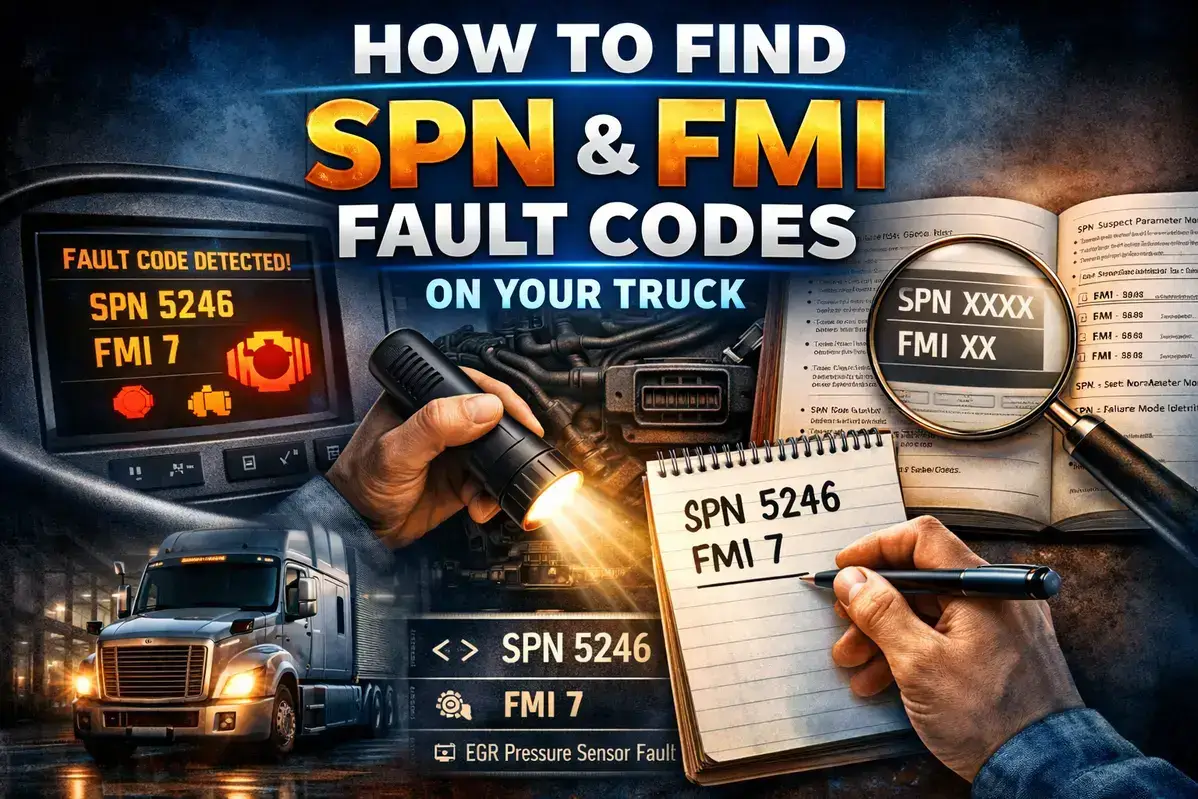
SPN and FMI fault codes are the two numbers that tell you exactly what's wrong with a heavy-duty truck the moment a check engine light comes on — not a vague "emissions system malfunction," but which component the ECM flagged and how it's failing. Whether you need to pull codes from the dashboard, use a heavy-duty scanner, or retrieve them through a smartphone app, this guide covers every method to locate your truck's fault codes quickly and accurately.
For owner-operators diagnosing issues before calling for service, fleet managers tracking maintenance across multiple vehicles, or diesel technicians preparing for repairs, knowing how to access SPN and FMI codes puts you in control. You'll learn manufacturer-specific dashboard procedures, scanner requirements and recommendations at every price point, smartphone app options, and how to interpret what you find.
Key Takeaways
- ✓Dashboard access works on most modern trucks. Class 8 trucks built after 2010 let you view fault codes through steering wheel controls or the instrument cluster — no tools required.
- ✓Standard OBD2 scanners won't work. Heavy-duty diagnostics require J1939/J1708 protocol support and 6-pin or 9-pin Deutsch connectors, not the 16-pin port cars use.
- ✓Budget options exist at every price point, from $100-$300 smartphone-adapter combos for owner-operators up to $2,000+ OEM software for full-shop diagnostics.
- ✓SPN identifies what, FMI identifies how. Together they turn a vague warning light into an actionable diagnosis pointing at a specific component and failure type.
- ✓Never just clear a code and hope. Repeated clearing without fixing the root cause can void warranty coverage, mask developing problems, and — for emissions codes — carries real regulatory risk.
In This Guide
- Understanding SPN and FMI Fault Codes
- Method 1: Access Fault Codes Through Your Dashboard
- Method 2: Use a Heavy-Duty Diagnostic Scanner
- Method 3: Smartphone Apps with Bluetooth Adapters
- Method 4: Retrieve Codes from Documentation and Telematics
- FMI Reference: Understanding Failure Mode Indicators
- What to Do After Finding Your Fault Codes
- Frequently Asked Questions
Understanding SPN and FMI Fault Codes
SPN and FMI fault codes differ fundamentally from the passenger-car codes most people are used to. Heavy-duty trucks use the SAE J1939 communication protocol, which displays fault codes in a completely different format than the "P0xxx" codes familiar to anyone who's worked on cars. A complete heavy-duty fault code has three parts that work together to tell a full diagnostic story.
SA (Source Address) identifies which electronic control module reported the fault — Source Address 0 typically means the engine ECM, while other values point to transmission controllers, ABS modules, aftertreatment systems, or body controllers. SPN (Suspect Parameter Number) is a number between 0 and 524,287 identifying the specific component or system with the issue — SPN 5246 refers to DEF pressure, SPN 3226 to SCR catalyst conversion efficiency, SPN 91 to accelerator pedal position.
FMI (Failure Mode Indicator) is a number between 0 and 31 describing the type of failure — FMI 0 means "data valid but above normal range," FMI 4 means "voltage below normal," and FMI 12 means "bad intelligent device or component."
Combined, these numbers tell a complete story: SA 0 SPN 5246 FMI 0 means the engine ECM detected DEF pressure reading higher than normal — a specific diagnosis pointing toward the DEF return line, pressure relief valve, or pump assembly rather than the entire DEF system.
HDJ's J1939 protocol guide covers the full communication layer behind these codes if you want to understand how they're generated and transmitted across the truck's network. Michael Nielsen's advice for anyone reading a fault code for the first time: look up the SPN before the FMI, since knowing the affected component narrows the diagnostic path faster than the failure type alone.
524,287+
Possible SPN values defined in the J1939 standard, covering virtually every sensor, actuator, and system on modern commercial vehicles.
Method 1: Access Fault Codes Through Your Dashboard
Most modern Class 8 trucks built after 2010 let you view fault codes directly through the dashboard display without any external tools. The exact procedure varies by manufacturer, but the information is accessible if you know where to look — and it's free, making it the ideal first step when a warning light appears.
Freightliner Cascadia (2018 and Newer)
Freightliner trucks equipped with Detroit DD13, DD15, or DD16 engines provide dashboard access to fault codes through the instrument cluster in about 30 seconds. Park on level ground, shift to neutral, set the parking brake, and turn the key to the ON position without starting the engine.
Use the steering wheel arrow buttons to scroll to the wrench symbol (the diagnostics menu), press OK to enter, then scroll through the electronic modules — ACM, ABS, CGW, TCM, and others — looking for a hazard triangle icon indicating stored faults. Select any flagged module and press OK to see its SPN, FMI, and a brief description.
Pro tip: if you only see "Previously Active" codes with no current faults, the issue may have resolved itself temporarily or occurs only under specific operating conditions. Don't ignore these — they often indicate intermittent problems that will return.
Peterbilt 579 and Kenworth T680
PACCAR trucks use a similar approach through their information center display, with slightly different menu navigation. Start the engine or turn the key to ON, then use the steering wheel or dashboard arrows to navigate to "Diagnostics" or "Fault Codes." Each entry shows SPN, FMI, and status (Active or Previously Active). Models with the Vehicle Information Display add occurrence count and freeze-frame data showing operating conditions when the fault set.
Volvo VNL and Mack Trucks
Volvo and Mack (both Volvo Group) display codes through the Driver Information Display using a consistent interface — ignition to ON without starting, navigate to the Vehicle Information menu, then select "Fault Codes" or "Diagnostics" to see MID, SID or PID, and FMI values. Note that Volvo and Mack use some proprietary code formats (PPID and PSID) alongside standard J1939 codes, and detailed guided diagnostics for those may require Volvo's PTT (Premium Tech Tool).
International/Navistar Trucks
International trucks with the Diamond Logic system provide fault code access through the gauge cluster. Set the parking brake, ensure the vehicle is stationary, and turn the key to ACCESSORY (previously active codes) or IGNITION (all codes including active). Press and release the cluster display selector to scroll through stored faults, showing SPN, FMI, Source Address, and status. A "NO FAULT DETECTED" display means nothing is currently stored — though some conditions may not set codes immediately.
Dashboard displays typically show fault codes only from the engine ECM and major powertrain systems — they may not capture every code from every module. For comprehensive diagnostics covering ABS, transmission, body controller, or trailer interface faults, you'll need a dedicated diagnostic scanner that communicates with all vehicle modules.
Method 2: Use a Heavy-Duty Diagnostic Scanner
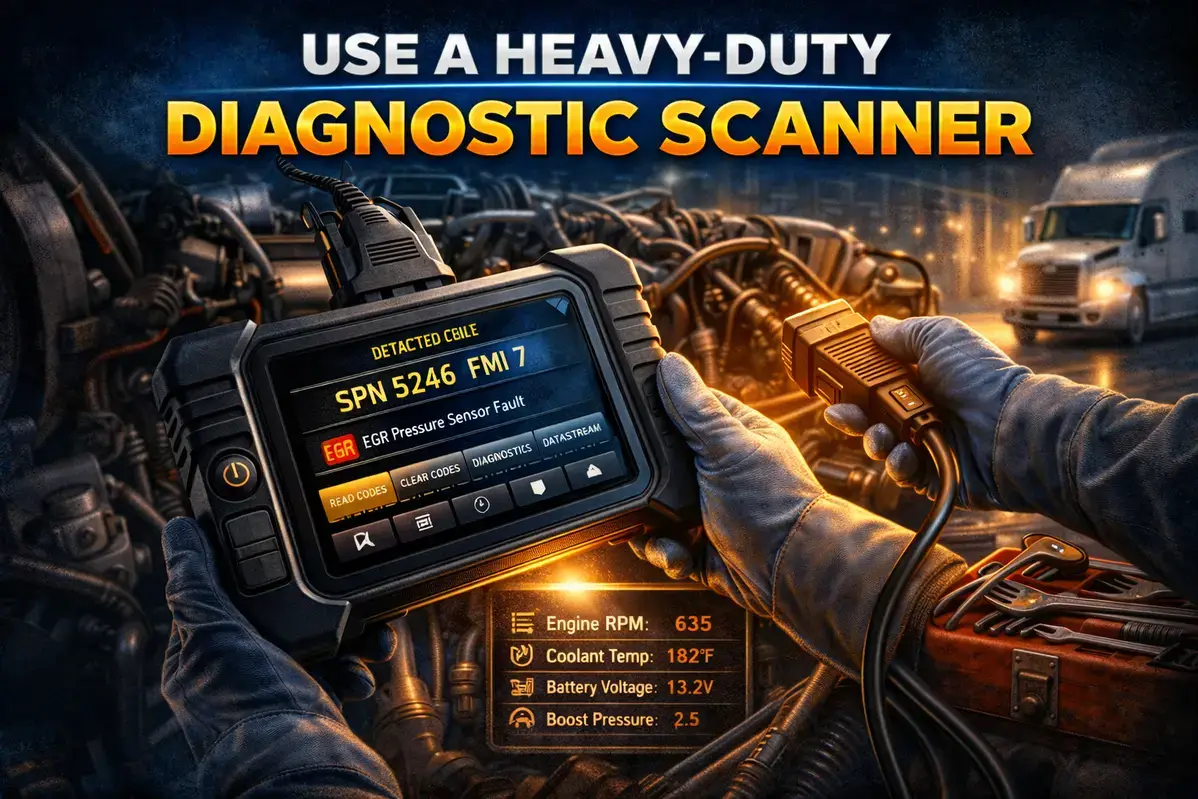
A diagnostic scanner gives the most comprehensive view of your truck's fault codes and system health, communicating with every electronic module on the vehicle and providing freeze-frame data, occurrence counts, live sensor readings, and often guided diagnostic procedures. Standard OBD2 scanners are fundamentally incompatible with commercial trucks for three reasons: different communication protocols (SAE J1939/J1708/J1587 versus OBD2/ISO 15765), different physical connectors (6-pin or 9-pin Deutsch versus 16-pin OBD2), and different code formats (SPN/FMI versus P0xxx).
Heavy-Duty Scanner Options by Budget
| Category | Price Range | Example Models | Capabilities |
|---|---|---|---|
| Entry-Level | $150-$300 | Launch CReader HD Plus, Nexas NL102 Plus | Read/clear codes, live data, covers most 2006+ trucks |
| Mid-Range | $400-$700 | ANCEL HD3400, ANCEL X7HD | DPF regeneration, service resets, construction/ag equipment |
| Professional | $1,500-$5,000 | Noregon JPRO, Jaltest, Autel MS908CV | OEM-level diagnostics, bidirectional controls, ECU programming |
| OEM Software | $2,000-$10,000+ | Detroit DLA, Cummins Insite, PACCAR Davie | Full manufacturer capabilities, programming, calibrations |
Entry-level scanners like the Launch CReader HD Plus read and clear fault codes and display live sensor data on most American heavy-duty trucks from 2006 onward — a solid starting point for owner-operators. Mid-range tools add DPF regeneration and service resets for small fleets wanting more control.
Professional-grade platforms like Noregon JPRO provide the bidirectional testing and ECU programming that dealerships and repair shops rely on daily. HDJ's full evaluation of Noregon JPRO breaks down exactly what a professional-tier platform costs and whether it fits your shop before you request a quote.
To use a scanner: locate the 9-pin Deutsch connector under the dashboard (some trucks also have a 6-pin connector near the engine), connect the appropriate cable, turn the ignition to ON without starting the engine, select your vehicle's make, model year, and engine, then run a full system scan pulling codes from every module — not just the engine.
This reveals issues a dashboard display wouldn't show. Record the SPN, FMI, Source Address, and occurrence count for each result; this documentation helps track patterns and speeds up any shop visit.
Method 3: Smartphone Apps with Bluetooth Adapters
For owner-operators who want diagnostic capability without dedicated scanner hardware, smartphone apps paired with Bluetooth adapters offer a budget-friendly middle ground. A Bluetooth or Wi-Fi adapter plugs into the diagnostic port and communicates wirelessly with an app that handles the code database and interpretation while the adapter handles J1939/J1708 protocol translation.
Popular options include the BlueFire Adapter + App (6-pin and 9-pin versions, $150-$250, iOS and Android), Cummins Guidanz (a free app limited to Cummins-powered trucks paired with a compatible adapter), and OTR Diagnostics (multi-manufacturer support with subscription-based advanced features). Expect to pay $100-$300 for a quality adapter plus any subscription fees, typically $10-$50/month for premium features.
Bluetooth adapters and apps typically can't perform advanced functions like forced DPF regenerations, injector coding, transmission relearns, or parameter changes — they're best suited for fault code reading and basic monitoring, not comprehensive diagnostic work requiring bidirectional control.
Method 4: Retrieve Codes from Documentation and Telematics
If your truck was recently serviced or is equipped with telematics, fault codes may already be documented without connecting any equipment. Repair invoices and work orders usually list codes under "Diagnostic Results" or "DTCs Found." Inspection reports — DOT inspections, pre-purchase inspections, annual safety inspections — frequently document codes present at inspection time, especially emissions-related ones now part of CVSA out-of-service criteria.
Telematics platforms such as Omnitracs, Samsara, Motive, or OEM systems like Detroit Connect and PACCAR Connected typically log fault codes automatically and make them accessible through the fleet portal, giving historical code data across an entire operation. Many Electronic Logging Devices capture and report engine fault codes too, as part of vehicle health monitoring — check your ELD provider's diagnostics section before assuming you'll need a separate scan.
FMI Reference: Understanding Failure Mode Indicators
Once you've retrieved your fault codes, the FMI tells you exactly how the component is failing, directly informing the repair approach. Here's the complete reference for every FMI value defined in the J1939 standard:
| FMI | Failure Mode Description | Common Causes |
|---|---|---|
| 0 | Data valid but above normal operational range | Sensor reading high, restriction, overpressure condition |
| 1 | Data valid but below normal operational range | Sensor reading low, leak, low pressure, low level |
| 2 | Data erratic, intermittent, or incorrect | Loose connection, damaged wiring, failing sensor, EMI interference |
| 3 | Voltage above normal or shorted high | Short to power, damaged wiring insulation, internal sensor failure |
| 4 | Voltage below normal or shorted low | Short to ground, open circuit, damaged sensor, corroded connector |
| 5 | Current below normal or open circuit | Broken wire, unplugged connector, blown fuse |
| 6 | Current above normal or grounded circuit | Short to ground, damaged component drawing excess current |
| 7 | Mechanical system not responding properly | Stuck actuator, seized component, mechanical binding |
| 8 | Abnormal frequency, pulse width, or period | Speed sensor issues, reluctor wheel damage, signal interference |
| 9 | Abnormal update rate | CAN bus communication issue, module not responding, network fault |
| 10 | Abnormal rate of change | Sensor signal changing faster than physically possible, noise |
| 11 | Root cause not known | Requires additional diagnosis, multiple possible causes |
| 12 | Bad intelligent device or component | Internal ECM/module failure, component self-diagnosed as failed |
| 13 | Out of calibration | Sensor drift, needs recalibration, aging component |
| 14 | Special instructions | Manufacturer-specific, requires OEM documentation |
| 15 | Data valid but above normal (least severe) | Minor high reading, may not require immediate action |
| 16 | Data valid but above normal (moderate severe) | Elevated reading requiring attention |
| 17 | Data valid but below normal (least severe) | Minor low reading, may not require immediate action |
| 18 | Data valid but below normal (moderate severe) | Low reading requiring attention |
| 19 | Received network data in error | CAN bus communication error, network fault |
| 31 | Condition exists (general alert) | System alert such as empty DEF tank, derate active, maintenance due |
For detailed interpretations of specific SPN/FMI combinations — likely causes, step-by-step diagnostics, and estimated repair costs — use HDJ's free Truck Fault Code Lookup Tool below.

What to Do After Finding Your Fault Codes
Retrieving the codes is just the first step. Look up each code to understand what's affected and how serious it is, then assess urgency by severity — red/stop-engine codes demand immediate attention, yellow/caution codes usually allow continued operation, and informational codes can often wait until scheduled maintenance. Check for related codes, since multiple faults often trace to one root cause: several DEF-related codes might all stem from a single failing sensor.
Document everything — SPN, FMI, status, when codes appeared, and any symptoms observed — since this speeds up diagnosis and matters if a warranty claim comes up. And don't just clear codes and hope: clearing without fixing the underlying problem means they'll return, often at the worst time, and repeated clearing without repair can void warranty coverage or mask a developing failure.
⚠️ Emissions Code Warning
Under 40 CFR Part 1036, tampering with emissions systems or repeatedly clearing emissions-related codes without repair can trigger significant civil penalties — current federal maximums run into the tens of thousands of dollars per violation. Unaddressed aftertreatment codes also eventually trigger engine derate conditions limiting speed and power, often to 5 MPH, until properly repaired. HDJ's full breakdown of tampering penalties covers the current federal and state numbers in detail, including a January 2026 shift in how DOJ pursues criminal charges.
Some codes are owner-operator addressable — low DEF level (SPN 1761), low coolant, a clogged air filter, a loose fuel cap — while internal engine faults, transmission codes, aftertreatment efficiency codes, and anything requiring parameter changes or programming need professional service.
If a code shows up right after ECM calibration work, HDJ's ECM reprogramming guide covers what a legitimate calibration should — and shouldn't — do to your fault code history. When in doubt, a quick call to a trusted shop armed with your specific codes usually clarifies whether you're dealing with a simple fix or something requiring professional attention.
Free Diesel Maintenance Checklist
Get HDJ's free, field-tested diesel maintenance checklist delivered instantly to your inbox — print it, laminate it, keep it in the shop.
Instant PDF • 100% Free • No Spam

Frequently Asked Questions
Can I read truck fault codes without a scanner?
Yes — most trucks built after 2010 show codes on the dashboard via steering wheel controls, though menu navigation differs by manufacturer. See the Method 1 section above for Freightliner, Peterbilt/Kenworth, Volvo/Mack, and International procedures. Dashboards only cover major powertrain systems, though; full coverage still needs a scanner.
Will a regular OBD2 scanner work on my semi truck?
No. Heavy-duty trucks use SAE J1939/J1708 protocols and 6-pin or 9-pin Deutsch connectors, not the OBD2/ISO 15765 protocol or 16-pin port passenger cars use. You need a scanner built specifically for heavy-duty applications — see the Scanner Options table above by budget.
What does it mean when my truck shows "Previously Active" codes?
The fault was detected at some point but isn't currently triggering — it may have self-resolved, occur only under specific conditions, or simply never got cleared. These stored codes still matter: a recurring intermittent code often signals a developing problem worth investigating before it causes a breakdown.
How do I clear fault codes after making repairs?
Many codes clear automatically once the issue is fixed and the ECM completes its monitoring cycle, sometimes requiring a specific drive cycle. For codes that don't self-clear, use a heavy-duty scanner or, on some trucks, the dashboard menu. Never clear without fixing the root cause — see the What to Do Next section above for why.
Where is the diagnostic port located on my truck?
Usually a 9-pin Deutsch connector under the dashboard on the driver's side, near the steering column or behind a small access panel. Some trucks also have a secondary 6-pin connector near the engine. Exact location varies by manufacturer and model year — check your owner's manual if you can't find it.
Knowing how to find and interpret SPN and FMI fault codes puts you in the driver's seat when problems arise, whether you're using dashboard access for a quick check, a dedicated scanner for comprehensive diagnostics, or a smartphone app for on-the-go capability. For owner-operators, even a basic $150-$300 scanner can pay for itself with a single avoided diagnostic fee — for fleet operations, systematic fault code monitoring across every vehicle catches developing problems before they become roadside breakdowns, the same standard heavydutyjournal.com applies across its diagnostics coverage.
Know a Driver Still Guessing at Warning Lights?
Share this guide with an owner-operator or fleet manager who could use it — knowing your own fault codes is the fastest way to stop paying for diagnostic fees on problems you could've read yourself.