
By Michael Nielsen, Editor & Publisher | 15+ Years in Diesel Repair
Last Updated: December 2025
📖 Estimated reading time: 18 minutes
Diesel mechanics now spend more time at customer locations, fleet yards, and breakdown sites than inside traditional shop bays. This shift toward mobile operations has created management challenges that paper-based systems cannot handle. With the American Transportation Research Institute reporting repair and maintenance costs at $0.202 per mile across the trucking industry, operational efficiency directly impacts profitability for both fleet customers and service providers.
Mobile service management software transforms chaotic field operations into streamlined digital workflows. The right platform empowers diesel technicians to track work orders across multiple job sites, manage service truck inventory, communicate with customers instantly, and process payments on the spot. This comprehensive guide examines leading solutions for diesel mechanics and provides actionable implementation strategies to modernize your mobile repair operations.
Key Takeaways
- Purpose-built platforms: Diesel-specific software like Fullbay, Pluss, and Orderry includes commercial VIN decoding, fleet account management, and heavy-duty parts catalogs that generic automotive systems lack.
- Operational ROI: Shops implementing field service platforms typically save 15-40 hours monthly on administrative tasks while reducing payment collection time from 45-60 days to under 10 days.
- Mobile-first design: Offline functionality, GPS dispatching, and digital signature capture enable technicians to complete entire service workflows without returning to the shop.
- Pricing reality: Expect $80-150 monthly for solo operators, scaling to $600-1,200 for 10+ technician operations—representing 0.5-1.5% of gross revenue.
- Implementation timeline: Most shops achieve basic functionality within 2-4 weeks, with full utilization of advanced features requiring 3-6 months.
Understanding Mobile Service Management Software for Diesel Operations
Mobile service management software functions as the digital backbone for diesel repair businesses operating outside traditional shop environments. Unlike generic automotive platforms, solutions designed for heavy-duty professionals address the complexities of commercial fleet maintenance, emergency roadside repairs, and multi-location service delivery. These specialized systems recognize that a diesel mechanic’s workday differs dramatically from standard automotive service operations.
The comprehensive nature of these platforms extends across six primary operational areas. Work order management tracks every repair job from initial customer contact through completion and payment. Customer relationship management maintains detailed service histories for entire commercial fleets under single account profiles. Parts procurement systems connect directly to heavy-duty suppliers and automatically update inventory levels.
Technician dispatch tools optimize routing and assign jobs based on skills, location, and availability. Invoicing modules generate professional estimates and final bills with diesel-specific labor rates and parts markups. Payment processing integrates with multiple methods to accelerate cash flow and reduce administrative overhead.
$2.26 per mile
Average cost to operate a truck in 2024, according to ATRI’s Operational Costs of Trucking report
What separates heavy-duty repair software from generic alternatives lies in specialized capabilities that diesel mechanics require daily. These platforms include compatibility with commercial parts catalogs featuring heavy-duty components that standard automotive databases don’t contain. VIN decoding systems recognize commercial trucks, buses, and construction equipment rather than just passenger vehicles. Labor time guides calculate appropriate billing hours for diesel engines, transmissions, and hydraulic systems.
Cloud-Based vs. On-Premise Architecture
Modern field service platforms typically follow one of two architectural models. Cloud-based systems store all data on remote servers accessed through internet connections. On-premise solutions install directly on local computers and servers within the physical shop location. Understanding these differences helps diesel shop owners select appropriate technology infrastructure.
| Feature | Cloud-Based Systems | On-Premise Solutions |
|---|---|---|
| Accessibility | Access from any location with internet | Limited to shop network or VPN |
| Data Backup | Automatic daily backups | Manual backup processes required |
| Maintenance | Provider handles updates | Shop responsible for IT management |
| Initial Cost | Lower upfront, monthly subscription | Higher initial hardware investment |
| Mobile Access | Seamless real-time synchronization | Limited or delayed field connectivity |
Cloud-based platforms have emerged as the standard for mobile diesel operations. Field technicians access current work orders, customer information, and parts availability instantly from job sites. Automatic backups eliminate the risk of data loss from hardware failures. The elimination of server maintenance requirements allows shop management to focus on service delivery rather than IT infrastructure.
Critical Features for Diesel Field Service Operations
When evaluating management software, diesel mechanics must prioritize features that address their unique operational challenges. The gap between basic business software and purpose-built solutions becomes apparent when technicians work in the field rather than from fixed shop locations. Four core feature categories separate effective management systems from inadequate ones.
Work Order Management and Job Scheduling
Digital work orders capture complete job information in one centralized record—customer details, vehicle specifications, reported problems, diagnostic findings, required parts, labor estimates, and approval status. This eliminates the chaos of lost paper tickets and unclear job status that plague mechanics using informal tracking methods.
Effective scheduling functionality enables mechanics to visualize their calendar and block time for jobs across different locations. Drag-and-drop interfaces make rescheduling simple when emergencies arise. Color-coded job status indicators provide instant visual confirmation of which jobs are scheduled, in progress, waiting for parts, or completed.
Repair order tracking with estimated completion times helps set realistic customer expectations. Automated customer notifications inform clients when technicians are en route or when jobs are finished. These features create professional communication that builds trust and reduces the constant phone calls that interrupt shop productivity.
GPS Tracking and Intelligent Dispatching
Real-time location visibility allows dispatchers to see technician positions on map interfaces. This enables intelligent assignment of emergency calls to the closest available mechanic, dramatically reducing customer wait times. Route optimization features calculate the most efficient paths between multiple job sites throughout the day, minimizing drive time and fuel costs while maximizing billable hours.
Dispatchers can provide accurate arrival time estimates to waiting customers based on current technician location and traffic conditions. GPS data also provides accountability benefits—business owners can verify that technicians arrived at scheduled job sites as documented. Geofencing capabilities automatically clock technicians in when they arrive at job sites and clock them out when they leave, eliminating manual time tracking disputes.
Parts Inventory and Procurement Integration
Mobile diesel mechanics must carry enough inventory on service vehicles to complete repairs on-site, but cannot stock every possible part. Effective systems provide real-time inventory tracking across multiple locations—the main shop, various service trucks, and parts in transit from suppliers.
Automated low-stock alerts trigger reorder notifications before critical parts run out. Parts usage tracking identifies fast-moving items that should be stocked in larger quantities. Access to parts interchange databases with millions of cross-referenced part numbers helps identify compatible alternatives when OEM parts are unavailable.
Parts procurement capabilities integrated directly within service management systems streamline ordering processes. Purchase orders flow electronically to suppliers, order status updates automatically, and inventory counts adjust when shipments arrive—all without manual data entry.
Stay Current on Fleet Technology
Get practical insights on diesel diagnostics, shop management, and fleet maintenance technology delivered to your inbox.
Customer Communication and Fleet Management
A centralized customer database stores complete profiles with contact information, service history, equipment records, pricing agreements, and communication preferences. Automated notifications send professional appointment confirmations, technician-en-route alerts, job completion updates, and electronic invoices without manual intervention.
Two-way communication capabilities allow customers to respond to estimates, ask questions, and approve additional work without playing phone tag. Real-time messaging reduces approval delays that extend job timelines. Automated service reminder systems generate proactive revenue by notifying customers when preventive maintenance is due.
Fleet management capabilities allow diesel mechanics to link multiple vehicles to corporate accounts. The system provides consolidated or itemized billing based on customer preferences. Communication flows to designated fleet managers while maintaining individual service records for each vehicle. These features prove essential for mechanics serving commercial fleet customers with multiple assets requiring organized tracking and reporting.
Top Software Solutions for Diesel Mechanics
The marketplace offers platforms ranging from enterprise-grade systems to nimble mobile-first applications. Each solution brings distinct strengths tailored to different business models and operational scales. The following comparisons focus on platforms with genuine relevance to heavy-duty diesel operations.
Fullbay: Purpose-Built for Heavy-Duty
Fullbay stands out as the only major platform built exclusively for heavy-duty diesel repair operations. The cloud-based system addresses unique challenges of commercial truck, trailer, and equipment maintenance that general automotive platforms cannot match.
The platform excels in service order management that tracks every step from intake to invoice. Its MOTOR integration provides parts cross-reference capabilities, labor time guides, wiring diagrams, and service procedures specifically for commercial vehicles. The customer portal allows fleet managers to submit repair requests, view maintenance histories, approve estimates, and pay invoices electronically.
Mobile technicians can process payments roadside and see invoice data immediately. The parts manager can price components while the tech works in the field. Service managers can create estimates and obtain authorization within minutes. This real-time collaboration distinguishes Fullbay from platforms designed around single-location shop workflows.
Considerations include pricing that reflects enterprise capabilities—larger shops with multiple technicians should expect monthly costs in the $300-500+ range. The comprehensive feature set requires training investment, though shops consistently report the learning curve pays dividends in operational efficiency.
Orderry: Flexible Multi-Industry Platform
Orderry offers truck repair shop software that adapts to businesses ranging from small mobile operations to multi-location enterprises. The platform combines job tracking, fleet management, invoicing, inventory, and technician mobility in one system.
Work order software keeps all job details, notes, photos, and approvals in one place from intake to final invoice. The system allows creating and assigning jobs with parts and labor included. Customer communication tools include two-way texting, WhatsApp, and email notifications with automatic service reminders.
Parts inventory management enables creating and tracking supplier orders directly in the platform, avoiding stockouts and duplicate purchases. The platform integrates with Square and Stripe for payment processing, generating payment links automatically when invoices are ready. QuickBooks synchronization maintains financial records without double-entry.
Orderry offers flexible, scalable pricing based on shop size and needs. The platform provides personalized onboarding with expert support and access to a comprehensive help center. Mobile and tablet apps serve technicians in the field while the Dashboard app supports manager oversight.
Fleetio: Vehicle-Centric Fleet Management
Fleetio approaches service management from the fleet maintenance perspective rather than traditional field service design. This specialized platform handles maintenance tracking, work order management, parts inventory, fuel management, and compliance reporting.
The system organizes operations around vehicles rather than customers, providing comprehensive asset histories and predictive maintenance scheduling. It excels for diesel mechanics serving fleet clients or operating their own service vehicle fleets. Vehicle-centric organization maintains complete service histories for each asset.
Preventive maintenance scheduling triggers based on mileage, engine hours, or calendar intervals. Fuel tracking and reporting identify efficiency issues across fleets. Integration with telematics systems automates mileage collection and diagnostic data capture.
Pricing starts around $4 per vehicle monthly, making it economical for fleet-focused operations. Customer relationship features remain less robust compared to dedicated service management platforms, so mechanics building retail customer bases may find the workflow less suited to their needs.
Jobber: Accessible Entry Point
Jobber balances comprehensive functionality with ease of use and affordable pricing. The cloud-based platform targets service businesses operating in the field, with strong capabilities in scheduling, dispatching, invoicing, and customer communication accessible to diesel mechanics transitioning from paper-based operations.
The intuitive user interface requires minimal training, allowing mechanics to become productive within days. Excellent mobile apps for both iOS and Android include offline functionality essential for remote work locations. Built-in quoting and approval workflows streamline estimates—customers receive professional quotes via email or text, approve with a single click, and automatically convert to scheduled jobs.
Affordable tiered pricing starts around $49 monthly and scales with business size. Integrated payment processing offers competitive rates. The platform integrates with QuickBooks for financial synchronization.
Jobber lacks specialization for diesel and heavy equipment compared to industry-specific solutions. Parts inventory management proves adequate but not as sophisticated as dedicated inventory systems. Limited capabilities exist for managing complex fleet accounts with multiple vehicles and locations.
Platform Comparison Summary
| Platform | Best For | Price Range | Key Strength |
|---|---|---|---|
| ✓ Fullbay | Heavy-duty diesel shops and mobile operations | $199+ monthly | Purpose-built for commercial truck repair with MOTOR integration |
| Orderry | Multi-shop operations needing flexibility | Scalable by users | Customizable workflows with strong communication tools |
| Fleetio | Fleet-focused maintenance tracking | $4/vehicle monthly | Vehicle-centric organization with telematics integration |
| Jobber | Small operations seeking simplicity | $49+ monthly | Intuitive interface with quick implementation |
Operational Benefits and ROI
Modern service management platforms deliver concrete benefits that directly impact productivity, cash flow, and customer retention. These improvements transform daily operations through measurable gains in efficiency and profitability.
Scheduling and Dispatch Efficiency
Centralized visual scheduling replaces chaotic phone calls, text messages, and handwritten notes. Intelligent dispatch systems consider multiple factors simultaneously—location proximity, technician specialization, parts availability, and job priority all influence assignment decisions. Route planning capabilities reduce non-productive drive time between appointments while ensuring the right technician with appropriate skills handles each job.
Real-time schedule adjustments respond instantly when emergencies arise. Dispatchers quickly identify which technician can handle urgent breakdown calls while seamlessly rescheduling other appointments. Automated customer notifications keep clients informed without requiring manual phone calls.
Businesses implementing proper dispatching systems typically report 15-25% improvement in daily job completion rates per technician without extended work hours. The reduction in non-productive drive time often reaches 30-40%, directly increasing billable hours.
Accelerated Revenue Collection
Integrated payment processing dramatically improves cash flow while reducing administrative burden. Digital invoicing eliminates manual re-entry of labor charges, parts costs, and customer information that creates errors and wastes time. Professional invoices generate automatically from completed work orders.
Technicians collect payment on-site through credit card readers, mobile wallet acceptance, or ACH bank transfers. Many customers pay within hours when electronic payments offer convenient options. This acceleration transforms cash flow compared to mailed paper invoices that take weeks for payment.
Real-world results demonstrate dramatic improvements in revenue collection timelines. Average days-sales-outstanding typically drops from 45-60 days with traditional paper processes to 7-10 days with digital systems. Administrative time spent on invoicing decreases from hours to minutes per completed job.
The HDJ Perspective
The diesel repair industry has reached an inflection point where software adoption separates growing operations from struggling ones. With ATRI data showing non-fuel operating costs reaching record highs, shops cannot afford the administrative inefficiencies of paper-based systems. The competitive advantage now belongs to operations that leverage technology to deliver faster response times, professional communication, and seamless payment experiences. Fleet customers increasingly evaluate service providers based on digital capabilities—real-time updates, electronic invoicing, and online access to service records have become expected rather than exceptional.
Customer Retention and Satisfaction
Automated appointment reminders reduce no-shows and last-minute cancellations that create scheduling gaps. Technician-en-route notifications eliminate customer frustration about uncertain arrival times. Professional digital estimates with photos and detailed explanations build trust and improve approval rates.
Complete service history accessible through online portals demonstrates ongoing maintenance value and supports retention. Automated preventive maintenance reminders position diesel mechanics as proactive partners invested in equipment reliability. This shift moves beyond reactive breakdown repairs to strategic maintenance relationships.
Typical customer retention rates increase from 60-70% to 80-90% when businesses implement professional communication systems. Average customer lifetime value rises through increased repeat service frequency.
Pricing Models and Investment Planning
Understanding pricing structures helps diesel mechanics select maximum value. The two dominant approaches—subscription-based models and per-technician pricing—each offer unique advantages depending on business size and growth plans.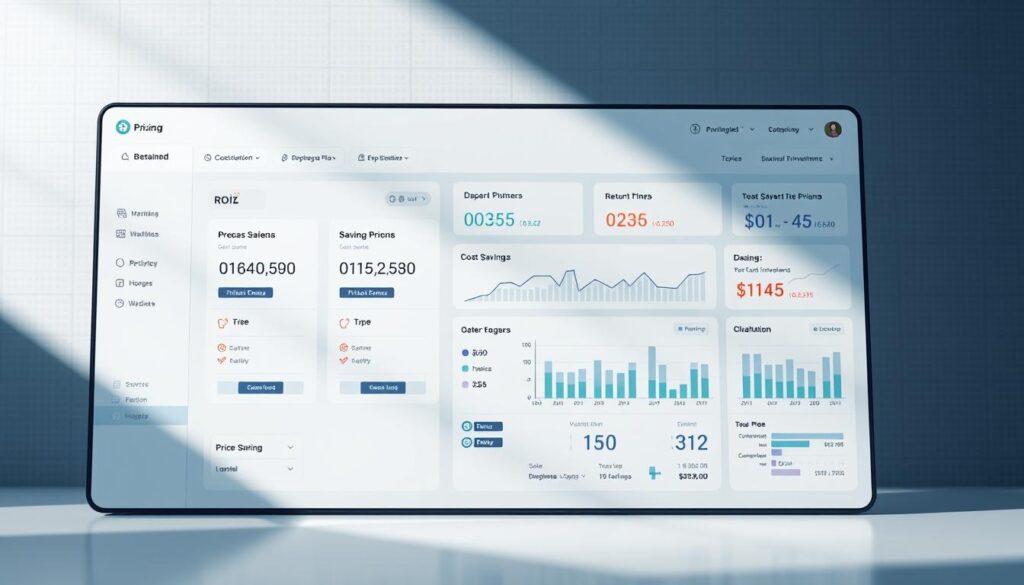
Subscription-Based Pricing
Software-as-a-Service platforms bundle access, hosting, updates, and support into predictable monthly or annual fees. This eliminates large upfront investments and ongoing infrastructure maintenance. Basic plans typically cost $80-150 per month and suit solo operators with essential features. Mid-tier plans ranging from $200-400 monthly add advanced capabilities for small shops with 2-5 technicians.
Professional and enterprise tiers serve larger operations with $500-1,500+ monthly costs that include unlimited users, advanced reporting, API integrations, and priority support. Annual commitment plans typically offer 10-20% discounts compared to month-to-month pricing.
Per-Technician Pricing
Many platforms calculate costs based on the number of technician accounts accessing the system. Typical per-user pricing ranges from $30-100 per technician monthly depending on the platform and feature tier. This structure directly ties software costs to team size, making budgeting straightforward as operations expand.
Some vendors differentiate between full technician accounts with complete system access and limited accounts for office staff. This distinction can reduce total costs by 30-50% for administrative users who don’t require mobile field capabilities.
Quick Reference: Monthly Cost Expectations
- Solo operator: $80-150 monthly
- 3-technician shop: $200-400 monthly
- 5-7 technician operation: $400-700 monthly
- 10+ technician fleet: $600-1,200 monthly
Calculating Return on Investment
The cost-benefit equation becomes clear when comparing monthly expenses against eliminated labor costs. A platform charging $250 per month that saves 15 hours of administrative work pays for itself if that time has a value exceeding $17 per hour. Most diesel mechanics find that automated scheduling, digital invoicing, and customer communication tools save 20-40 hours monthly.
Additional ROI sources include faster payment collection improving cash flow, reduced billing errors eliminating disputes, increased job completion rates from optimized routing, and improved customer retention from professional communication. These operational improvements typically deliver return on investment within the first 3-6 months.
Implementation Best Practices
Software implementation success depends less on platform capabilities and more on strategic approach during transition. Many businesses invest in powerful management tools only to achieve minimal results because they rush rollout without proper planning.
Training and Onboarding
Technology implementations fail more often due to inadequate training than software limitations. Staff needs structured training that builds competence progressively rather than overwhelming them with every feature at once. Technicians need focused education on mobile app functionality—work order updates, time tracking, parts requests, and photo documentation. Office staff require deeper training on scheduling, dispatching, invoicing, and reporting.
Hands-on learning sessions using real work orders and actual customer data prove far more effective than abstract demonstrations. Allow staff to practice in supervised environments before going live. Identify software champions among your team who embrace the new system enthusiastically and can provide peer support.
Plan for 2-4 weeks of initial training and parallel operations before fully transitioning. Schedule regular check-ins during the critical first 90 days to identify confusion and provide additional support.
Data Migration Strategy
Historical data from paper files, spreadsheets, or legacy systems provides technicians and customers with complete service history that informs current repairs. Begin with thorough data assessment inventorying what historical information exists, in what format, and what quality issues need addressing.
Consider your migration strategy carefully. Full historical conversion going back years provides comprehensive records but requires significant effort. Selective migration focusing on active customers and recent records allows faster implementation while capturing practical value. Most shops find that converting the past 2-3 years strikes the right balance.
Many software vendors offer data migration services including import tools, templates, and professional assistance. Investing in professional migration support often proves more cost-effective than dedicating internal staff to manual data entry for weeks.
Free Professional Fleet Tools
Cost calculators, fault code lookup, maintenance planners, and more — built for owner-operators, fleet managers, and diesel techs. No signup required.
Phased Rollout Approach
Gradual adoption strategies reduce implementation risk compared to disruptive overnight transitions. Start with core functions that provide immediate value—work order creation, customer database management, and basic scheduling. Establish solid foundations before adding complex capabilities like advanced inventory management and custom reporting.
Many successful shops run parallel operations where both old and new systems operate simultaneously during transition. This redundancy allows verification that the new platform captures necessary information and produces accurate results. A typical milestone-based adoption plan might include work orders and scheduling in month one, dispatching and mobile apps in month two, invoicing and payments in month three, inventory management in month four, and advanced reporting in month five.
Set realistic expectations about adoption timelines. Most diesel shops require 3-6 months from initial training to full utilization of advanced features. Productivity may temporarily decrease during transition periods as staff learns new processes. These short-term dips reverse once competency develops.
Mobile App Features for Field Technicians
The success of mobile service management software depends heavily on capabilities technicians can access through smartphone apps. Diesel mechanics working in the field face unique challenges that office-based systems never encounter.
Offline Functionality
Diesel technicians frequently service equipment in locations where cellular connectivity ranges from poor to nonexistent—rural farms, remote construction sites, underground facilities, and metal buildings all present connectivity challenges. Quality field service apps allow technicians to continue normal operations during disconnected operation.
Technicians can access work order details, record labor time, add service notes, capture photos, collect signatures, and create invoices. All data stores locally on the mobile device and automatically syncs to the cloud once connectivity returns. Superior platforms download essential data to devices before technicians leave for the day, including scheduled work orders, customer information, parts catalogs, and pricing data.
Photo Documentation and Digital Inspections
Customizable electronic checklists replace paper forms that get lost and prove impossible to search later. Photo documentation integrated directly into work orders allows technicians to capture equipment condition, damage details, repair procedures, and completed work visually. These images create indisputable records that support warranty claims, justify repair recommendations, and protect against customer disputes.
Before-and-after photo documentation builds customer trust through visual evidence. When recommending expensive additional work, photos prove problems exist rather than requiring customers to trust verbal descriptions. Photo annotation features allow technicians to mark up images with arrows, circles, and text labels to highlight specific issues.
Electronic Signature Capture
Digital signature collection eliminates paperwork delays and creates legally binding authorization records. Technicians collect customer authorization for estimates, acknowledge work completion, and confirm parts receipt directly on mobile devices. Captured signatures attach directly to specific documents with timestamp and GPS location data, providing indisputable legal records.
Under the ESIGN Act, electronic signatures carry the same legal weight as handwritten signatures. They provide enforceable authorization for work and strong protection against payment disputes. Mobile apps can send authorization links via email that allow instant electronic approval for fleet managers who may not be physically present.
Frequently Asked Questions
What is mobile service management software for diesel mechanics?
Mobile service management software is a cloud-based platform that helps diesel mechanics manage field operations from smartphones and tablets. These systems centralize work orders, scheduling, inventory tracking, invoicing, and customer communications into one unified platform accessible from any location. Purpose-built solutions for heavy-duty repair include features like commercial VIN decoding, fleet account management, and integration with diesel-specific parts catalogs that generic automotive software lacks.
How much does diesel shop management software cost?
Diesel shop management software typically costs $80-150 per month for solo operators, $200-400 for small shops with 3-5 technicians, and $600-1,200 for larger operations with 10+ technicians. Most platforms use subscription-based or per-technician pricing models. Annual commitments often provide 10-20% discounts compared to month-to-month billing. These costs typically represent 0.5-1.5% of gross revenue.
Can diesel repair software work offline in remote locations?
Quality mobile service management platforms offer offline functionality for technicians working in areas without cellular connectivity. These systems download essential data including work orders, customer information, and parts catalogs before technicians leave for the day. Changes made offline—time entries, photos, signatures, service notes—sync automatically when connectivity returns. This capability proves essential for roadside assistance, remote farm repairs, and service calls inside metal buildings that block signals.
What features should diesel mechanics prioritize in shop software?
Diesel mechanics should prioritize work order management with photo documentation, GPS tracking and intelligent dispatching, parts inventory with cross-reference databases, customer communication automation, QuickBooks integration, and mobile payment processing. Heavy-duty specific features like commercial VIN decoding, fleet account management with consolidated billing, and labor guides for diesel systems differentiate purpose-built platforms from generic automotive software.
How long does software implementation take for a diesel shop?
Most diesel shops require 3-6 months from initial training to full utilization of advanced features. Basic functionality like work orders and scheduling can be operational within 2-4 weeks. Data migration from existing systems typically requires 4-8 weeks depending on volume. Plan for parallel operations during transition, where both old and new systems run simultaneously to verify accuracy before fully committing to the new platform.
Moving Your Diesel Operation Forward
The diesel mechanic technology landscape has reached a point where paper-based operations can no longer compete with businesses leveraging mobile service management solutions. Your platform selection determines whether your shop operates efficiently or struggles with preventable chaos.
Start your evaluation by identifying your biggest operational pain points. Platforms like Fullbay, Orderry, and Pluss were designed specifically for heavy-duty diesel operations. Fleet-focused shops benefit from different features than mobile mechanics serving individual customers. Take advantage of free trials from every platform you consider—test the software with actual work orders and real technicians rather than relying solely on sales demonstrations.
The diesel mechanics who thrive in coming years will embrace technology as a competitive advantage. Mobile service solutions enable faster response times, professional invoicing, and reliable communication that customers increasingly expect. The question is not whether to adopt service management software, but which platform you will choose to drive your growth.
Help Fellow Diesel Professionals
Know a shop owner still running on paper work orders? Share this guide to help them evaluate their options.