
By Michael Nielsen, Editor & Publisher | 15+ Years in Diesel Repair
Last Updated: January 2026
📖 Estimated reading time: 22 minutes
The heavy duty repair industry stands at a critical crossroads. Since the 1980s, construction sectors transformed their operations through automated systems like HeavyBid and Sage. Now, shop estimating software brings the same revolution to commercial vehicle repair facilities—and shops that fail to adopt these tools face growing competitive disadvantages heading into 2026.
Heavy duty repair businesses face challenges that light-duty automotive work never encounters. Commercial trucks, buses, construction equipment, and fleet vehicles require complex diagnostics. Parts cost more and take longer to arrive. Repairs stretch across days or weeks instead of hours. The financial stakes run considerably higher, making estimation accuracy absolutely critical for maintaining profitability. Modern pricing tools deliver integrated solutions combining parts databases, labor guides, and supplier pricing into unified platforms that eliminate the guesswork from commercial vehicle repair estimating. These systems also help shops document compliance with FMCSA Part 396 inspection and maintenance requirements.
Operating without dedicated heavy duty repair shop software places businesses at a significant disadvantage in today’s competitive landscape. The right system directly impacts profitability by reducing errors, accelerating quote generation, and improving customer approval rates. This comprehensive guide examines essential features, leading solutions, pricing considerations, and selection criteria to help you make informed investment decisions.
Key Takeaways
- Purpose-built platforms outperform generic tools: Heavy duty estimating software delivers 15-25% accuracy improvements and 60-70% time savings compared to spreadsheets or light-duty automotive systems.
- Pricing ranges from $100-$2,000+ monthly: Basic platforms start around $100/month while enterprise solutions exceed $2,000, with implementation adding $500-$5,000 in setup costs.
- ROI materializes in 6-18 months: Shops recover their software investment through reduced estimation errors, faster quote turnaround, and improved customer approval rates.
- Integration capabilities matter: The best platforms connect with accounting systems, parts suppliers, and diagnostic tools to eliminate duplicate data entry.
- Cloud-native solutions dominate 2026: Modern platforms like Fullbay and ShopView offer anywhere access, automatic updates, and mobile functionality that legacy systems cannot match.
- Implementation requires planning: Budget 2-8 weeks for deployment depending on shop size, plus training time to maximize staff adoption.
Understanding Heavy Duty Shop Estimating Software
The evolution from manual estimating methods to digital platforms represents one of the most significant operational improvements available to heavy duty repair facilities. Modern shops no longer rely on scattered spreadsheets, outdated paper catalogs, or rough mental calculations to price complex repair jobs. Instead, specialized repair software delivers precision and consistency that directly impacts profitability and customer satisfaction.
This transformation affects every aspect of the estimating process. From initial vehicle inspection to final invoice generation, integrated systems streamline workflows that once consumed hours of administrative time. The shift to digital heavy duty shop management creates competitive advantages that separate industry leaders from operations still struggling with outdated methods.
Digital Platforms That Calculate Repair Costs
Shop estimating software functions as a specialized digital platform designed specifically to calculate repair costs with exceptional accuracy. These systems combine multiple data sources—parts pricing, labor rates, shop overhead, and profit margins—into comprehensive estimates that customers can understand and approve quickly.
The software replaces traditional manual methods with automated processes. Truck repair estimating now draws from integrated databases containing thousands of parts across multiple manufacturers. Real-time information sources provide current pricing rather than outdated catalog numbers that might be weeks or months old.
Professional platforms include several core capabilities. They generate itemized estimates showing every component of a repair job. They produce polished quotes that enhance your shop’s professional image. They track estimate-to-actual variances so you can identify where projections differ from reality.
Perhaps most importantly, these systems convert approved estimates directly into work orders and invoices. This eliminates duplicate data entry and reduces the errors that occur when information transfers between different systems. The continuity from estimate to completion creates efficiency throughout your operation.
| Estimating Approach | Time Required | Accuracy Rate | Professional Presentation |
|---|---|---|---|
| Manual spreadsheets and catalogs | 45-90 minutes per estimate | 65-75% accurate | Basic formatting, inconsistent branding |
| Generic business software | 30-60 minutes per estimate | 70-80% accurate | Template-based, limited customization |
| ✓ Specialized heavy duty platforms | 10-20 minutes per estimate | 90-95% accurate | Professional branded documents with detailed breakdowns |
Commercial Vehicle Repair Requires Purpose-Built Solutions
Heavy duty shops require specialized repair software rather than generic estimating tools or light-duty automotive platforms. The complexity of commercial vehicles creates challenges that standard systems simply cannot address effectively.
Consider the parts ecosystem alone. Heavy duty vehicles use proprietary numbering systems across dozens of manufacturers—Caterpillar, Cummins, Detroit Diesel, Allison, Meritor, Eaton, and many others. Each manufacturer maintains its own catalog structure and pricing tiers. Generic software lacks these specialized databases entirely.
Labor operations present equally significant challenges. Fleet maintenance estimating must account for specialized procedures not found in standard labor guides. Heavy duty diagnostics require different time allocations than light vehicle repairs. Complex component rebuilds—transmissions, differentials, engines—demand detailed tracking that generic systems don’t provide.
Part costs in commercial vehicle repair reach levels that make pricing precision absolutely critical. A single turbocharger might cost $3,500. An engine overhaul kit could exceed $8,000. Transmission components frequently surpass $10,000. Small percentage errors in truck repair estimating translate into substantial dollar losses that erode your margins over time.
15-25%
Average improvement in estimate accuracy reported by shops using specialized heavy duty platforms versus generic or manual methods
Specialized heavy duty platforms include manufacturer-specific parts catalogs that update regularly. They provide labor times calibrated specifically for commercial equipment rather than passenger vehicles. They integrate directly with heavy duty parts suppliers, eliminating manual price lookups. They offer features for handling fleet accounts with negotiated pricing structures that vary by customer.
Using inappropriate software creates systematic problems that compound over time. Generic business tools cause consistent underestimation because they lack accurate heavy duty data. Light-duty automotive systems miss the specialized components and procedures unique to commercial vehicles. Both approaches lead to lost revenue, customer disputes over unexpected costs, and competitive disadvantage against shops using proper tools.
The business case for purpose-built heavy duty shop management solutions becomes clear when you examine the financial impact. Investment in appropriate technology pays for itself through improved operational efficiency and reduced revenue leakage. The question isn’t whether your shop can afford specialized fleet maintenance estimating software—it’s whether you can afford to continue without it. Every underestimated job represents profit walking out the door, and every hour spent on manual calculations is time not spent serving customers.
Essential Features in Modern Shop Estimating Software
Quality estimating software transforms repair operations by combining multiple critical capabilities into a unified system. The difference between basic digital tools and comprehensive solutions lies in how well the platform addresses the specific challenges heavy duty shops face daily. Advanced systems incorporate customizability, seamless integration capabilities, and intuitive interfaces that reduce training time while increasing operational efficiency.
Cloud-based platforms now dominate the market because they provide access from any location on any device. This flexibility allows service advisors, technicians, and managers to work simultaneously on different aspects of the same estimate. Pre-built libraries eliminate redundant data entry and significantly boost productivity across all shop functions.
Accurate Parts and Labor Cost Calculation
Precision in pricing determines profitability for every repair job. Premium parts pricing software pulls data from multiple sources to ensure estimates reflect current market conditions. These systems incorporate manufacturer suggested retail pricing, actual supplier cost data, historical purchase records, and real-time market adjustments.
Labor rate calculation features must offer flexibility to match your shop’s operational structure. The best platforms include customizable labor rate matrices that allow different rates based on technician skill levels, job complexity, or service types. Standard labor time guides provide baseline estimates, which the software then adjusts based on your shop’s historical efficiency data.
Automated calculations handle the complex math that manual processes often get wrong. The system should calculate subtotals, apply shop supplies percentages, determine correct tax rates by jurisdiction, and factor in appropriate profit margins. This automation eliminates pricing errors that cost shops thousands of dollars annually.
Real-Time Parts Supplier Integration
Connectivity with parts suppliers transforms the estimating process from guesswork to certainty. Modern supplier integration connects directly to distributor inventory and pricing systems through API integrations or electronic data interchange. This real-time connection eliminates the frustration of quotes based on outdated information.
Immediate parts availability confirmation prevents delays caused by ordering unavailable components. Current pricing data ensures estimates remain accurate throughout the approval process. The software can suggest alternative parts when primary options are unavailable, giving customers choices without requiring manual research.
The most valuable systems generate parts orders directly from approved estimates. This streamlined workflow reduces duplicate data entry and speeds up the repair process. Key integrations include major heavy duty parts distributors, OEM dealer networks, and regional suppliers specific to your market.
Digital Vehicle Inspection Capabilities
Visual documentation has become essential for building customer trust and justifying repair recommendations. Digital vehicle inspection features allow technicians to capture photos and videos during the inspection process. This visual evidence supports the estimate and helps customers understand why specific repairs are necessary. Thorough inspection documentation also helps fleet customers maintain compliance with CVSA inspection standards, reducing the risk of roadside out-of-service violations.
Identifying additional repair needs during inspection creates opportunities for comprehensive service. The software should enable technicians to create supplemental estimates seamlessly, adding newly discovered issues without disrupting workflow. This capability increases revenue per repair order while ensuring vehicles receive complete attention.
Integration between inspection and estimating functions eliminates duplicate work. Technicians document conditions once, and that information flows directly into the estimate. This efficiency reduces the time between vehicle arrival and estimate delivery, improving customer satisfaction and shop throughput. Proper documentation also supports compliance with FMCSA’s 49 CFR 396.3 maintenance recordkeeping requirements, which mandate that motor carriers maintain inspection, repair, and maintenance records for each commercial motor vehicle under their control.
Customer Approval and Communication Tools
Getting estimates approved quickly directly impacts shop productivity and revenue. Modern customer communication tools enable shops to send estimates via email or text message instantly. Customers can review detailed repair information from their phone or computer, making the approval process convenient and transparent.
Customer portals provide a professional interface for estimate review. These portals display parts details, labor descriptions, and visual inspection findings in an organized format. Digital approval signatures eliminate the need for customers to visit the shop physically, accelerating the approval timeline considerably.
Automated follow-up reminders ensure estimates don’t get lost in customer inboxes. The system tracks estimate status through the approval pipeline, alerting service advisors when action is needed. This visibility prevents delays and helps shops maintain consistent communication standards that build customer loyalty.
Leading Heavy Duty Shop Estimating Platforms
The heavy duty estimating software market offers several established solutions, each with distinct strengths suited to different shop profiles. Understanding the capabilities and limitations of each platform helps you match technology to your specific operational requirements.
Mitchell 1 Manager SE
Heavy duty shop management reaches enterprise level with Mitchell 1 Manager SE, a solution designed for repair facilities demanding full-spectrum operational control. This platform combines estimating functions with comprehensive business management tools, serving medium to large operations that need more than basic estimating capabilities.
The software integrates seamlessly with existing shop workflows. Fleet maintenance operations and commercial repair facilities benefit from its extensive capabilities built on decades of Mitchell 1’s industry experience developing repair information systems.
Mitchell 1 has built a reputation as a trusted provider of repair shop software solutions. Manager SE represents their flagship offering for heavy duty applications. The platform eliminates the need for multiple disconnected systems by consolidating estimating, invoicing, inventory tracking, and business analytics into a unified environment.
Complete integration stands as the primary advantage, connecting estimating directly to invoicing and inventory systems. Manager SE includes extensive parts databases covering major heavy duty manufacturers, with technicians accessing accurate specifications for virtually any commercial vehicle. Established integrations with parts suppliers streamline the ordering process through direct connections to industry data providers.
The reporting and analytics capabilities provide deep operational insights. Management tracks estimating accuracy, technician productivity, and profitability by job type. These metrics drive better business decisions and identify improvement opportunities that manual tracking would miss.
Despite its strengths, the platform presents some challenges. The cost point exceeds standalone estimating tools or newer cloud-native competitors. Complexity requires significant training commitment from staff members—new users often need several weeks to become proficient with core functions. Some users report the interface feels less intuitive than modern alternatives, with navigation requiring specific workflows that may not match natural expectations.
| Feature Category | Capability | Business Impact |
|---|---|---|
| Vehicle Identification | Automated VIN decoding with specification lookup | Reduces estimate creation time by 40% |
| Labor Estimation | Industry-standard time guides with customization | Improves pricing consistency and accuracy |
| Parts Sourcing | Multi-supplier search and price comparison | Increases gross profit margins 5-15% |
| Workflow Automation | Estimate-to-invoice conversion process | Eliminates 30 minutes per completed job |
| Financial Reporting | Accounting system synchronization | Reduces month-end closing time by 50% |
Fullbay
Fullbay emerged as a purpose-built solution targeting the unique workflow requirements of diesel repair facilities. This cloud-native platform distinguishes itself from legacy systems by offering modern architecture designed specifically for heavy duty repair operations. Unlike adapted automotive software, Fullbay addresses the complexities of diesel mechanics, fleet services, and mobile repair teams from the ground up.
The platform serves independent diesel repair shops, mobile service providers, and fleet maintenance departments. Its unified environment combines estimating, work orders, invoicing, inventory tracking, and customer relationship management into a single accessible system.
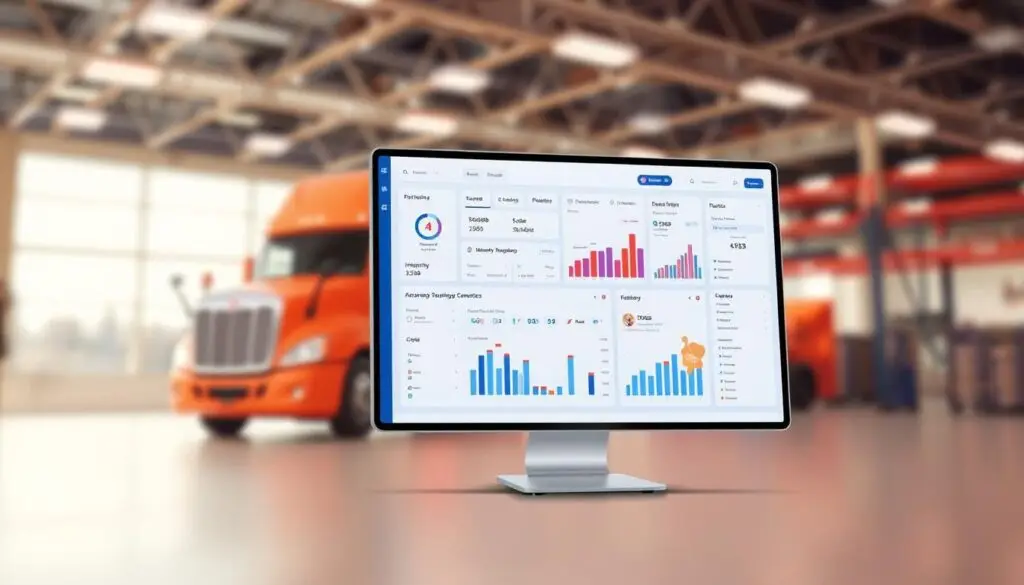
Fullbay stands apart as a relatively newer entrant built entirely on current technology standards rather than outdated infrastructure. The diesel repair shop software was conceived from inception to serve the heavy duty market exclusively, eliminating the compromises inherent in multi-purpose platforms.
Cloud-based architecture provides flexibility for access from any location at any time. The platform enables technicians, service advisors, and shop owners to work collaboratively in real-time, promoting efficient teamwork and swift task completion through seamless information sharing. Mobile mechanics can create estimates on tablets in the field while office staff simultaneously update inventory from desktop computers.
The platform delivers several compelling advantages: an intuitive user interface requiring minimal training time for new employees, true cloud-native architecture enabling seamless access across devices, diesel-specific design rather than adapted automotive workflows, and accessible pricing structures suitable for independent shops. Regular feature updates and continuous platform improvements keep the system current with industry needs.
A balanced assessment reveals certain constraints. Fullbay has a shorter track record compared to decades-old established platforms. Some advanced capabilities found in mature enterprise systems remain in development. Internet dependency for system access affects shops in areas with unreliable connections, though offline functionality continues improving.
Shopmonkey
In the evolving landscape of mechanic shop management, Shopmonkey stands out through its intuitive design and comprehensive workflow automation. This cloud-based platform brings modern technology to shop operations with a focus on simplifying daily tasks while bridging the gap between traditional shop management and today’s digital customer expectations.
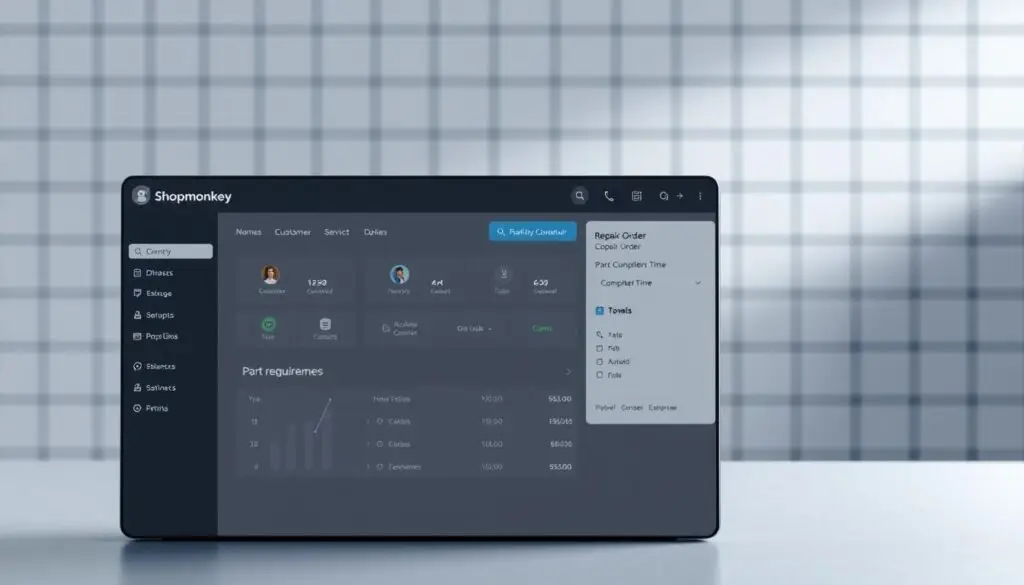
Shopmonkey software originated in the automotive repair sector but has steadily expanded into mixed fleet and commercial vehicle operations. The platform emphasizes workflow efficiency and customer experience above all else, with its visual interface reducing training time and helping teams adopt new technology faster.
The system integrates estimating with scheduling, customer communication, and payment processing in one unified environment. Shops gain real-time visibility into every job from initial estimate through final payment without switching between multiple disconnected tools.
Key strengths include an exceptionally intuitive interface that minimizes learning curves, robust customer communication features including automated service updates, integrated payment processing that eliminates third-party gateway dependencies, and a powerful mobile application supporting field operations. Outstanding customer onboarding with dedicated support teams ensures successful implementation.
The platform’s primary optimization for automotive repair means certain heavy duty-specific features may be less developed. Shops working exclusively with diesel trucks or specialized equipment might find gaps in functionality. Parts database coverage tends toward automotive components rather than specialized heavy duty inventories. Operations requiring extensive diagnostic integration or complex warranty processing may need additional solutions.
Protractor by Decisive
Protractor by Decisive represents a mature platform engineered to meet the complex demands of high-volume commercial vehicle repair facilities. This enterprise-grade solution serves municipal maintenance departments, large fleet operators, and multi-location repair businesses requiring sophisticated functionality beyond basic estimating.
Unlike solutions designed for smaller shops, Decisive Protractor targets enterprises needing extensive reporting capabilities, robust security controls, and comprehensive data management. The platform has evolved over years of serving fleet management software needs, developing deep expertise in heavy duty maintenance workflows. Organizations choosing this solution typically manage hundreds or thousands of vehicles requiring detailed documentation and operational oversight.
Protractor delivers purpose-built functionality specifically designed for heavy duty and fleet operations. The depth of industry-specific features distinguishes it from general-purpose shop management systems. Comprehensive reporting and analytics support data-driven decision-making across all maintenance operations, with robust user permission controls providing granular security settings appropriate for large organizations.
The platform’s extensive functionality comes with trade-offs. Complexity represents both a strength and a challenge depending on organizational needs and resources. Implementation requires substantial time investment, particularly for large deployments spanning multiple locations. The cost structure reflects enterprise positioning, with pricing exceeding smaller shop management solutions.
The HDJ Perspective
After years of covering fleet technology evolution, one pattern stands clear: shops that invest in purpose-built estimating platforms consistently outperform those clinging to generic solutions or spreadsheet-based methods. The upfront investment and training commitment pale compared to the cumulative cost of pricing errors, administrative inefficiency, and lost competitive positioning. For shops still evaluating whether specialized software makes financial sense, the real question isn’t cost—it’s how much longer you can afford the hidden expenses of inadequate tools.
Other Notable Heavy Duty Estimating Solutions
The heavy duty estimating software landscape includes additional solutions that address niche requirements with focused features. These vehicle maintenance platforms serve specific shop types and operational models that may not align with comprehensive management systems.
Fleetio
Fleetio software operates as a fleet management platform with integrated maintenance and estimating capabilities. The system primarily targets fleet operators managing their own maintenance operations, though repair shops serving fleet customers increasingly adopt this platform.
The platform emphasizes fleet asset tracking and preventive maintenance scheduling. Operational analytics combine with estimating as a component of comprehensive fleet management. Organizations prioritizing fleet oversight with maintenance management integrated into broader operations find this approach valuable. The FMCSA Safety Planner emphasizes that every commercial vehicle must undergo periodic inspection at least once every 12 months—software that automates these scheduling requirements helps shops ensure fleet compliance.
Key advantages include excellent fleet tracking and asset management capabilities across diverse vehicle types, strong preventive maintenance scheduling that reduces unexpected repairs and downtime, fuel management and telematics integration, and a user-friendly interface with mobile accessibility. Fleetio also provides robust API capabilities for custom integrations with existing business systems.
Limitations include estimating functionality that’s less robust than dedicated shop management systems, parts database coverage that may require manual supplementation for specialized components, and primary design orientation toward fleet operators rather than independent repair shops.
Diesel Laptops Repair Link
Diesel Laptops Repair Link represents a specialized platform from a diagnostic tool provider. The system specifically targets diesel repair shops and integrates diagnostic information with estimating and repair workflow—a unique connection between diagnostic findings and estimate creation that provides distinct value.
Repair Link connects fault code information directly to parts identification and repair procedures. Shops emphasizing diagnostic accuracy find this integration particularly valuable. The platform leverages diagnostic repair tools expertise to streamline the path from problem identification to customer approval.
Key advantages include direct integration with diagnostic tools and fault code information that eliminates data re-entry, access to extensive diesel repair information and procedures specific to heavy duty systems, and parts identification linked to diagnostic codes that reduces lookup time and errors.
Considerations include narrower scope than full shop management platforms, relatively newer platform status with features still developing compared to established competitors, and pricing structure tied to the broader Diesel Laptops ecosystem.
Free Professional Fleet Tools
Cost calculators, fault code lookup, maintenance planners, and more—built for owner-operators, fleet managers, and diesel techs. No signup required.
Pricing Structures and Software Investment Costs
Financial planning for shop management software requires careful evaluation of multiple pricing structures and hidden expenses. Understanding software pricing models helps heavy duty shop owners make informed decisions about their technology investments. The total cost of ownership extends well beyond the advertised base price and includes numerous factors that impact your long-term budget.
Monthly Subscription Models
The subscription-based approach has become the dominant pricing structure for modern shop estimating platforms. Most vendors charge recurring monthly or annual fees that grant access to their software without requiring large upfront investments. This SaaS pricing model typically includes automatic updates, cloud hosting, and basic customer support as part of the package.
Basic platforms serving single-location shops generally range from $100 to $500 per month. These entry-level solutions provide essential estimating functions and standard reporting capabilities. Mid-tier offerings with advanced features typically cost between $500 and $1,200 monthly. Comprehensive enterprise solutions can exceed $2,000 per month for multi-location operations with extensive customization options, unlimited data storage, and priority support services.
Annual payment plans often provide discounts of 10-20% compared to monthly billing cycles. Subscription costs offer several advantages for heavy duty shops: lower initial investment removes financial barriers for smaller operations, predictable monthly expenses simplify budget planning and cash flow management, and automatic software updates ensure you always have access to the latest features and security patches.
Per-User and Per-Location Pricing
Many vendors implement variable pricing structures that scale with your shop’s size and usage patterns. Per-user pricing charges fees for each individual who needs system access, typically ranging from $50 to $150 per user monthly. This model works well for shops that want to control costs by limiting active users.
Per-location pricing applies to businesses operating multiple facilities. Vendors typically charge $300 to $800 or more per location each month, depending on the feature set and support level. Some platforms combine both approaches with a base platform fee plus additional per-user charges.
Understanding the fine print matters significantly with these pricing structures. Clarify whether the vendor counts concurrent users or named users in their calculations. Determine if read-only access for customers or managers incurs charges. Ask about volume discounts for larger user counts or multiple locations.
⚠️ Implementation Cost Warning
The advertised software price rarely represents your complete investment. Implementation fees typically range from $500 to $5,000+ depending on system complexity, data migration requirements, and customization needs. Budget for training costs at $100-200 per hour—your team needs adequate training to maximize software value and adoption rates.
Hidden Costs and Implementation Fees
Data migration from your current system presents another expense often overlooked in initial budgeting. Transferring customer records, vehicle histories, and parts inventory requires careful planning and execution. Implementation fees should cover this process, but complex migrations may incur additional charges.
Training costs deserve careful attention in your budget planning. Formal training sessions typically cost $100 to $200 per hour for instructor-led programs. Your team needs adequate training to maximize software value and adoption. Budget for initial training plus refresher courses as staff turnover occurs.
Integration expenses arise when connecting estimating software with accounting systems, parts suppliers, or payment processors. Some vendors include basic integrations in their base pricing while advanced custom integrations may require developer time billed at hourly rates. Transaction fees for integrated payment processing add ongoing costs to consider.
Hardware requirements represent another budget consideration. Technicians need tablets or mobile devices for digital inspections and estimates. Printers, barcode scanners, and network infrastructure may require upgrades. These one-time equipment costs should factor into your total investment calculation. Note that business software and equipment purchases may qualify for immediate tax deductions under IRS Section 179, which allows businesses to deduct the full purchase price of qualifying software and equipment in the year of acquisition rather than depreciating over time.
| Pricing Component | Typical Cost Range | Frequency | Key Considerations |
|---|---|---|---|
| Basic Monthly Subscription | $100 – $500 | Monthly/Annual | Includes updates, hosting, basic support |
| Enterprise Subscription | $500 – $2,000+ | Monthly/Annual | Advanced features, unlimited storage, priority support |
| Per-User Pricing | $50 – $150 per user | Monthly | Scales with team size, verify concurrent vs. named users |
| Implementation Fees | $500 – $5,000+ | One-Time | Setup, data migration, configuration, integration |
| Training Services | $100 – $200 per hour | As Needed | Initial training plus ongoing education for new staff |
Selecting the Best Shop Estimating Software for Your Business
Finding the perfect estimating solution for your heavy duty shop demands more than comparing price tags and feature lists. The selection process requires a systematic approach that aligns technology capabilities with your specific operational needs. A rushed decision based solely on cost or flashy demonstrations often leads to expensive implementation failures and frustrated staff. For shops concerned about financing software investments, the U.S. Small Business Administration offers loan programs that can help trucking businesses acquire equipment and technology upgrades with favorable terms.
Evaluate Your Shop’s Specific Requirements
Begin with a comprehensive shop requirements analysis before exploring any software options. This assessment documents your actual operational needs rather than assuming what features might be useful. Jumping directly to product comparisons without understanding your requirements leads to mismatched solutions.
Your requirements documentation should capture several critical elements. Start by defining your shop size and monthly transaction volume, as these factors determine the scale of system you need. Identify your vehicle specializations, whether you focus on diesel trucks, construction equipment, municipal fleets, or mixed heavy duty operations.
Document your current pain points in the estimating process with specific examples. These might include slow quote turnaround times, frequent pricing errors, difficulty tracking parts availability, or communication breakdowns with customers. Identifying these problems ensures your new software directly addresses your most pressing challenges.
Separate essential features from desirable ones to maintain focus during evaluation. Essential features are non-negotiable capabilities your shop cannot operate without, while desirable features enhance operations but aren’t critical. This distinction prevents feature bloat from driving decisions.
Compare Integration and Compatibility
Software integration capabilities determine whether your new estimating system works harmoniously with existing tools or creates frustrating data silos. Integration failures force duplicate data entry, create reconciliation headaches, and negate many efficiency benefits that prompted the software purchase.
Evaluate compatibility with your current accounting systems first, as financial integration is critical. Most heavy duty shops use QuickBooks, Sage, Xero, or similar platforms for financial management. Seamless integration eliminates manual invoice entry and ensures accurate financial reporting.
Assess integration with your parts suppliers and ordering systems next. Real-time parts availability and automated ordering streamline the estimating process significantly. Verify that the software connects with your primary suppliers through native integrations rather than manual workarounds. According to TMC’s technology recommendations, standardized data exchange between shop systems and suppliers reduces administrative overhead significantly.
Hardware compatibility matters more than many shops initially recognize. Confirm that the software runs smoothly on your existing computers, tablets, and diagnostic tools. Cloud-based solutions typically offer broader compatibility, but performance on older hardware should be verified during testing.
Key Recommendation
Limit your in-depth evaluation to 2-3 finalists to avoid analysis paralysis. Request customized demonstrations using your actual data and operational scenarios—generic demos rarely reveal how well software handles your specific workflows. Involve technicians and service advisors who will use the system daily, as their buy-in significantly impacts implementation success.
Assess Vendor Support and Training
Even the most sophisticated estimating software becomes frustrating without adequate vendor support and training programs. The human factors of implementation often determine success more than technical capabilities. A vendor’s commitment to customer success reveals itself through support quality and training resources.
Implementation support quality varies dramatically between vendors. Some provide dedicated implementation specialists who guide setup and configuration, while others offer only basic documentation. Ask specific questions about the implementation process, including typical timelines and the level of hands-on assistance provided.
Training program availability and quality directly impact user adoption rates. Comprehensive training should cover different user roles with appropriate depth for service writers, technicians, and managers. Online training offers flexibility, while onsite training provides hands-on guidance with your actual workflows.
Ongoing technical support options deserve careful scrutiny beyond marketing promises. Response times during critical issues can mean the difference between minor inconvenience and costly operational disruption. Verify support availability hours, especially if you operate extended hours or weekends.
Request references from current customers in similar heavy duty shop operations. Ask these references specific questions about their support experiences, particularly regarding problem resolution speed and training effectiveness. Vendor-provided case studies present idealized scenarios, while peer feedback reveals real-world performance.
Frequently Asked Questions
What is the average cost of heavy duty shop estimating software?
Heavy duty shop estimating software typically costs between $100 and $500 per month for basic platforms serving single-location shops. Mid-tier solutions with advanced features run $500 to $1,200 monthly, while comprehensive enterprise systems for multi-location operations can exceed $2,000 per month. Many vendors offer annual payment discounts of 10-20%. Additional costs include implementation fees ranging from $500 to $5,000 and training expenses at $100-200 per hour. The total cost of ownership extends beyond base subscription pricing to include hardware, integration, and ongoing support costs.
What features should I look for in diesel repair shop software?
Essential features for diesel repair shop software include accurate parts and labor cost calculation with manufacturer-specific databases, real-time supplier integration for pricing and availability verification, digital vehicle inspection capabilities with photo documentation, and customer communication tools for estimate approval. Purpose-built heavy duty platforms should include labor guides calibrated for commercial equipment, VIN decoding for Class 4-8 trucks, and integration with major parts distributors serving the diesel aftermarket. Cloud-based access, mobile functionality, and accounting system integration round out the critical capabilities.
Which heavy duty estimating software is best for small diesel shops?
For small diesel repair shops, Fullbay offers an excellent balance of functionality and ease of use with its cloud-native platform designed specifically for heavy duty operations. Its intuitive interface minimizes training time while providing diesel-specific features. Shopmonkey provides another strong option for shops seeking modern customer communication tools and streamlined workflows. Both platforms offer accessible pricing structures suitable for independent operations while delivering the core estimating and shop management capabilities smaller shops need without overwhelming complexity.
How long does it take to implement shop estimating software?
Implementation timelines vary based on shop size and system complexity. Cloud-based solutions like Fullbay or Shopmonkey typically achieve full operational status within 2-4 weeks for single-location shops. Enterprise platforms such as Mitchell 1 Manager SE or Protractor may require 4-8 weeks for larger deployments with multiple locations. Data migration from legacy systems adds complexity—plan for additional time to transfer customer records, vehicle histories, and parts inventory. Most vendors report 95% of customers become fully operational within 90 days when working with implementation specialists.
Can shop estimating software integrate with QuickBooks and other accounting systems?
Yes, most modern shop estimating platforms offer accounting integration. Fullbay, Shopmonkey, and Fleetio integrate with QuickBooks and Xero, automatically syncing invoices and eliminating duplicate data entry. Mitchell 1 Manager SE connects to popular accounting packages for bi-directional data transfer. These integrations reduce month-end closing time by up to 50% and ensure financial records remain synchronized automatically. Verify specific integration compatibility with your accounting software version before committing to any platform.
What is the ROI timeline for shop estimating software?
Most heavy duty repair shops realize positive ROI from estimating software within 6-18 months. Shops using specialized platforms report 15-25% improvements in estimate accuracy and 60-70% reduction in estimating time. These efficiency gains free technicians and service writers for revenue-generating activities. Additional savings come from reduced pricing errors, faster quote turnaround improving customer approval rates, and decreased administrative overhead. The investment pays for itself through improved operational efficiency and reduced revenue leakage from underestimated jobs.
Maximizing Your Software Investment
Accurate estimating stands as the cornerstone of profitability in heavy duty repair operations. The right shop estimating software investment transforms daily operations by reducing estimate preparation time, minimizing pricing errors, and presenting professional quotes that close more business.
The estimating software ROI typically materializes within 6-18 months through improved accuracy, faster quote turnaround, and better resource allocation. Thousands of repair facilities have relied on heavy duty repair technology to streamline their bidding processes and manage projects successfully since dedicated platforms emerged in the late 1990s.
Your path to shop efficiency improvement begins with documenting your specific operational requirements. Request demonstrations from Mitchell 1 Manager SE, Fullbay, Shopmonkey, or Protractor based on your shop profile. Involve technicians and service advisors in the evaluation process to ensure the selected platform fits actual workflows.
The competitive landscape of 2026 demands digital tools that deliver speed and precision. Shops operating without purpose-built estimating solutions face systematic disadvantages that compound over time. Budget comprehensively for implementation, training, and integration costs while recognizing that this infrastructure investment positions your business for sustained success in an increasingly demanding market. The question isn’t whether to invest—it’s how quickly you can implement the right solution to stop leaving money on the table.
Share This Guide With Your Network
Know a shop owner or fleet manager evaluating software options? This comparison guide could save them weeks of research and help them avoid costly mistakes.